*** This version of Confluence is for testing only and contains a copy of content from June 29th 2026. No changes will be preserved. ***

 Masayo Uchiyama, last updated on Mar 13, 2026
2 minute read
Masayo Uchiyama, last updated on Mar 13, 2026
2 minute read
Scope: This document provides guidelines for Ordering staff to process POOF2 orders and send items ordered each day
Contact: Masayo Uchiyama
Unit: Ordering
Date last updated: 3/26/2025
Date of next review: March 2026
Open Cyberduck, download marc files
Open Data Import App, create purchase order
Open Orders App, review orders
Create CSV file or Print PO for each vendor
Send PO to a vendor via email with attachment (CSV file or PDF)
Harrassowitz (code: Harrass-e) orders get sent via EDIFACT
A. Open Cyberduck, download marc files for print orders sent via POOF2 on the previous business day
B. Create PO in Date Import App
C. Do a compound search in Orders App for current day’s firm orders created by Data Import
Alternatively, you can print order in PDF format. Click action in right hand corner of right pane, select Print order. Save as PDF and use PO number for the file name.
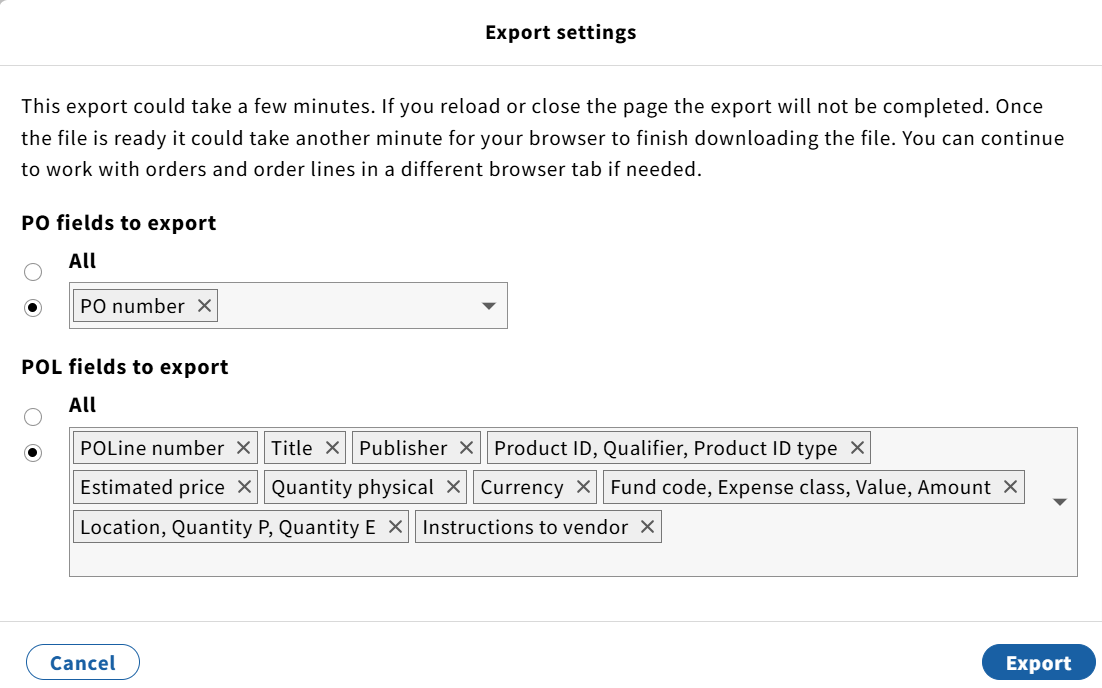
D. Examine CSV files and cleanup unwanted information and save. Send orders by email to a vendor with attachment.
NOTES: Some vendors send us order confirmation/acknowledgement and they can be filed in print ordering mailbox.
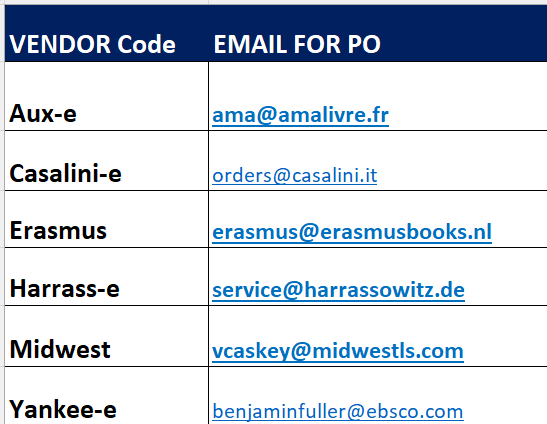
E. Harrassowitz orders get sent via EDIFACT
