 Sign-up for free online course on ANSYS simulations!
-
Created by
 user-ab9f4, last updated on May 16, 2011
2 minute read
user-ab9f4, last updated on May 16, 2011
2 minute read
Author: John Singleton, Cornell University
Problem Specification
1. Pre-Analysis & Start-Up
2. Geometry
3. Mesh
4. Setup (Physics)
5. Solution
6. Results
7. Verification and Validation
Exercises
5. Solution
In this section several outputs will be specified before we have ANSYS solve.
Temperature
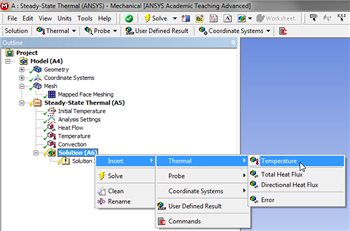
To specify the temperature as an output (Right Click) Solution > Insert > Thermal > Temperature, as shown below.
Click Here for Higher Resolution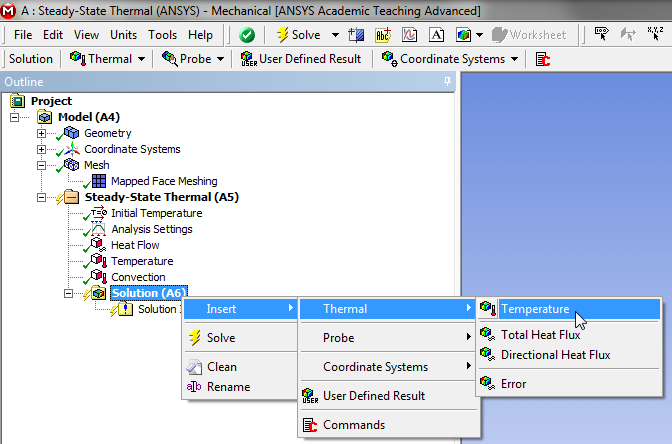
Total Heat Flux
In order to have ANSYS solve for the Total Heat Flux, (Right Click) Solution > Insert > Thermal > Total Heat Flux, as shown below.
Click Here for Higher Resolution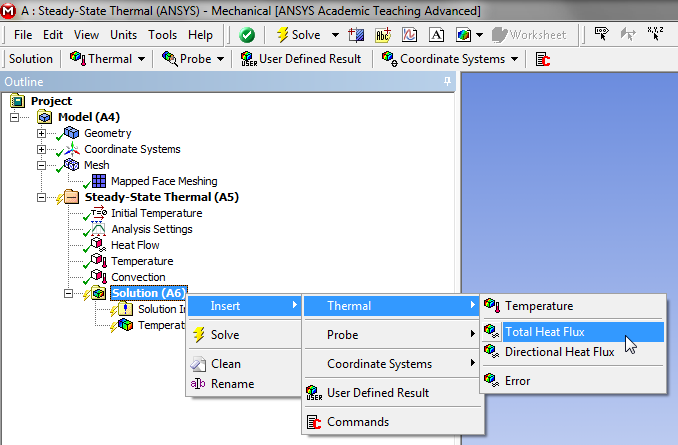
Directional Heat Flux
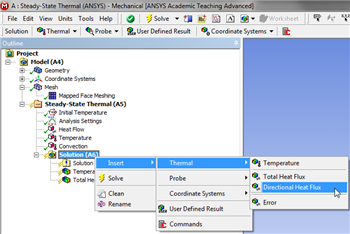
In order to have ANSYS solve for the Directional Heat Flux, (Right Click) Solution > Insert > Thermal > Directional Heat Flux, as shown below.
Click Here for Higher Resolution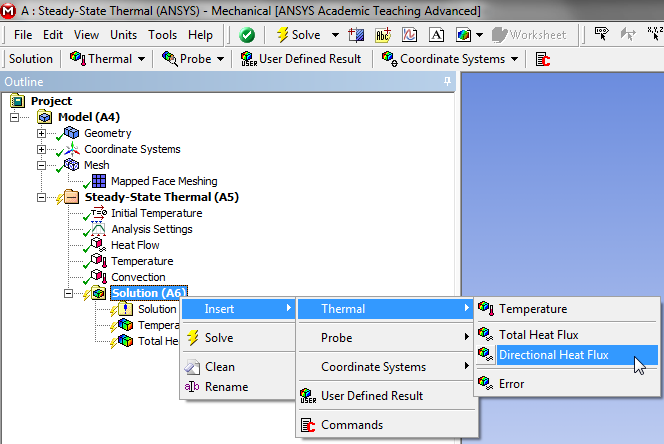
Execute the Solver
In order to have ANSYS solve for the previously defined results (Click) Solve,  .
.