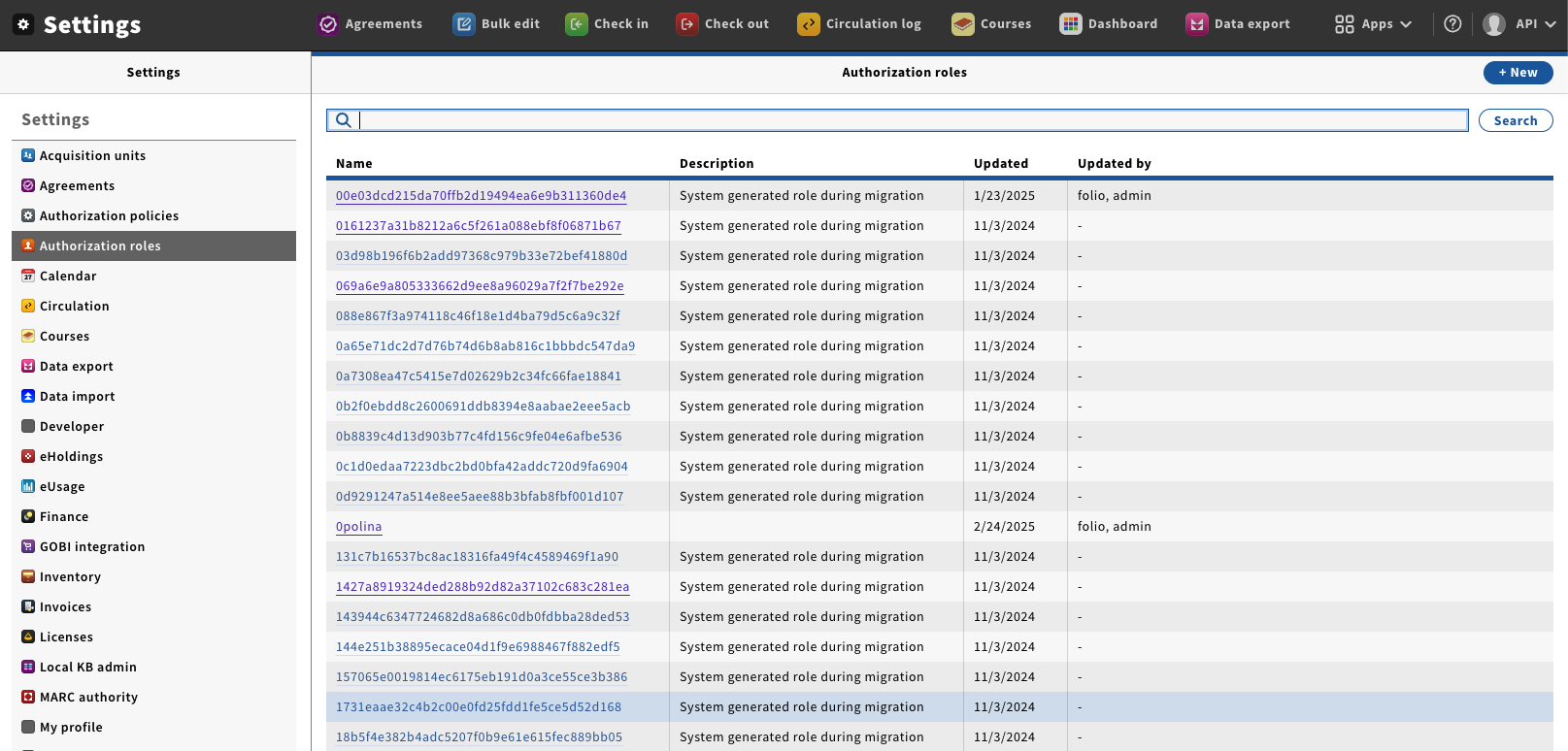
- Go to “Settings” → “Authorization roles”, this will pen the Role management window.
| |
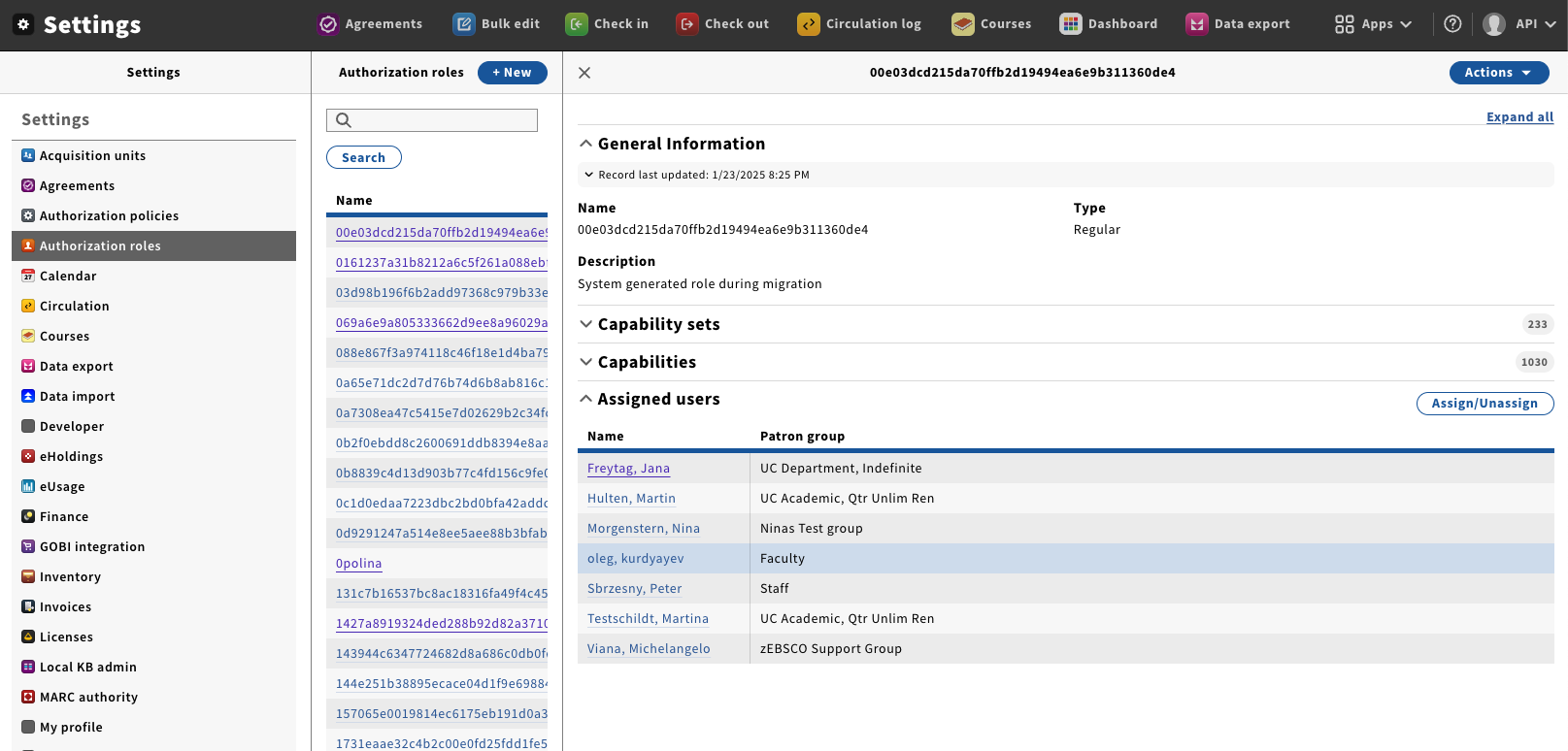
- Click on the name of Role you wish to edit; this will open the detail's pane.
- The different sections shown on this panel are:
- Capability Sets—The currently assigned Capability sets
- Capabilities—The currently assigned Capabilities.
- Assigned users—The users who currently have this Role assigned to them. You can also add and remove this role to Users from this section.
| |
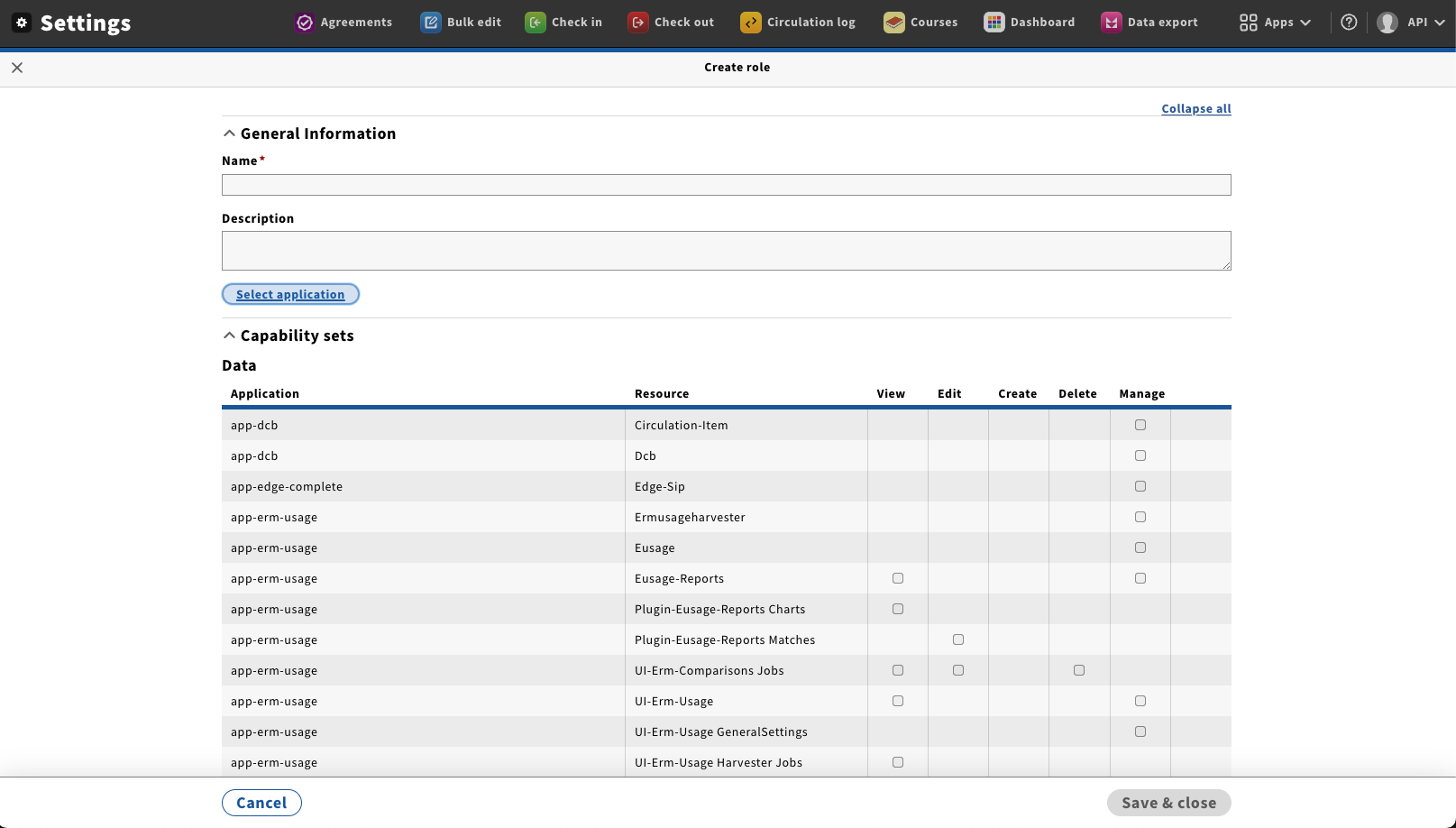
- From the Action menu select “Edit”; this will open the New / Edit role screen.
- This menu also allows you to Duplicate and Delete a role. At this time you should only try to delete a role if you know it will not be used again and as long as there are no Users assigned to it.
| |
|
|

 Thomas I. Trutt, last updated on Jun 06, 2025
2 minute read
Thomas I. Trutt, last updated on Jun 06, 2025
2 minute read