*** This version of Confluence is for testing only and contains a copy of content from June 29th 2026. No changes will be preserved. ***

 Thomas I. Trutt, last updated on Jun 06, 2025
3 minute read
Thomas I. Trutt, last updated on Jun 06, 2025
3 minute read
If a staff member has started, but their account has not been loaded into FOLIO a temporary account can be created using this workflow: Adding a User to FOLIO
Please note:
This allows the staff member to sign in to FOLIO but also not interfere with the automatic loading of their information during the nightly BOOMI feed.
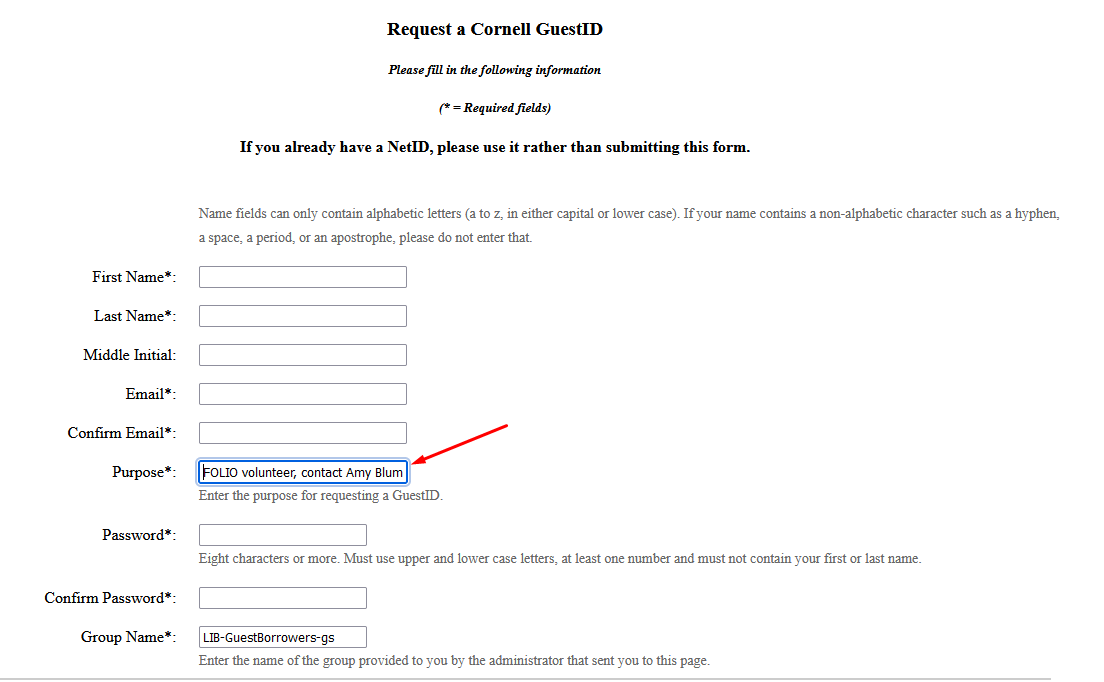
A GuestID can be helpful for volunteer staff who are not part of the current Cornell community. The Adelson Library, for example, relies on volunteers to staff their service desk.
CIT runs a BOOMI script against FOLIO every weeknight which can make a netid show as Inactive in FOLIO's Status field. We saw this with an Adelson volunteer who had a netid but was an alumna. Setting her up with a GuestID resolved the issue.
https://guestid.ad.cornell.edu/?cust=1&grpname=LIB-GuestBorrowers-gs
These accounts will be used by our apps to programmatically authenticate via API endpoints and retrieve an authorization and refresh token.
All machine accounts must start with "app_". This includes both the first name, last name and username in the User record in FOLIO.
The email address that is attached to the machine account must be pointed to an EGA where all staff in that department have access. This is to ensure that if a person leaves the university other staff have access to any communications set to that email.
app_foliotestapp_foliotestzCornellAdminapp_foliotestlibrary-systems@cornell.eduA password will be generated and stored in LastPass by the FOLIO application manger or a member of the security team. All passwords must remain in LastPass and shared with the FOLIO application manager in the case of an accidental lockout, or system issue.
All passwords will be changed at least once a year, but may be changed more based on other circumstances. IE if a staff member leaves Cornell Library IT and had access to a FOLIO machine account that accounts password must be changed shortly after their departure.
All machine accounts will have a new role created that will be used by that machine account or group of machine accounts. Like the user account the machine account will start with the prefix "app_" and use the same name as the User account. Roles will be limited to only required Capabilities and may have an Authorization policy put in place to limit when the machine account may access the FOLIO system.
When possible a security policy will be added to FOLIO restricting when an external system may access the FOLIO system. This will be worked out between the development team and the FOLIO application manager.