*** This version of Confluence is for testing only and contains a copy of content from June 29th 2026. No changes will be preserved. ***

 user-aab87, last updated on May 12, 2021
2 minute read
user-aab87, last updated on May 12, 2021
2 minute read
Tan | ts864@cornell.edu
BioHPC is used to host our production database. To connect to the database, first make sure that you are connected to your Cornell VPN and then use this connection string.
For details about how is the database hosted on BioHPC, refer to "BioHPC Database" section of Configuration Notes.
MongoDB Atlas is a web application supported by MongoDB team, and we use it to host our development and test databases. It simplifies the deployment and maintenance of MongoDB servers on cloud and provides convenient GUI for server configuration and data manipulation.
Each instance of database server offers 512 MB of free storage but there is no limit on the number of instances.
PyMongo 3.6
dnspython 2.0
First, go to https://account.mongodb.com/account/login and login using the email diapertestemail@gmail.com, whose password can be found in the "Login secrets/Login secrets.boxnote" file of the box folder mentioned in ❌ Confidential files (deprecated). You should see a project dashboard similar to the one below.
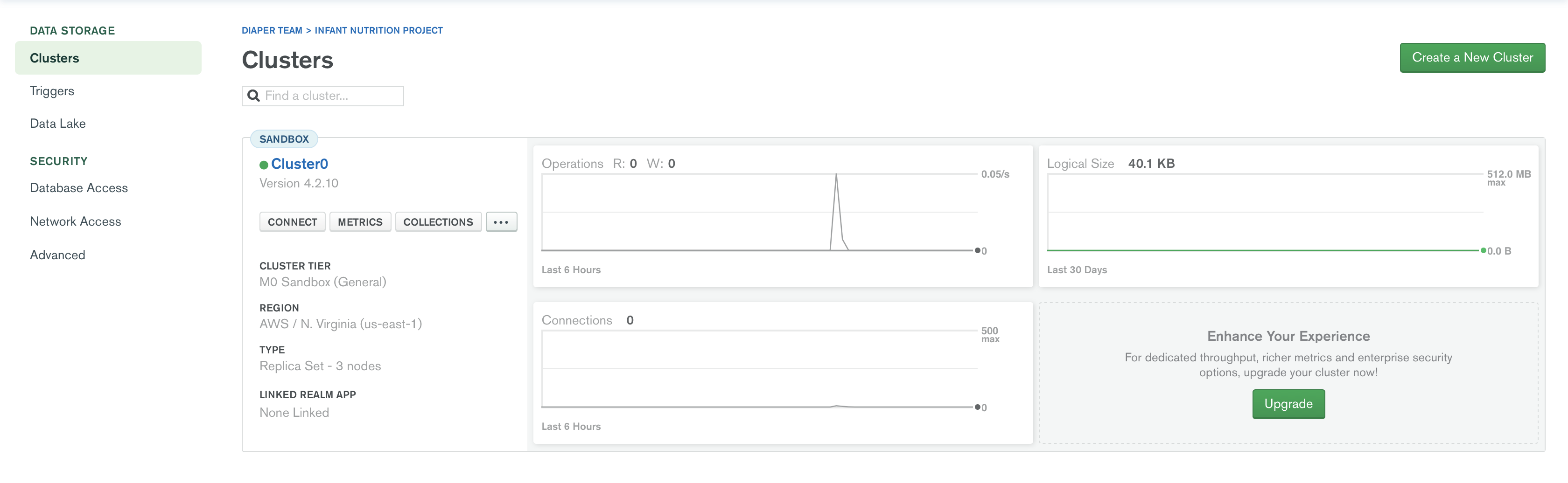
In MongoDB Atlas, a database server instance is called a cluster. To connect to a server, click the "connect" button in the corresponding cluster (usually Cluster0) and you will see the dialog below.
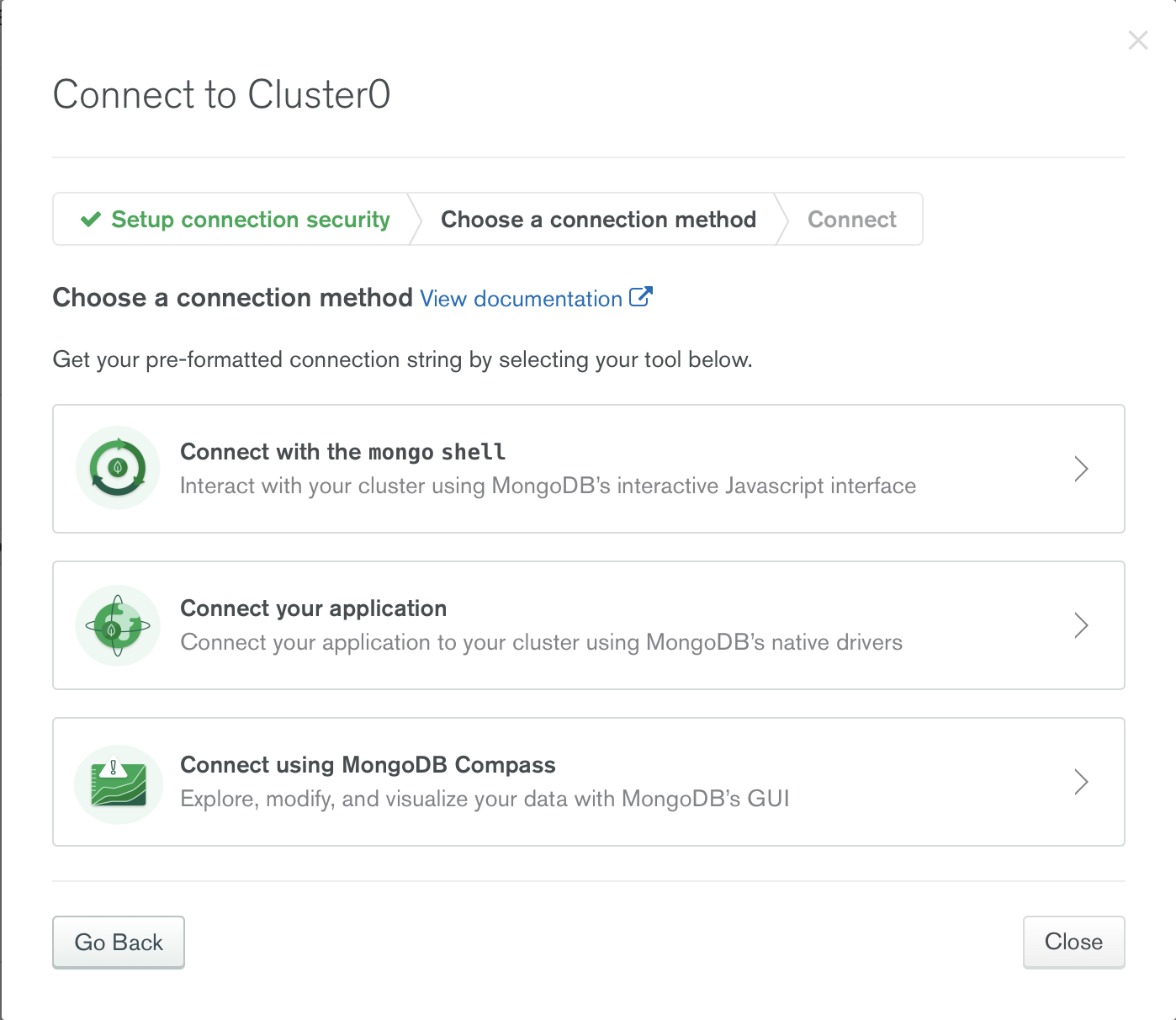
If you are connecting using Python (or other programming languages), choose "Connect your application" option and select your language and the version of your connection library (PyMongo for Python).
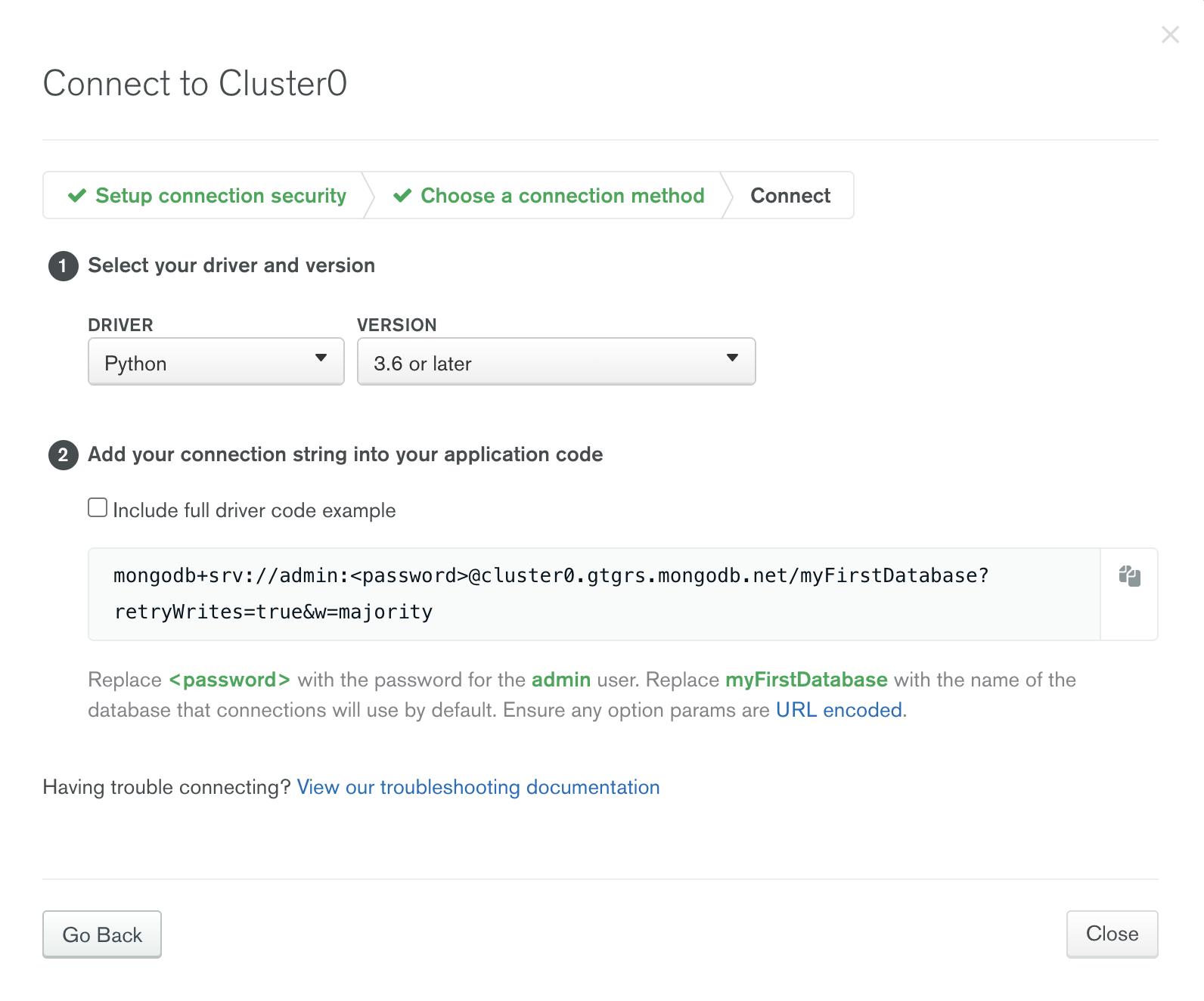
Copy the connection string and replace <password> with "uV0spJEn3Q9cbUw6" and "myFirstDatabase" with the target database's name. Then you can establish connection in your code using the connection string.
You can test your connection using the following code snippet.
from pymongo import MongoClient
client = MongoClient('mongodb+srv://admin:uV0spJEn3Q9cbUw6@cluster0.gtgrs.mongodb.net/myFirstDatabase?retryWrites=true&w=majority')
db = client.test
db.initial_insert.insert_one({'your field':'your value'})
which connects to the test database and inserts an entry into the initial_insert collection. You can check if your new data has been successfully inserted by logging into the dashboard and clicking the "collection" button of the cluster.
This error can happen when running the code above. It's because the server requires connections to be run on TLS/SSL but Python has no root CA certificate installed by default. To solve this, if you are using MacOS, run
/Applications/Python\ 3.7/Install\ Certificates.command
(Python version may differ) on your terminal.
