*** This version of Confluence is for testing only and contains a copy of content from June 29th 2026. No changes will be preserved. ***

 Laura E. Daniels, last updated on Oct 18, 2024
2 minute read
Laura E. Daniels, last updated on Oct 18, 2024
2 minute read
Scope: Most of the content in the public catalog is generated directly from the underlying records we control. Some supplement content comes from external sources. Occasionally this content is mismatched. This procedures documents how Cataloging staff can mark records with mismatches to suppress the incorrect content from displaying.
Contact: Laura Daniels
Unit: Cataloging & Metadata Services
Date last reviewed: October 2024
Date of next review: October 2025
In order to address the mismatch, first identify where the problematic content is coming from. There are 2 different sources, Google books and Syndetic Solutions (commonly referred to as "Syndetics").
The cover images that appear in the results display, the full record view, and the virtual browse display come from Google books. These are generated based on the OCLC #.
Verify that the OCLC number in our record is correct (check OCLC Connexion or WorldCat).
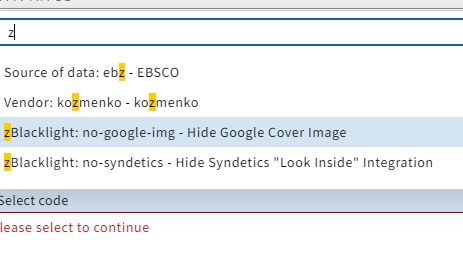
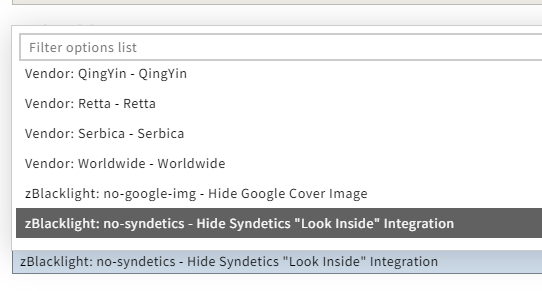
If the OCLC number is correct, in Instance Edit mode, select the "zBlacklight: no-google-img" statistical code
The tables of contents or other linked content that appear in the full record view (labeled with "Look Inside" come from Syndetics. These are generated based on the ISBN(s).
Verify that all valid ISBNs (020 $a) in our record are correct.
If all ISBNs are correct, in Instance Edit mode, select the "zBlacklight: no-syndetics" statistical code
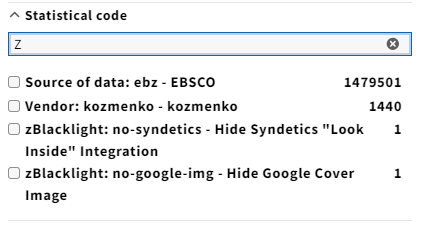
You'll also see these statistical codes in the search filters.