You are viewing an old version of this page. View the current version.
Compare with Current
View Page History
Version 1
Current »
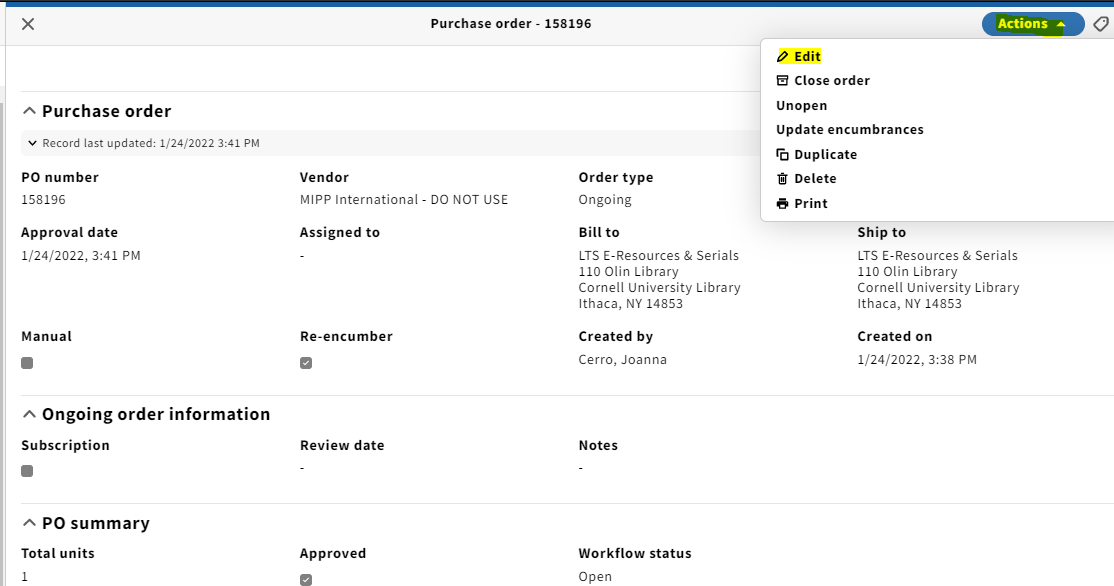
- Select Actions → edit from the upper right corner of the PO screen:
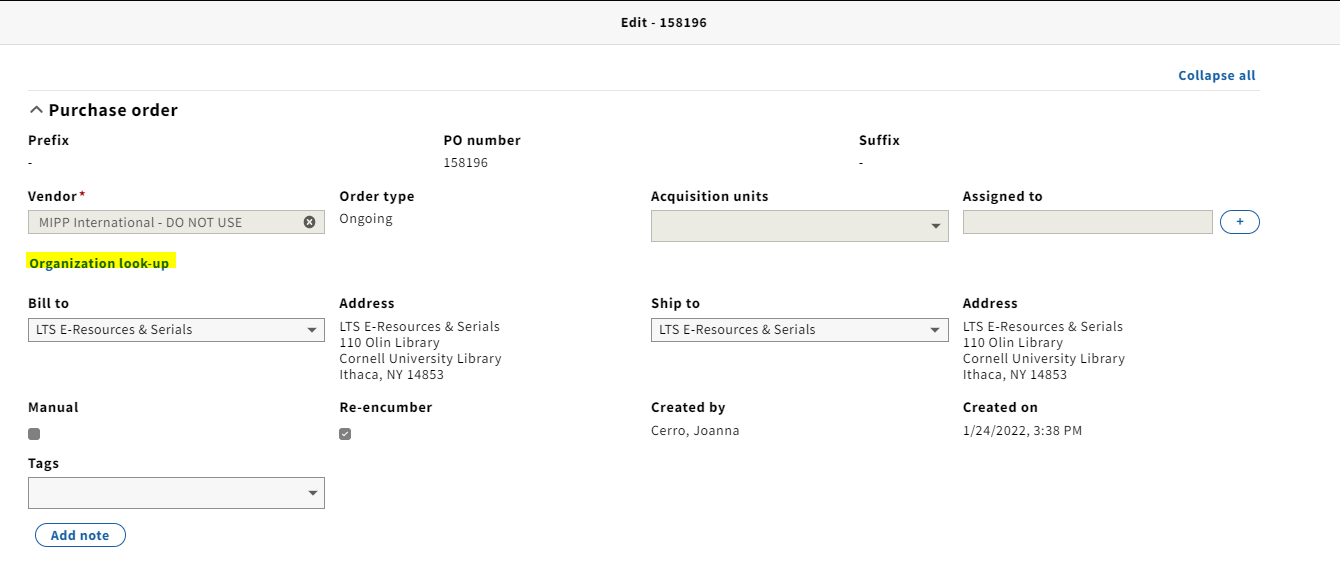
2. From the Edit screen, click Organization look-up
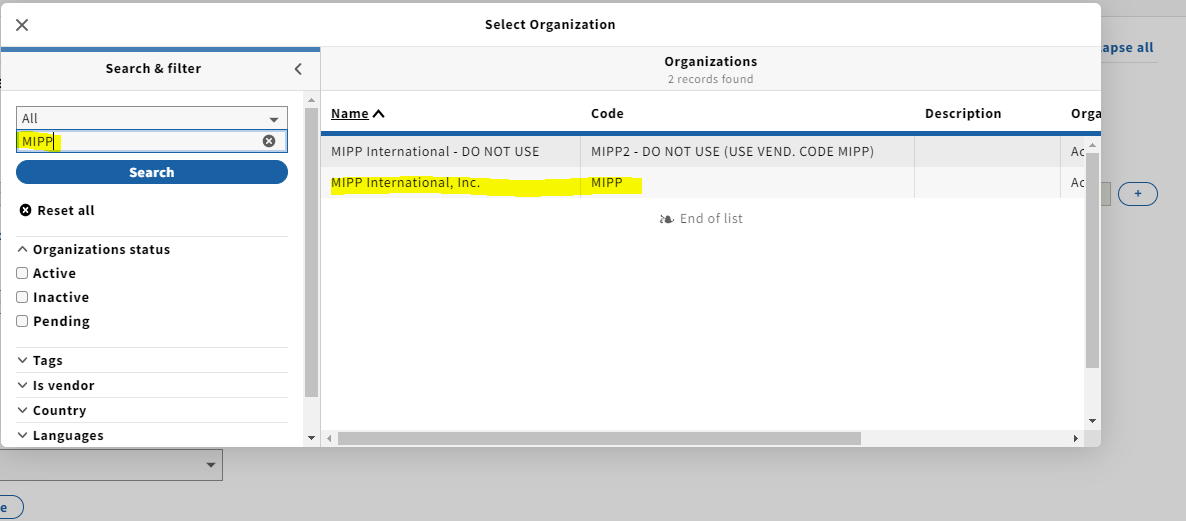
3. In the Select organization pop-up, type the vendor you would like to change the organization to on the PO and click Search or hit enter. Your results will appear in the second panel. Click on the correct vendor code.
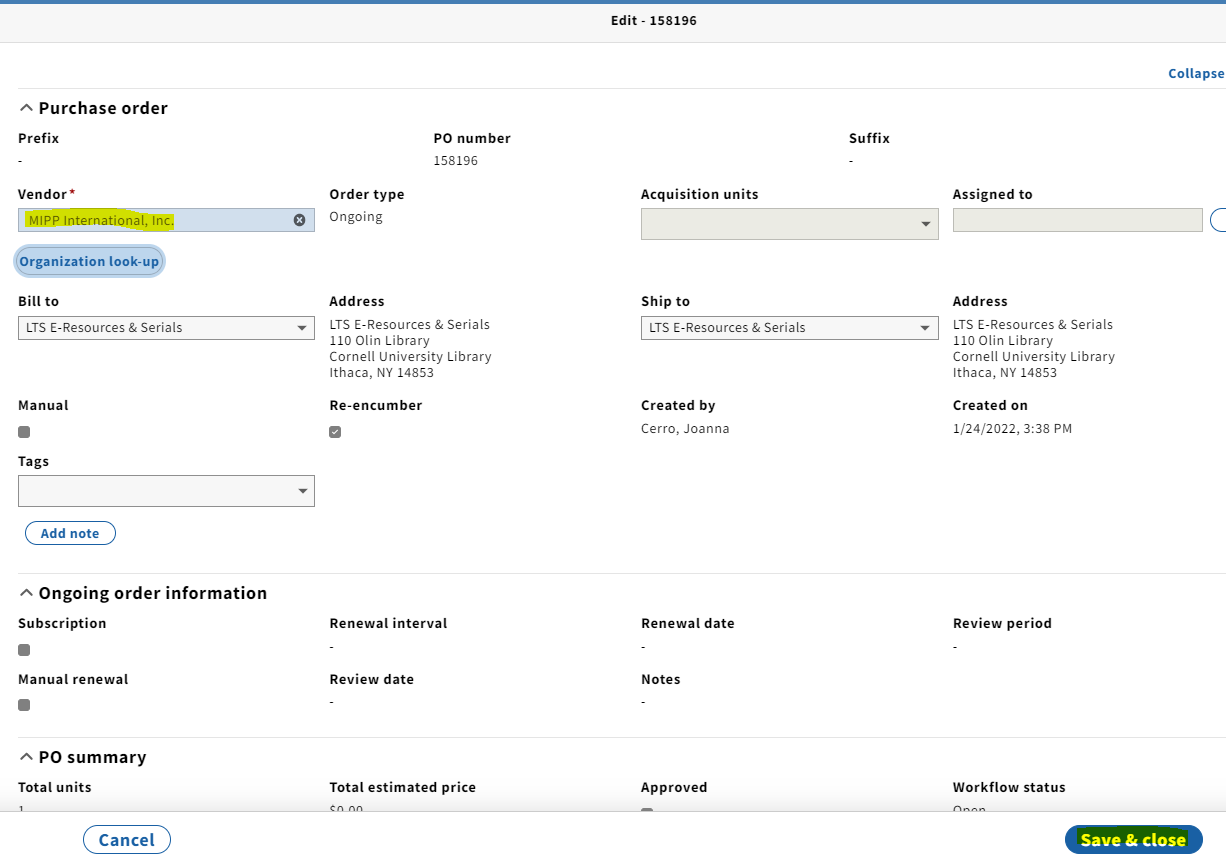
4. The correct vendor will now populate the Vendor field. Click Save & close.

 Joanna Elizabeth Cerro on Jan 27, 2022
1 minute read
Joanna Elizabeth Cerro on Jan 27, 2022
1 minute read
