*** This version of Confluence is for testing only and contains a copy of content from June 29th 2026. No changes will be preserved. ***

 user-29411, last updated on May 08, 2015
5 minute read
user-29411, last updated on May 08, 2015
5 minute read
Many, many "start up" issues resolved by CIT. Here are any remaining ones to work through.
How many simultaneous connections? If I'm logged in at work (Dell Wyse), can I log in from home (browser)?
Can I run my Dell Wyse client with PCoIP turned off?
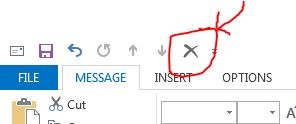
In MS Outlook, I set that the "Delete" button would show on any message I compose.
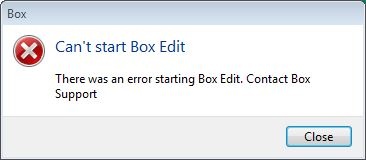
Box Edit sync client not able to start. Is installed and set to auto-start on boot up. Here's the error message:
Trying to use Box.com folder to facilitate using and moving files into my CU-based Box.com account.
I can see anyone’s files within our file share, such all directories here:
\\files.cornell.edu\as\chm\Users
I’m using my basic <oh10> account to log in (the only one I’m paying for within CIT’s VDI service); nothing special.
We have verified that permissions on the above directories are correct. Indeed, on any other Windows computer, permissions are respected. Thus I suspect the CIT VDI instance is giving me elevated privileges to my account in an unintended way.
More details: I just tested more directories and I can seem to see into any directory below <\as\chm\> AND everywhere below <\as\PHY\>. However, one level above those <\as\>, I was not able to get to other directories I tested at that level, FWIW.
To clarify: My basic <oh10> AD account should not get broad access to either of the Chm or Phy levels, even though my IT group supports both Chemistry and Physics. And I confirmed I cannot get access to them when using my <oh10> account from within other Windows systems, other than CIT’s VDI.
In this case, my directories are on a file server provisioned by A&S IT, a service used to support A&S staff and admin-related services.
Why I think this is critical: We need to trust file shares will respect the permissions set on directories and files and thus are capable of holding data which is designated NOT to be shared. When that trust is compromised the value of the file share service is severely compromised. This can lead staff to find alternative locations for data (such as performance reviews and salaries), perhaps using places not very "good" from an institutional perspective, even as they may nominally seem to meet a staff member's own needs.
Pertains to all of the campus's views:
https://www.hotelschool.cornell.edu/about/campusview.html
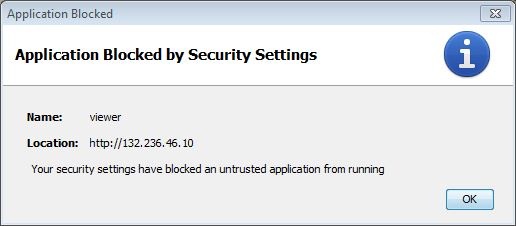
Details:
Java Plug-in 10.79.2.15
Using JRE version 1.7.0_79-b15 Java HotSpot(TM) Client VM
User home directory = C:\Users\oh10
----------------------------------------------------
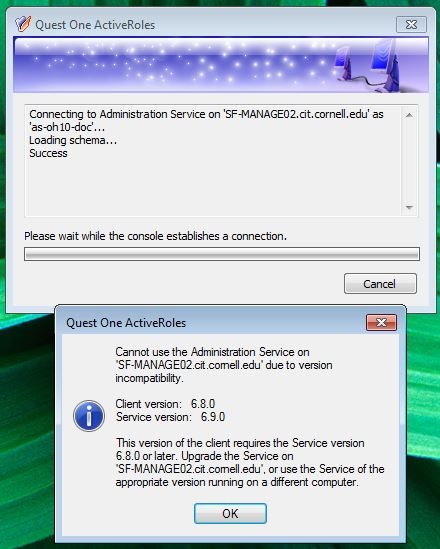
Quest server was upgraded over the weekend. By Monday morning (4/20/15), the Quest client was not updated so access to service via fat client not possible:
A properly configured file share short-cut fails to work, per dialog presented below. And default of the dialog is to remove the short-cut- ouch!

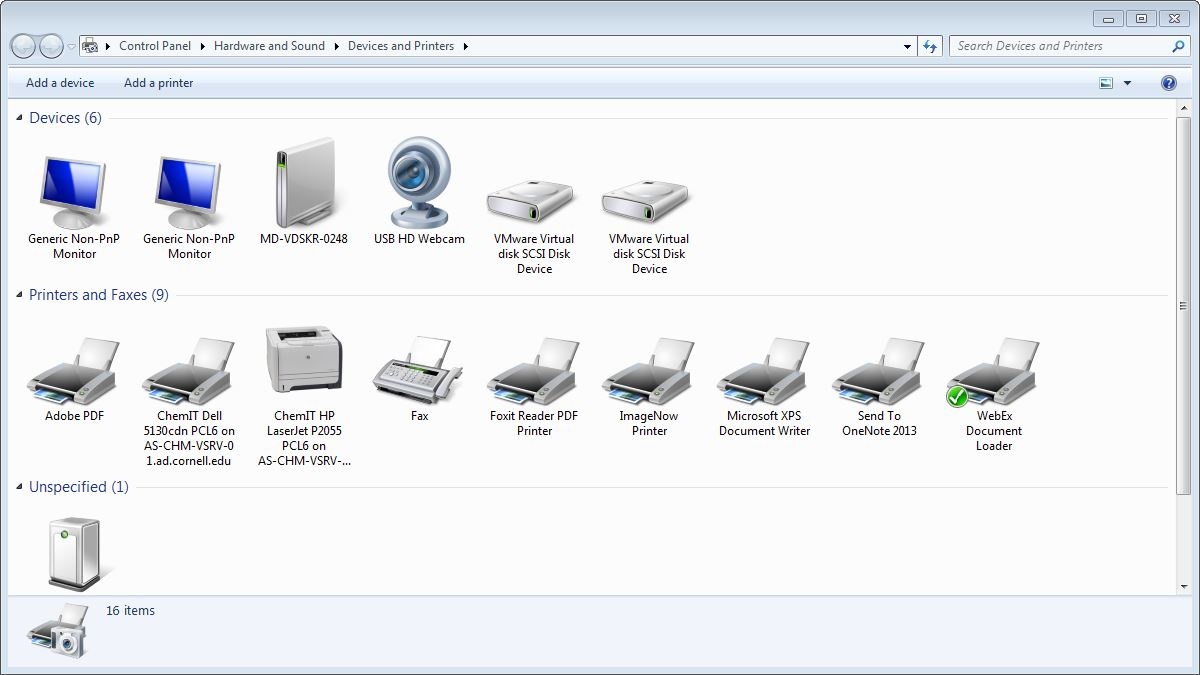
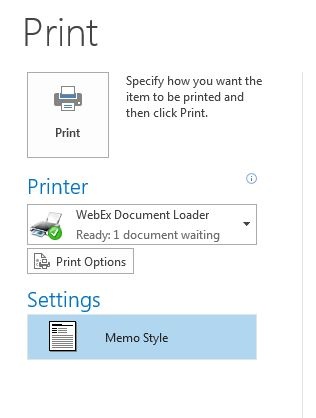
Keeps to WebEx Document Loader. See below in the "Doesn't retain settings" section for screenshot.
Can't see USB storage device at all. Simple USB flash, 64MB from Dell.
iPhone plugged in by USB (to charge it) is recognized by the computer.

Camera only works when object placed an inch or less from the lens. (Tested with Skype.) Won't detect or refresh otherwise. Odd!
CIT's VDI service permits user to download MS updates. But naturally if you do, they get wiped out when you next reboot. Why permit? Maybe useful to get updates which don't require a reboot, I suppose.

CIT's service's pricing:
Amazon Web Service (AWS) offers a similar service (WorkSpaces), for about 5 times the cost (as of 3/2015):
Teradici’s PC-over-IP (PCoIP) technology nominally affords the best performance. CIT (and AWS) offers PCoIP on its hosting infrastructure. Clients have to have this licensed technology to use it, and it is not available on Raspberry Pi-type devices.