 Sign-up for free online course on ANSYS simulations!
-
Created by
 user-ab9f4, last updated on May 16, 2011
2 minute read
user-ab9f4, last updated on May 16, 2011
2 minute read
Author: John Singleton, Cornell University
Problem Specification
1. Pre-Analysis & Start-Up
2. Geometry
3. Mesh
4. Setup (Physics)
5. Solution
6. Results
7. Verification and Validation
Exercises
5. Solution
Temperature
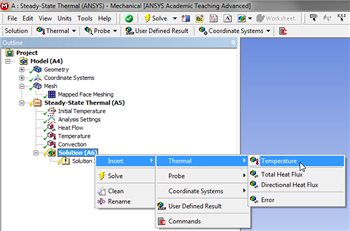
To specify the temperature as an output (Right Click) Solution > Insert > Thermal > Temperature, as shown below.
Click Here for Higher Resolution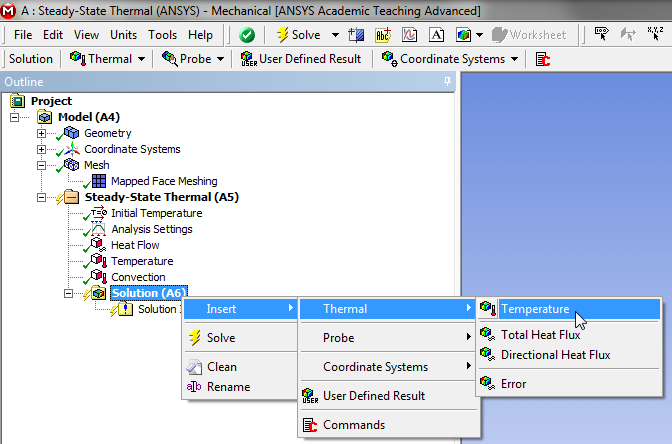
Total Heat Flux
In order to have ANSYS solve for the Total Heat Flux, (Right Click) Solution > Insert > Thermal > Total Heat Flux, as shown below.
Click Here for Higher Resolution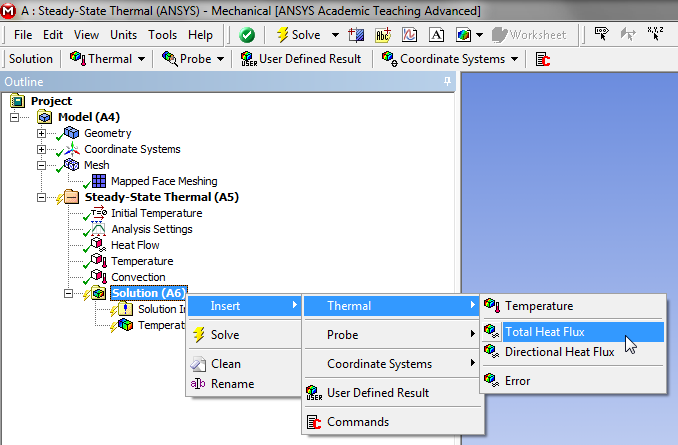
Directional Heat Flux
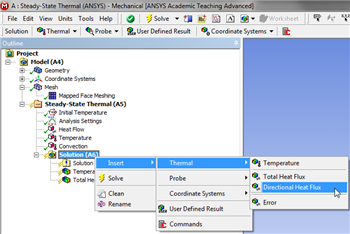
In order to have ANSYS solve for the Directional Heat Flux, (Right Click) Solution > Insert > Thermal > Directional Heat Flux, as shown below.
Click Here for Higher Resolution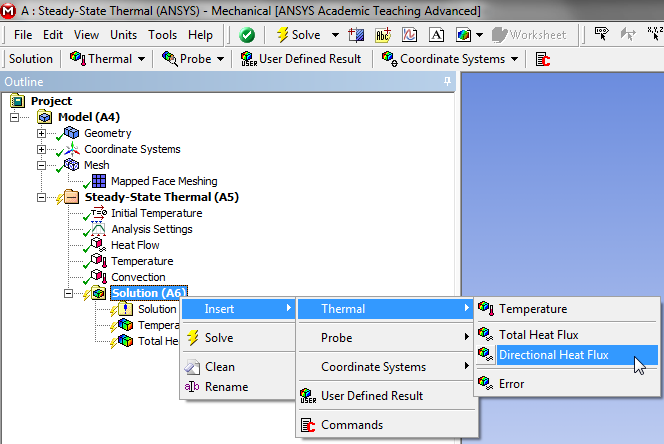
Execute the Solver
In order to have ANSYS solve for the previously defined results (Click) Solve,  .
.