*** This version of Confluence is for testing only and contains a copy of content from June 29th 2026. No changes will be preserved. ***

...
On a monthly basis, EBSCO and Harrassowitz email credit memos to LTSSER-L for processing. Below are two separate sections showing how to process each.
...
...
Credit memos are sent to LTSSER-L as EDI files. The Serials Invoicing Coordinator uploads these EDI files to FOLIO.
...
7. Edit the invoice itself by clicking Actions → Edit.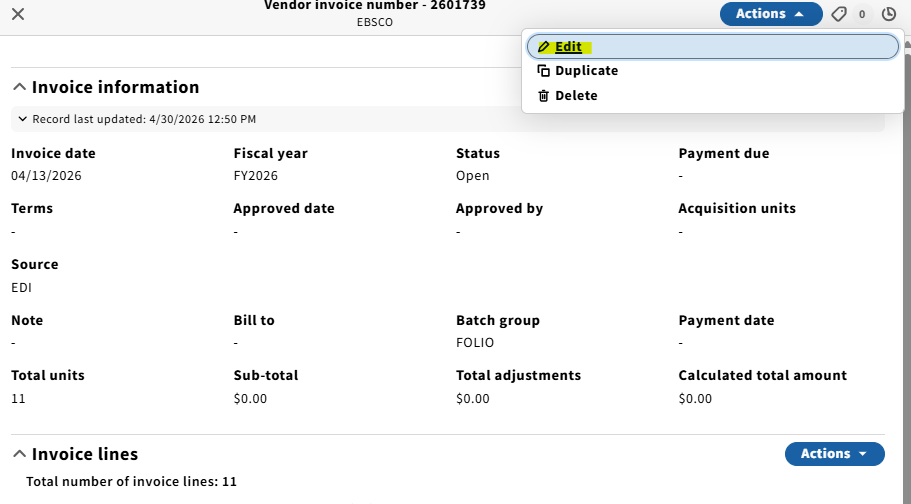
8. Confirm that the invoice date matches what is on the credit memo. Set status to Reviewed. Fill in the Bill to field to LTS E-Resources & Serials. Make sure lock total amount is unchecked.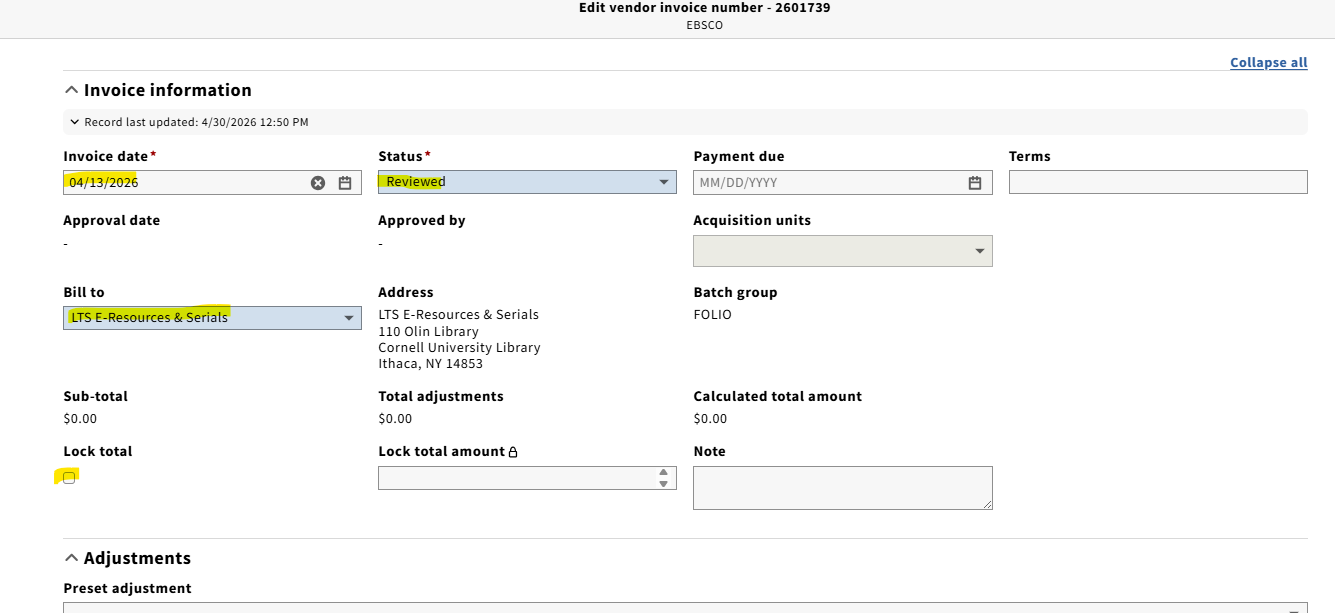
9. Scroll down, make sure payment method is Deposit account, the Check subscription overlap box is checked, and the Export to accounting box is unchecked.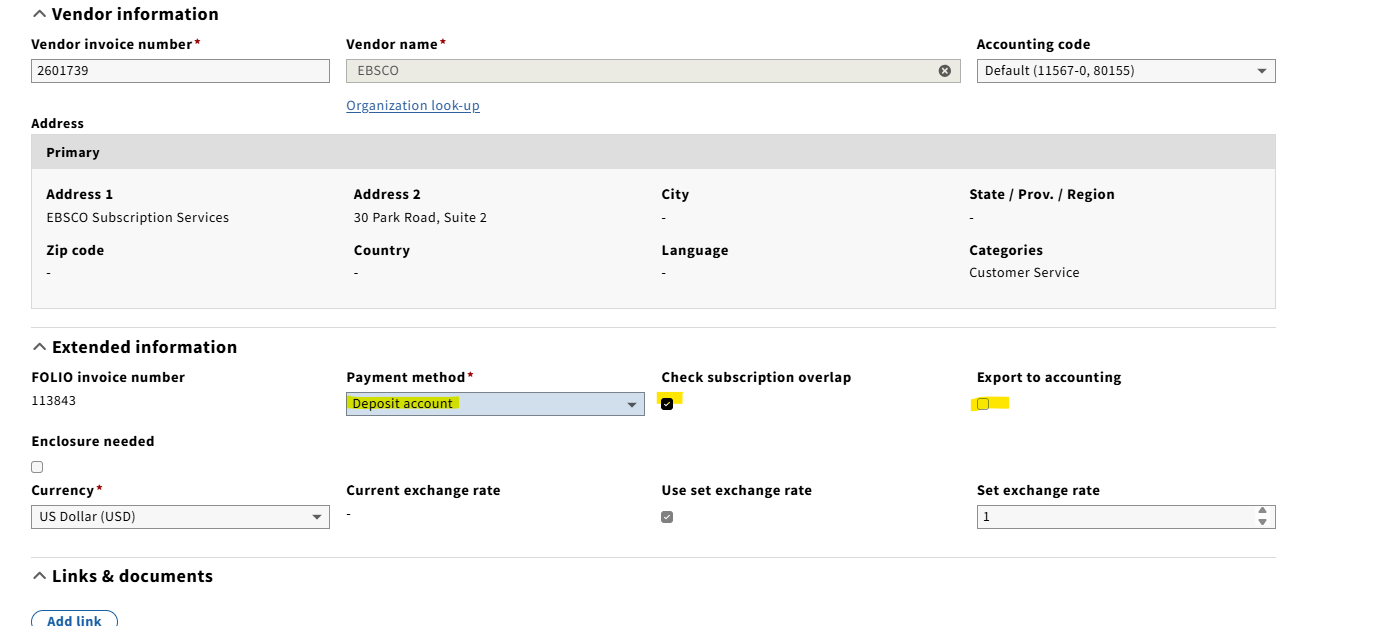
10. Upload a copy of the credit memo to the invoice. Similar to an invoice, the credit memo should be edited to include the LTS Receiving "stamp", date, and initials.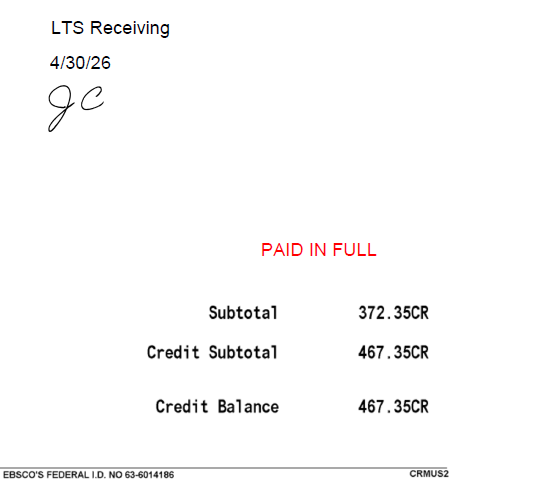
...
For the most part, processing the Harrassowitz credit is the same as processing an EBSCO credit; however, there are a few differences:
...
