Scope: The document below outlines the procedures that Library Technical Services serials staff follow when processing an EBSCO or Harrassowitz credit memo in FOLIO.
Credit memos are sent to LTSSER-L as EDI files. The Serials Invoicing Coordinator uploads these EDI files to FOLIO.
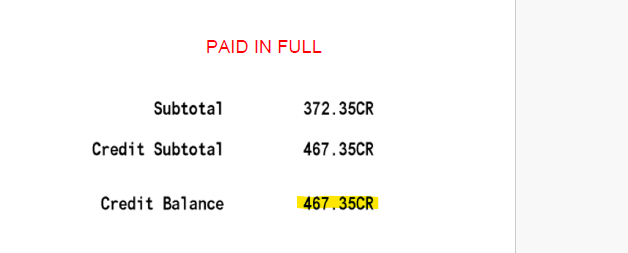
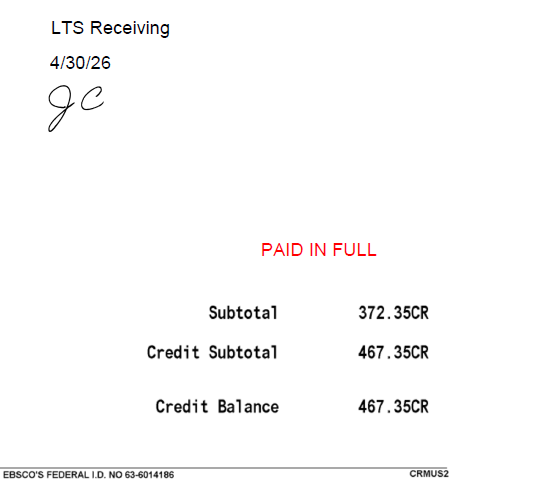
All EBSCO credit memos are paid against our EBSCO deposit account. A PAID IN FULL stamp indicates this. Even if the PAID IN FULL stamp is omitted from the credit memo, it should still be processed against our deposit account.
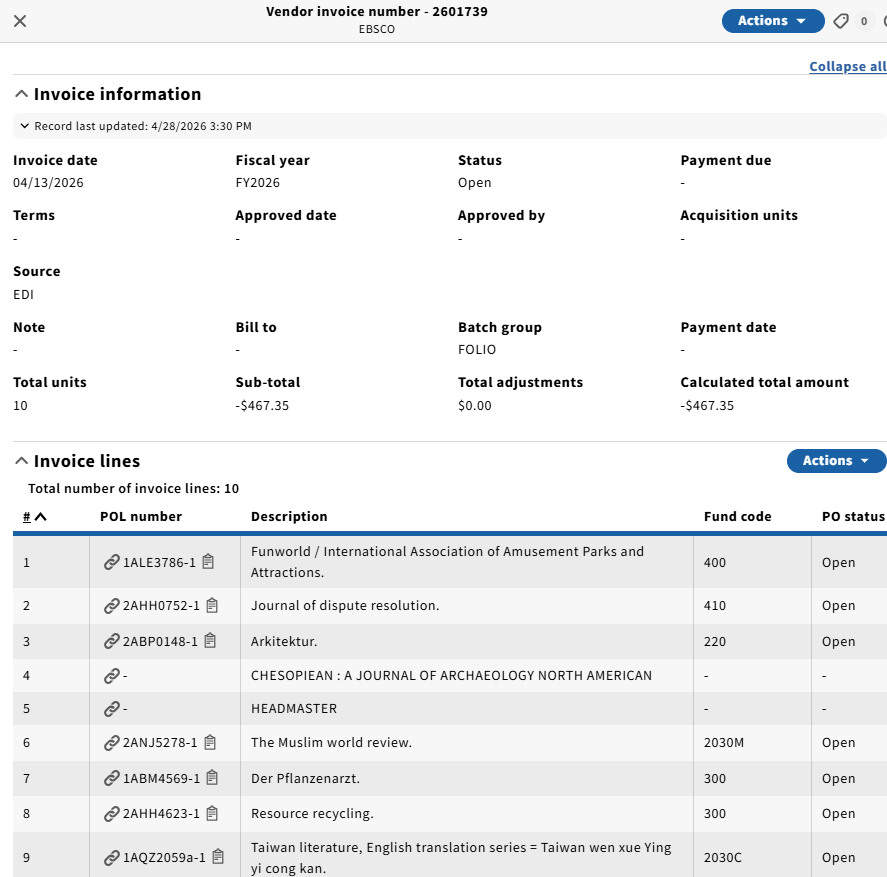
Search the credit memo number in FOLIO → Invoices. Credit memo lines will often not be in the same order in FOLIO as they are on the credit memo itself - this is fine. You'll sometimes see that not all POL numbers are correctly linked (the title will appear in all caps, and no POL number will be listed to the left of the title). This can occur when a POL is closed before the credit is processed.
Note that the credit can still be processed against the closed POL - you'll just need to relink the credit memo line to the correct POL. To do so, click the symbol in the blank POL number column, which will bring up a POL lookup screen where you can type in the correct POL number.
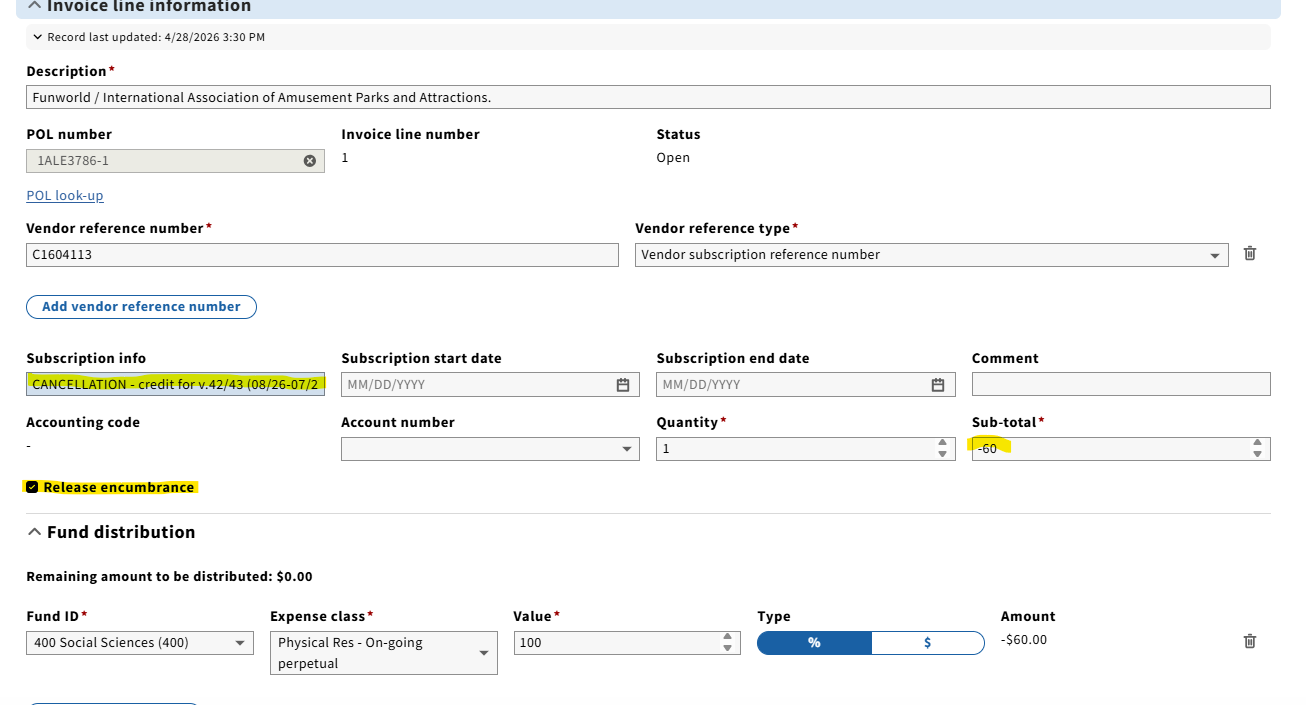
2. Click the first invoice line on the credit memo in FOLIO. Click Actions → Edit from the drop-down menu in the upper righthand corner of the screen.
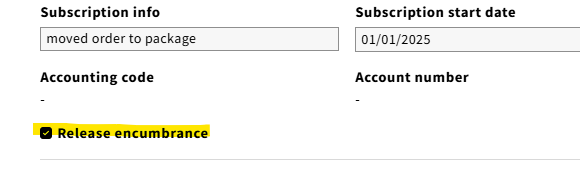
Under the "Edit Invoice Line" screen, fill in the following information: a. Subscription Info: Add information as to why we are receiving credit along with the coverage of what is being credited. b. Subtotal - make sure the amount reflects the amount on the credit memo. The negative sign next to the amount indicates that we are crediting the fund under Fund distribution. c. For all credits, check the Release encumbrance box.
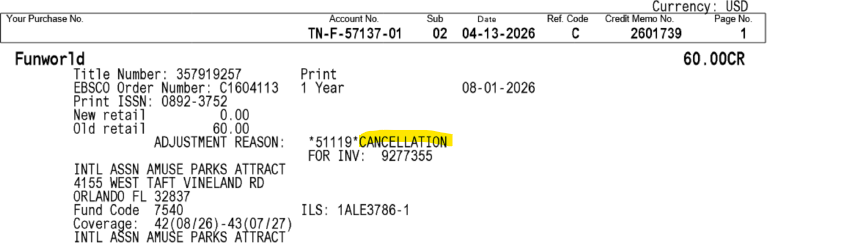
Sometimes, the "adjustment reason" on the credit memo is vague. In this case, it lists the reason as "CANCELLATION." Another popular adjustment reason is "PUBLICATION DISCONTINUED." Pass this information on to the Serials Unit Supervisor so investigation can be done.
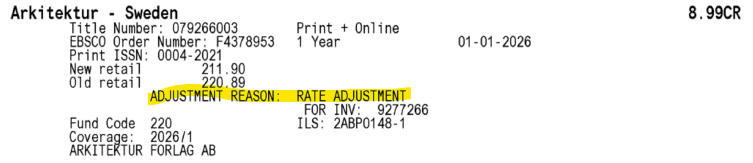
For "Adjustment Reason: RATE ADJUSTMENT", the Serials Unit Supervisor will not need to be alerted.
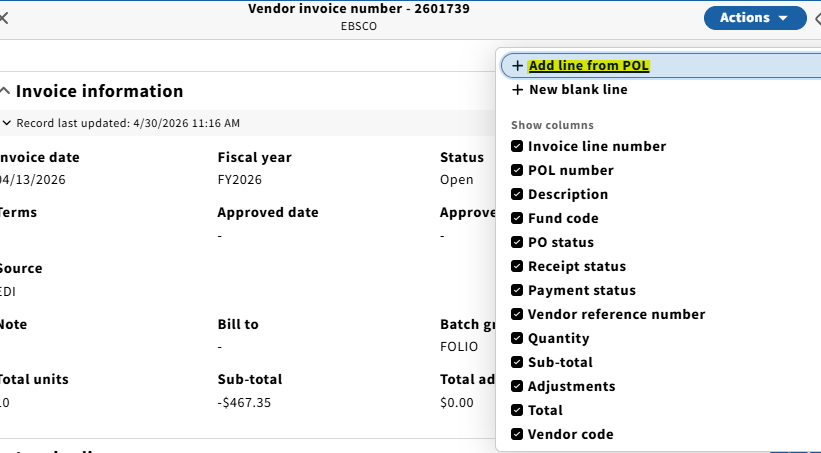
3. Once step 2 has been performed for all of the invoice lines, the EBSCO deposit line needs to be added to the credit memo. Click "Add line from POL" from the dropdown menu at the upper righthand corner of the Invoice Lines section of the invoice.
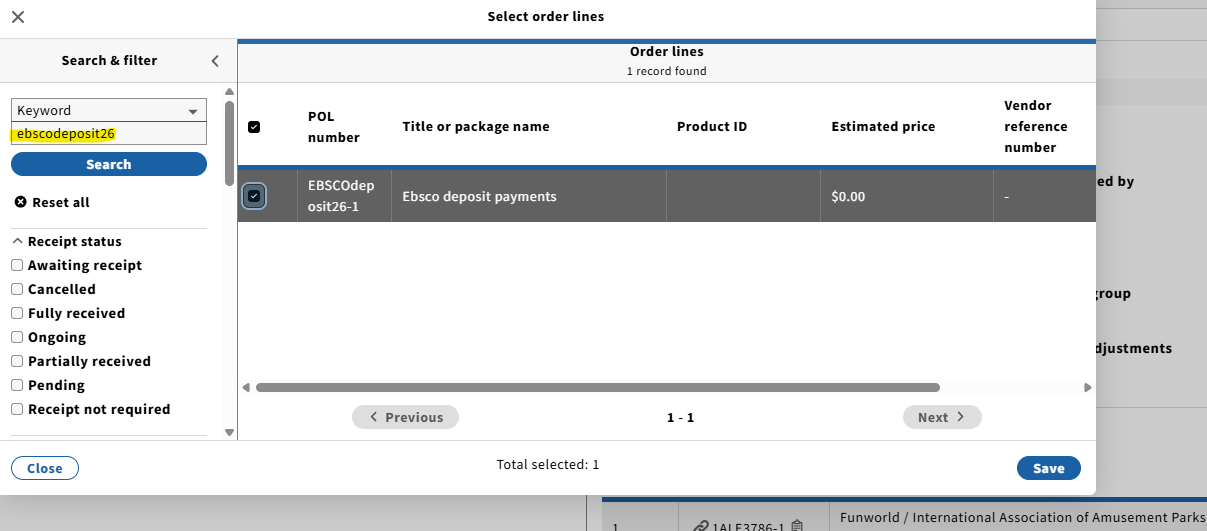
4. Add the correct ebscodeposit line for the current FY to the credit memo. (ex. ebscodeposit26).
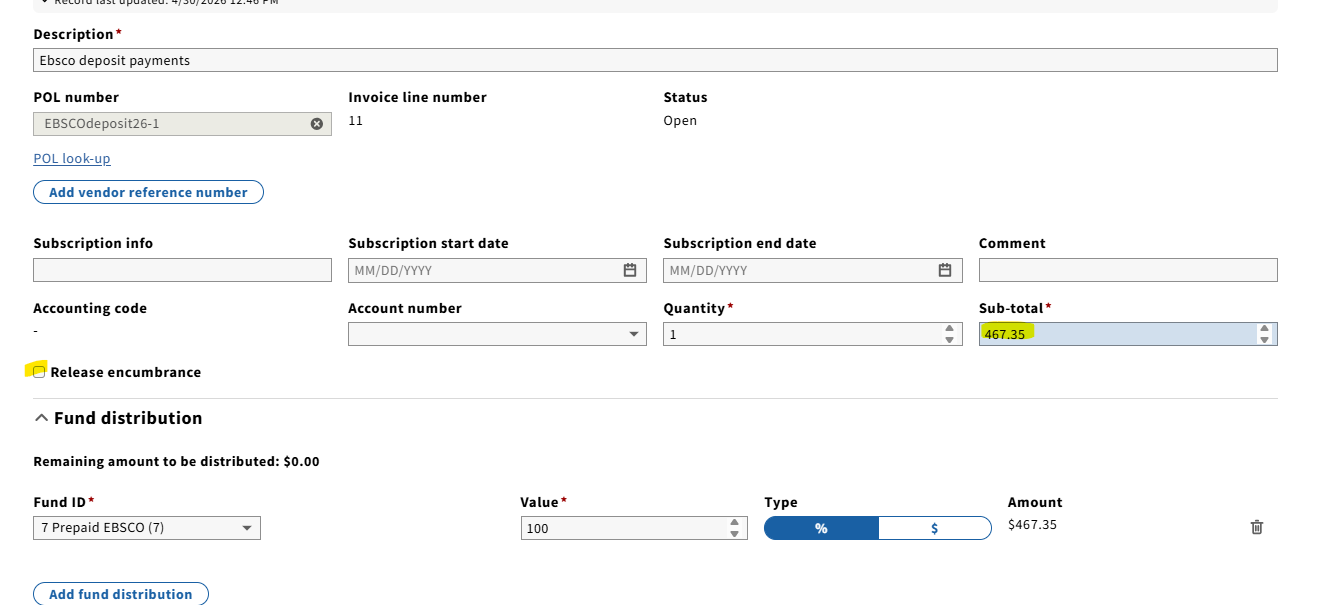
5. Click the ebscodeposit line at the bottom of the credit memo, and then Actions → Edit. The subtotal should match the subtotal of the credit memo. This will not be a credit, but a charge, so no minus sign next to the amount. Make sure the Release encumbrance box is unchecked. Click Save & close.
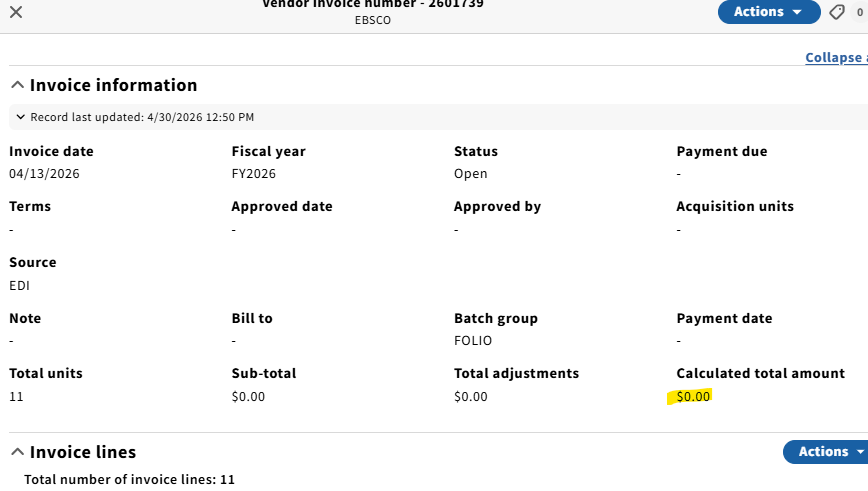
6. Confirm that the invoice total is zero.
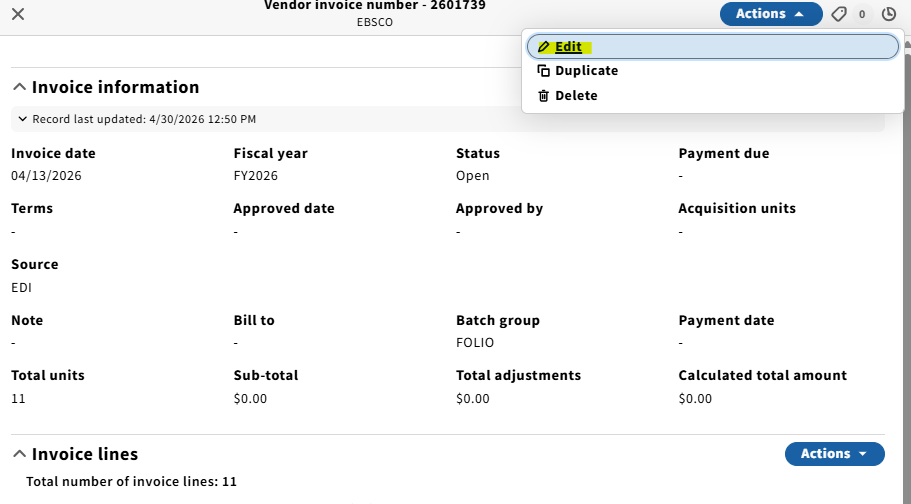
7. Edit the invoice itself by clicking Actions → Edit.
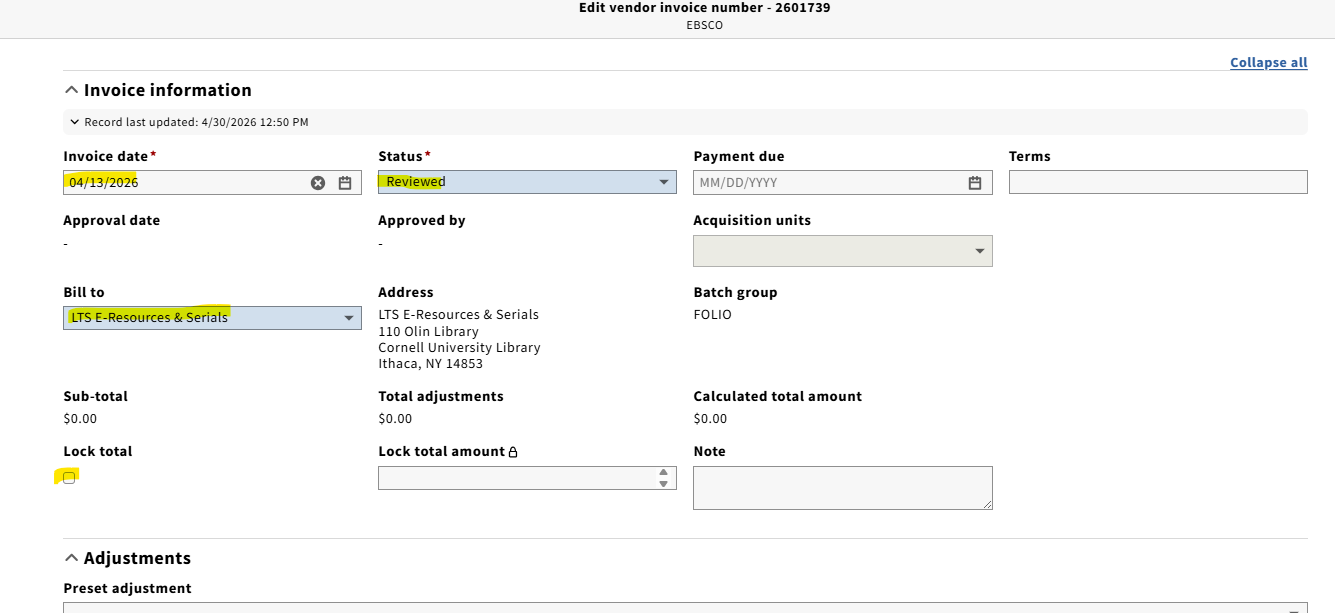
8. Confirm that the invoice date matches what is on the credit memo. Set status to Reviewed. Fill in the Bill to field to LTS E-Resources & Serials. Make sure lock total amount is unchecked.
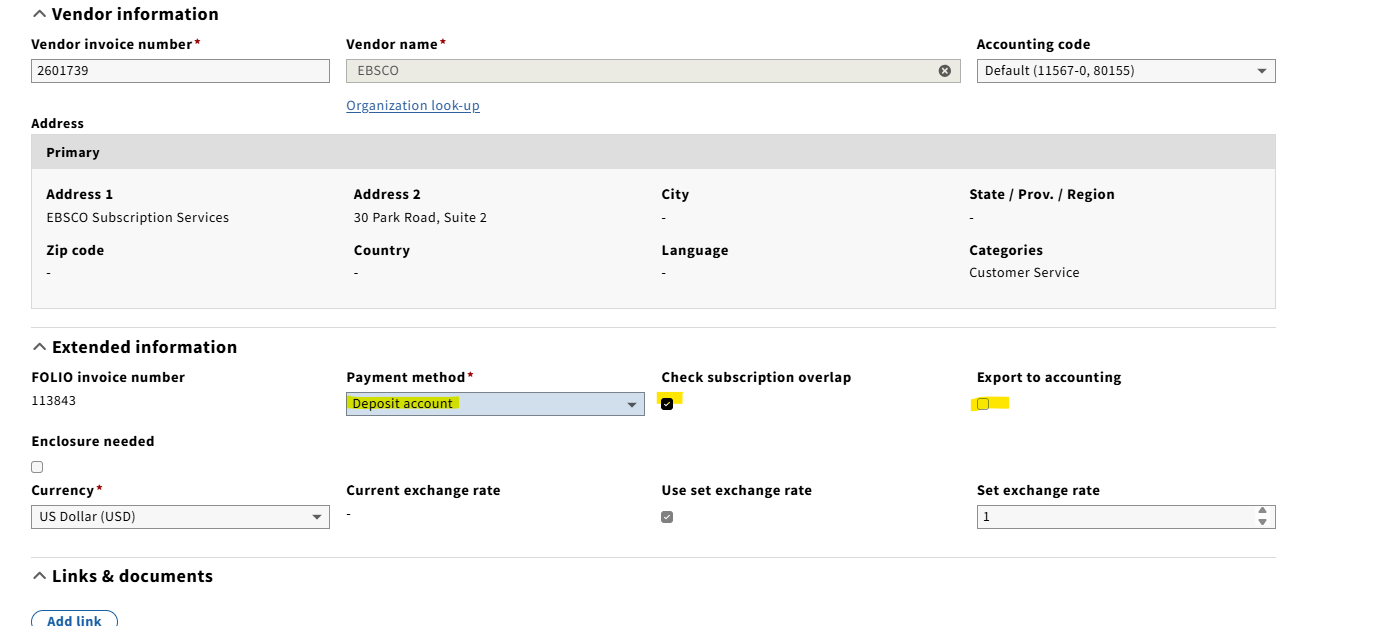
9. Scroll down, make sure payment method is Deposit account, the Check subscription overlap box is checked, and the Export to accounting box is unchecked.
10. Upload a copy of the credit memo to the invoice. Similar to an invoice, the credit memo should be edited to include the LTS Receiving "stamp", date, and initials.
Harrassowitz
For the most part, processing the Harrassowitz credit is the same as processing an EBSCO credit; however, there are a few differences:
Credit memos are sent to LTSSER-L as pdf's, but not uploaded to FOLIO through EDI. They must be created from scratch in FOLIO.
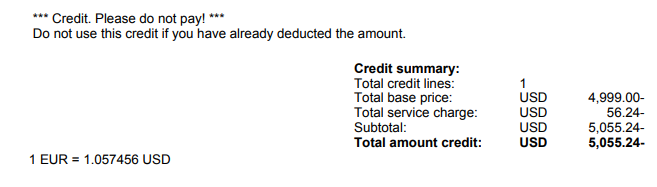
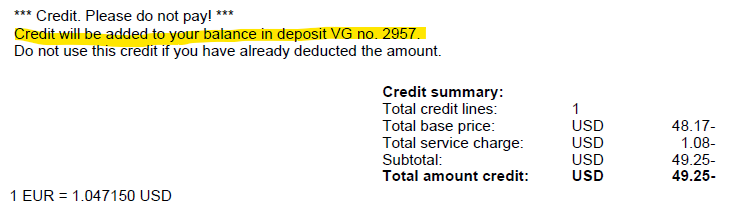
Harrassowitz credit memos typically give one of two instructions:
If the credit memo doesn't show that the balance will be added back to our deposit account, a deposit account line will not be added to the credit in FOLIO (Ex. 11093).
If this is the case, the Extended Information in the credit in FOLIO should be Physical check for payment method, with subscription overlap and export to accounting checked:
If the credit memo shows that the amount is added back to our deposit account, a deposit line will be added to the credit in FOLIO (ex. 38233).
In both cases, like credit memos from all vendors, the Release encumbrance box should be checked when editing the invoice line.