*** This version of Confluence is for testing only and contains a copy of content from June 29th 2026. No changes will be preserved. ***

...
BioHPC is used to host our production database. To connect to the database, first make sure that you are connected to your Cornell VPN and then use this connection string.
For details about how is the database hosted on BioHPC, refer to "BioHPC Database" section of Configuration Notes.
MongoDB Atlas is a web application supported by MongoDB team, and we use it to host our development and test databases. It simplifies the deployment and maintenance of MongoDB servers on cloud and provides convenient GUI for server configuration and data manipulation.
...
dnspython 2.0
First, join the project on MongoDB Atlas. To do so, ask someone already in the project to invite you using your Cornell email address.Once you joined the project, go to https://account.mongodb.com/account/login and login using your email addressthe email diapertestemail@gmail.com, whose password can be found in the "Login secrets/Login secrets.boxnote" file of the box folder mentioned in ❌ Confidential files (deprecated). You should see a project dashboard similar to the one below.
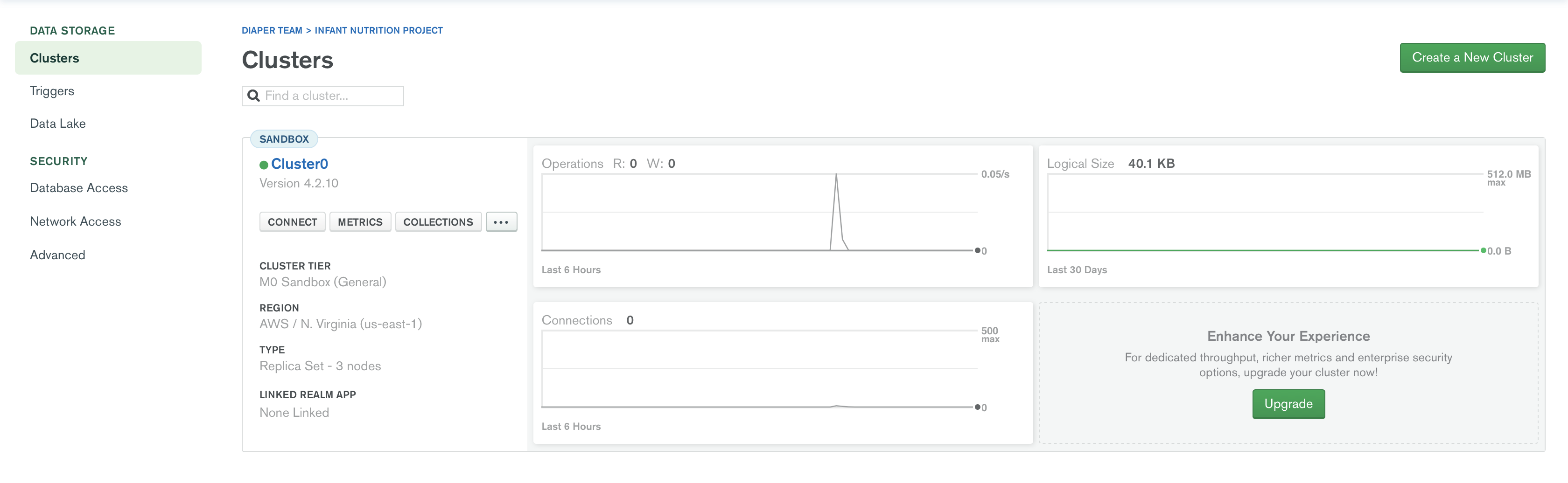
...
If you are connecting using Python (or other programming languages), choose "Connect your application" option and select your language and the version of your connection library (PyMongo for Python).
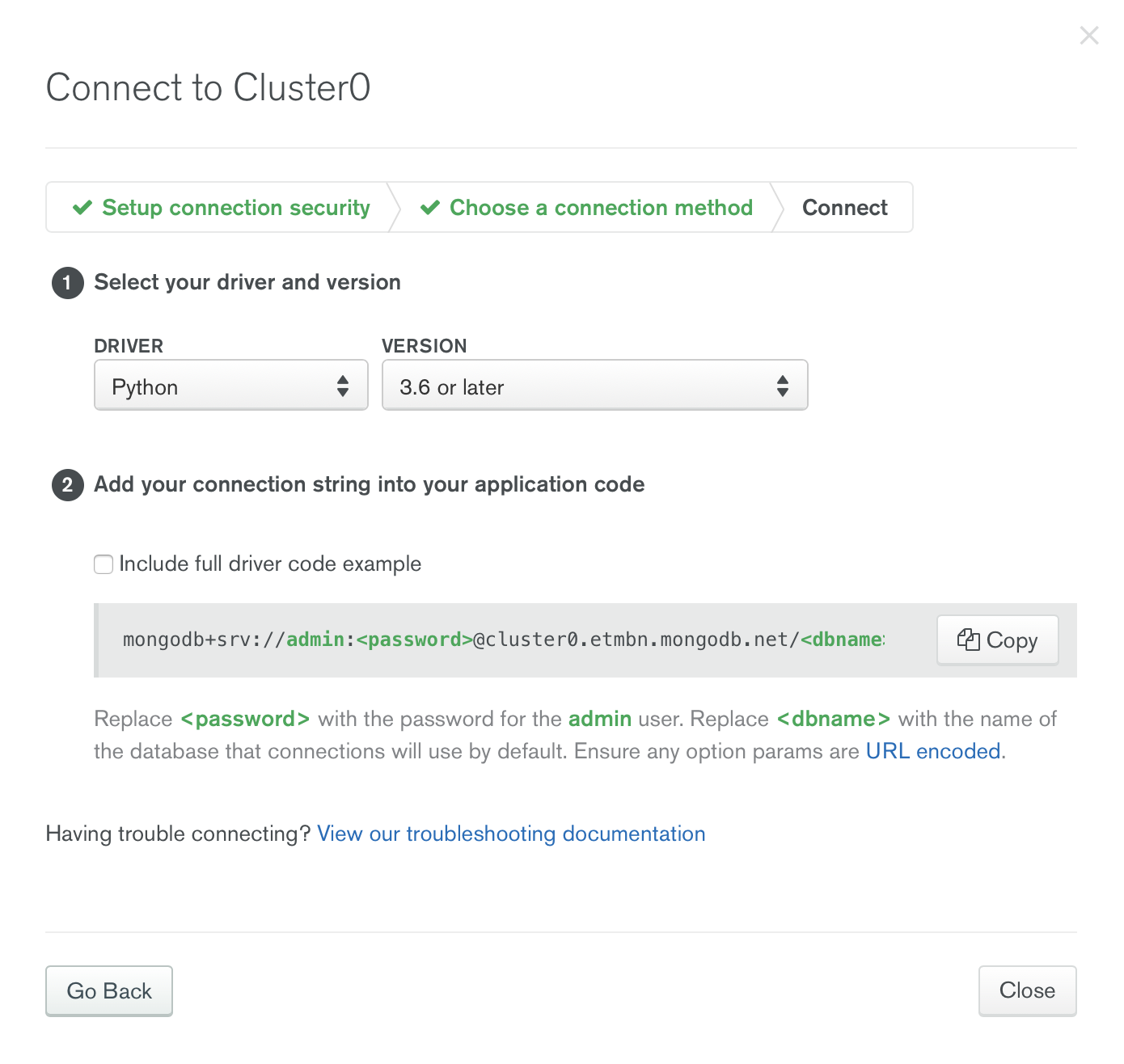
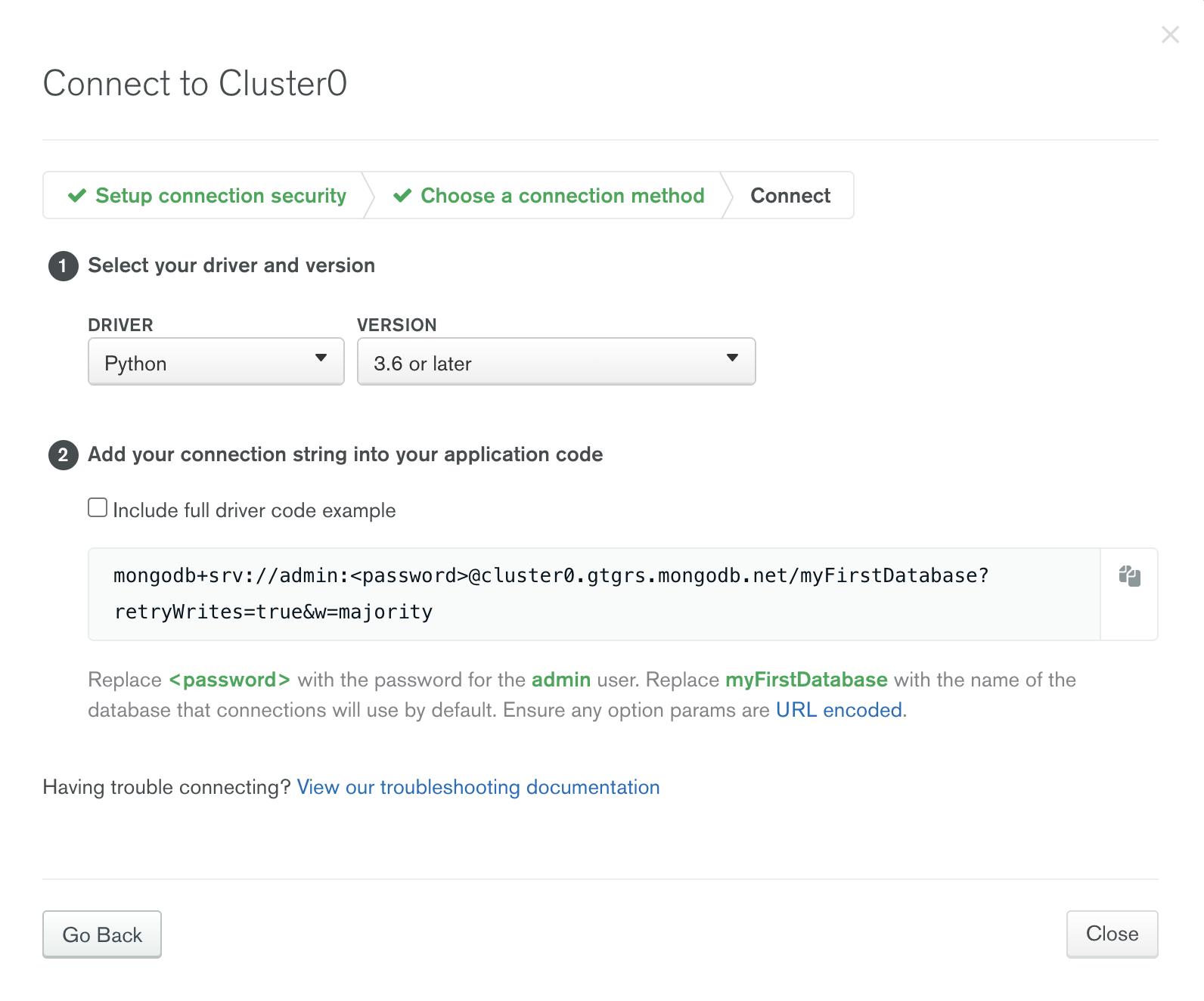
Copy the connection string and replace <password> with "uV0spJEn3Q9cbUw6" and <dbname> "myFirstDatabase" with the target database's name. Then you can establish connection in your code using the connection string.
...
| Code Block | ||
|---|---|---|
| ||
from pymongo import MongoClient
client = MongoClient('mongodb+srv://admin:uV0spJEn3Q9cbUw6@cluster0.etmbngtgrs.mongodb.net/testmyFirstDatabase?retryWrites=true&w=majority')
db = client.test
db.initial_insert.insert_one({'your field':'your value'}) |
...
