*** This version of Confluence is for testing only and contains a copy of content from June 29th 2026. No changes will be preserved. ***

...
ORDER BY name, jsonb_extract_path_text (values.jsonb,'id'), jsonb_extract_path_text (values.jsonb,'value')
Cross join queries will return only those records that have all the array elements you are trying to find. (Note that it is It's possible to use multiple cross joins join statements in the FROM stanza to get multiple array values (for example, subjects, contributors and languages from the instance table) - but the results will show only those records that have ALL the array elements specified in the cross joins. If a record is missing even a single specified element, it will drop out.) Because of this, you either need to do separate cross-join queries for each needed element, and left-join them together to a list of all records; or else use this method that employs nested json extract statements.
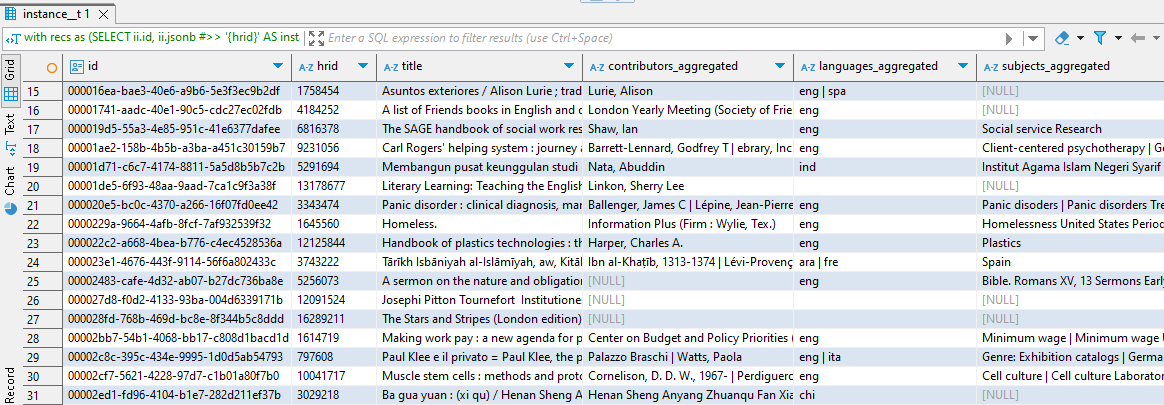
If you want to find records that have any or all of the particular array fields, AND show all the records that don't have any of those array fields, the better plan is to do a 2-part query.
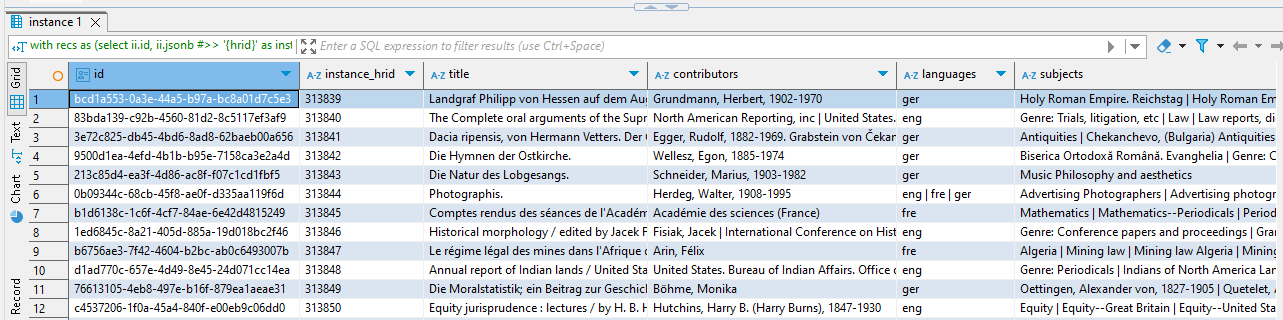
In this example, we're finding three array elements from the the folio_inventory.instance table: contributors, languages, and subjects, then joining the result to a complete set of instance records.
-- Get the json jsonb extracts in the first query , then aggregate them in the second query. using nested jsonb extract statements in the Select clause
WITH recs AS
(SELECT
ii.id,
ii.jsonb #>> '{hrid}' AS instance_hrid, ---- first level text extract
...
jsonb_extract_path_text (jsonb_array_elements (jsonb_extract_path (ii.jsonb, 'subjects')),'value') as subjects ----- subject array extract (second-level extract)
FROM folio_inventory.instance AS ii
WHERE
(ii.jsonb #>> '{hrid}')::INT >=313839 ---- I'm using a hrid range here for illustration purposes
AND (ii.jsonb #>> '{hrid}')::INT <313900
.instance AS ii
),)
SELECT -------- this step aggregates the results of the first queryget all the instance records from the folio_inventory.instance table; use a left join to bring in the records with array values from the first query; aggregate the contributors, languages and subjects fields
recs.id,
recs.instance_hrid,
recs.title,
string_agg (distinct recs.contributors, ' | ') AS as contributors,_aggregated
string_agg (distinct recs.languageslanuages, ' | ') AS languages aggregated,
string_agg (distinct recs.subjects, ' | ') AS as subjects_aggregated
FROM recs
GROUP BY recs.id, recs.instance_hrid, recs.title
ORDER BY instance_hrid::INT
;
RESULT: