*** This version of Confluence is for testing only and contains a copy of content from June 29th 2026. No changes will be preserved. ***

...
Use Box.com folder to facilitate using and moving files into my CU-based Box.com account.
Can I run my Dell Wyse client with PCoIP turned off?
...
Box Edit sync client not able to start. Is installed and set to auto-start on boot up. Here's the error message:
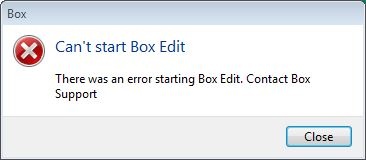
Trying to use Box.com folder to facilitate using and moving files into my CU-based Box.com account.
I can see anyone’s files within our file share, such all directories here:
\\files.cornell.edu\as\chm\Users
I’m using my basic <oh10> account to log in (the only one I’m paying for within CIT’s VDI service); nothing special.
We have verified that permissions on the above directories are correct. Indeed, on any other Windows computer, permissions are respected. Thus I suspect the CIT VDI instance is giving me elevated privileges to my account in an unintended way.
More details: I just tested more directories and I can seem to see into any directory below <\as\chm\> AND everywhere below <\as\PHY\>. However, one level above those <\as\>, I was not able to get to other directories I tested at that level, FWIW.
To clarify: My basic <oh10> AD account should not get broad access to either of the Chm or Phy levels, even though my IT group supports both Chemistry and Physics. And I confirmed I cannot get access to them when using my <oh10> account from within other Windows systems, other than CIT’s VDI.
In this case, my directories are on a file server provisioned by A&S IT, a service used to support A&S staff and admin-related services.
...