*** This version of Confluence is for testing only and contains a copy of content from June 29th 2026. No changes will be preserved. ***
Backup
Restore
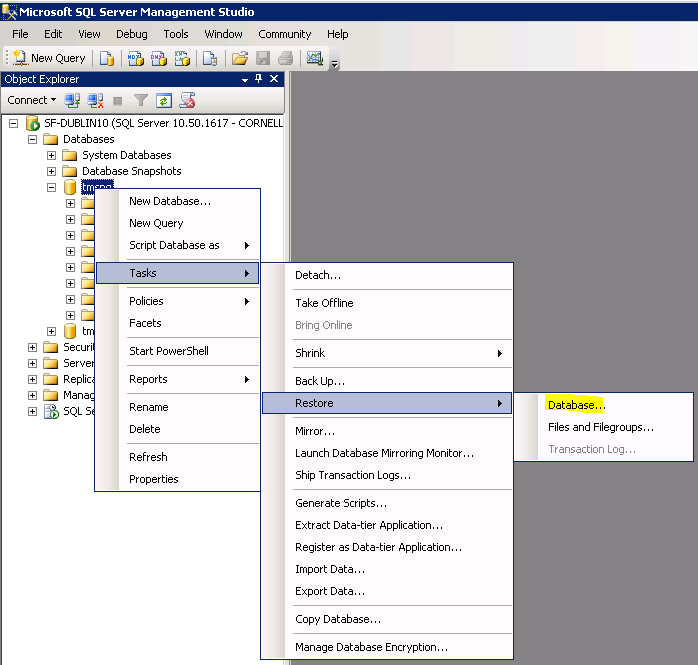
- After login to the Ms SQL Server Management Studio. Right click on the database name
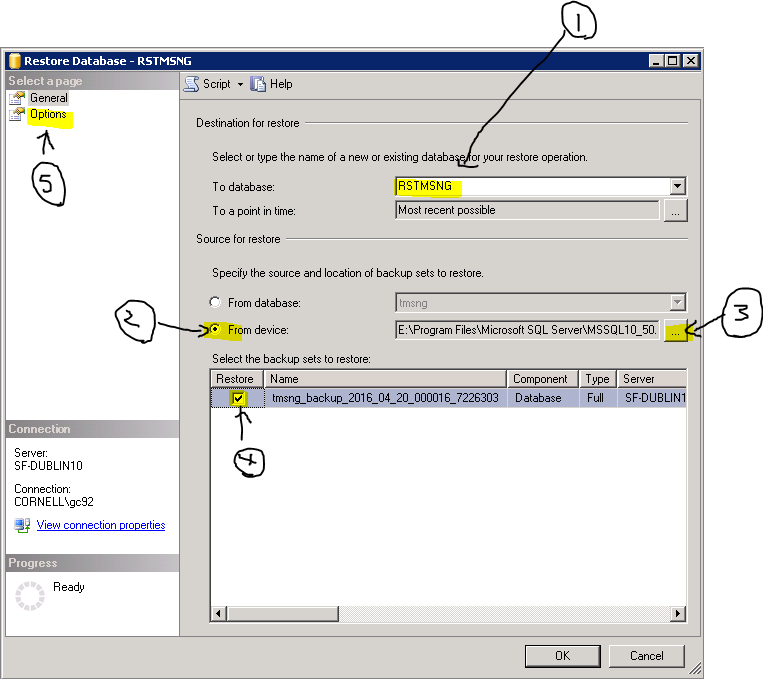
- a. Enter database name (number 1),
b. select from device (Number 2)
c. click on (number 3)
d. click on Restore of backup sets as (number 4)
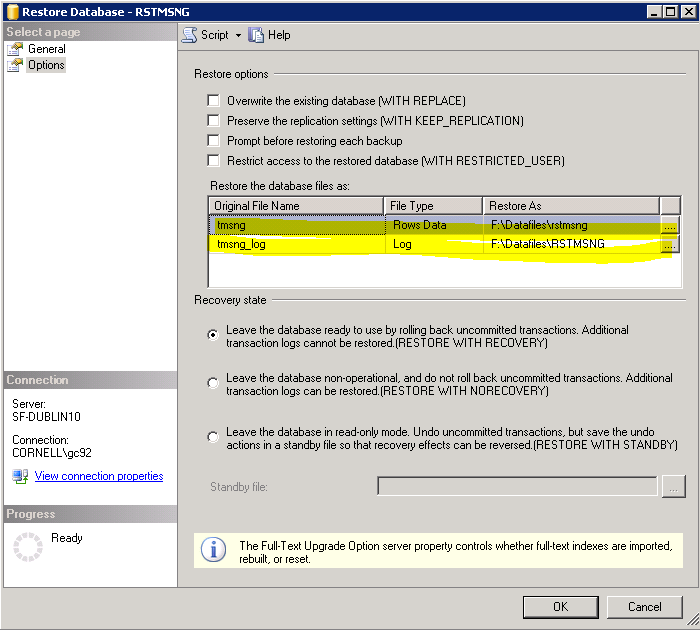
e. click on Options (number 5)
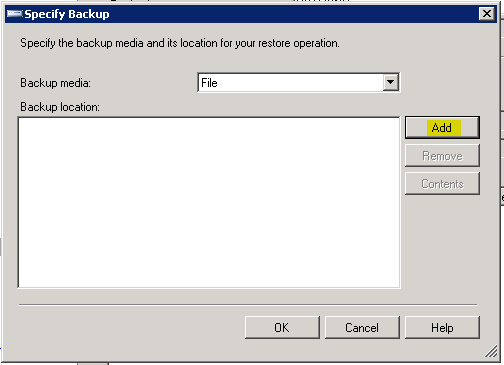
After click on (number 3) a new window popup and click on "Add"
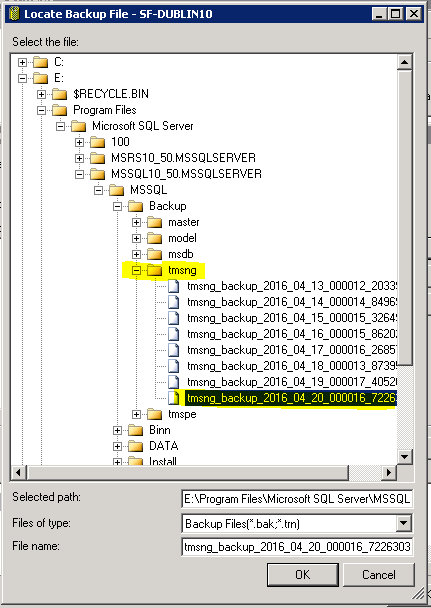
Select the right backup file from the list
After select "Options"
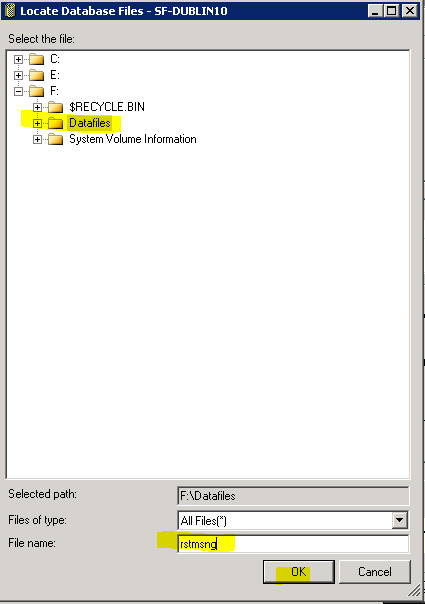
Enter the restore database file location - Click on from Options popup window