Scope: Use this page as a guide for adding call numbers, barcodes and location stickers on boxes of different sizes. Note that Vault boxes have slightly different rules than Annex boxes. Adding labels consistently ensures accuracy of locating and ease of navigating for our pages.
Contact: Jude Corina
Unit: ATS/RMC
Date last updated: March 2025
Date of next review: March 2026
Roles: ATS staff
Contents:
There are two Zebra label printers in RMC: one at the student desk in B79, and one at the center aisle computer in the vault. Use SpineLabeller to print standard box labels. The software is preset to our standards.
Use ZebraDesigner software to duplicate a barcode. These will print on the same labels as the box labels. This software is only available on the center aisle computer.
Extra labels and transfer tape are stored in the desk drawer below the Zebra printer in B79. (Note that these take direct thermal. The exact supplies to order for these Zebra printers are in the supply list in the x:drive)
Front: upper left corner for box and call number. Bottom right for location. Barcode in the middle, or above the location sticker
Side: Turn the box clockwise, add box / call number at top left corner
leave room for their stickers in the center of the box
[ADD EXAMPLE PHOTO]
Add sticker dots: RED for paper, BLUE for plastic
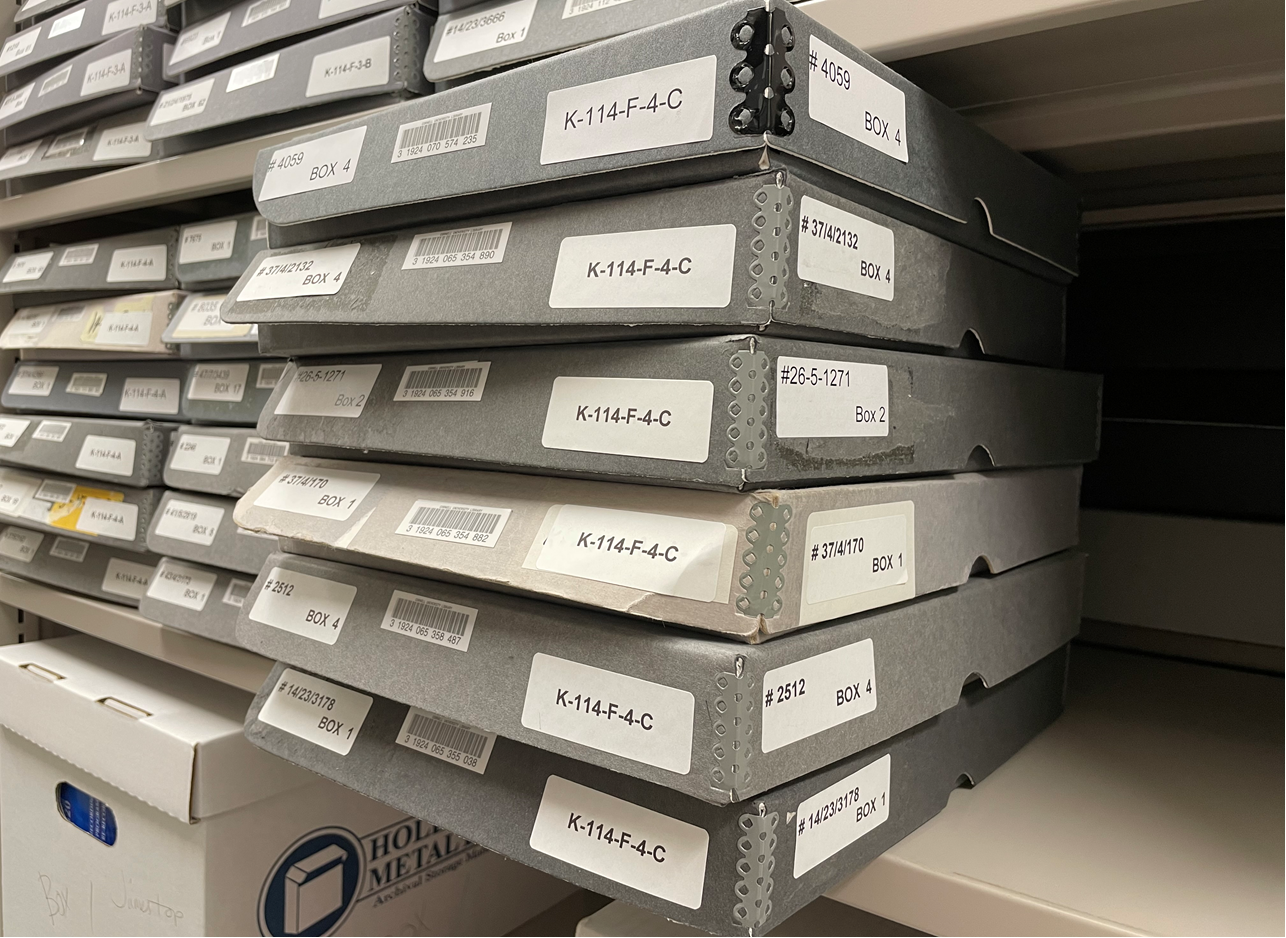
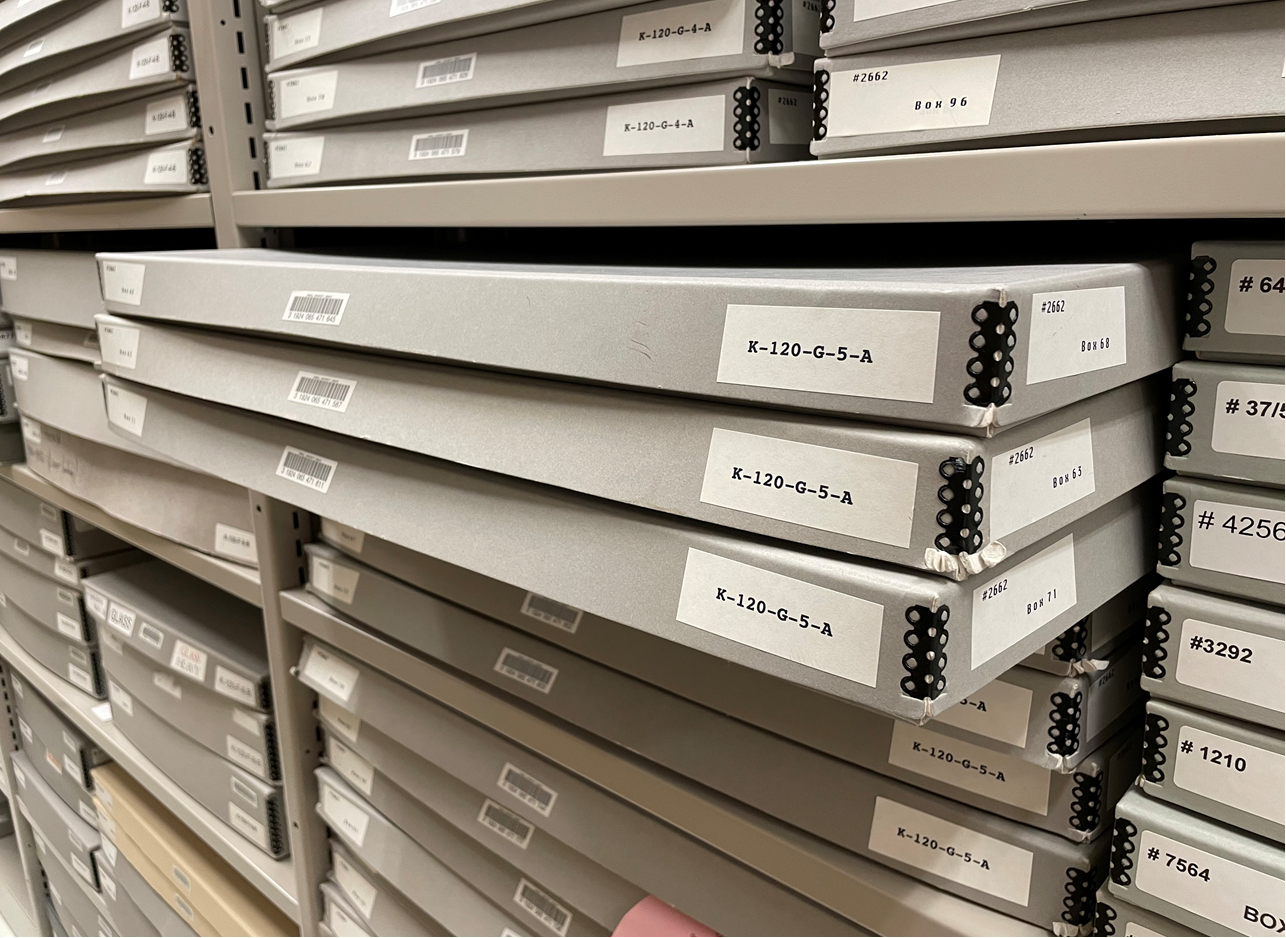
(can also be used for 3” oversized boxes and barcodes can either go above the location sticker or in the middle like the 1.5” boxes):
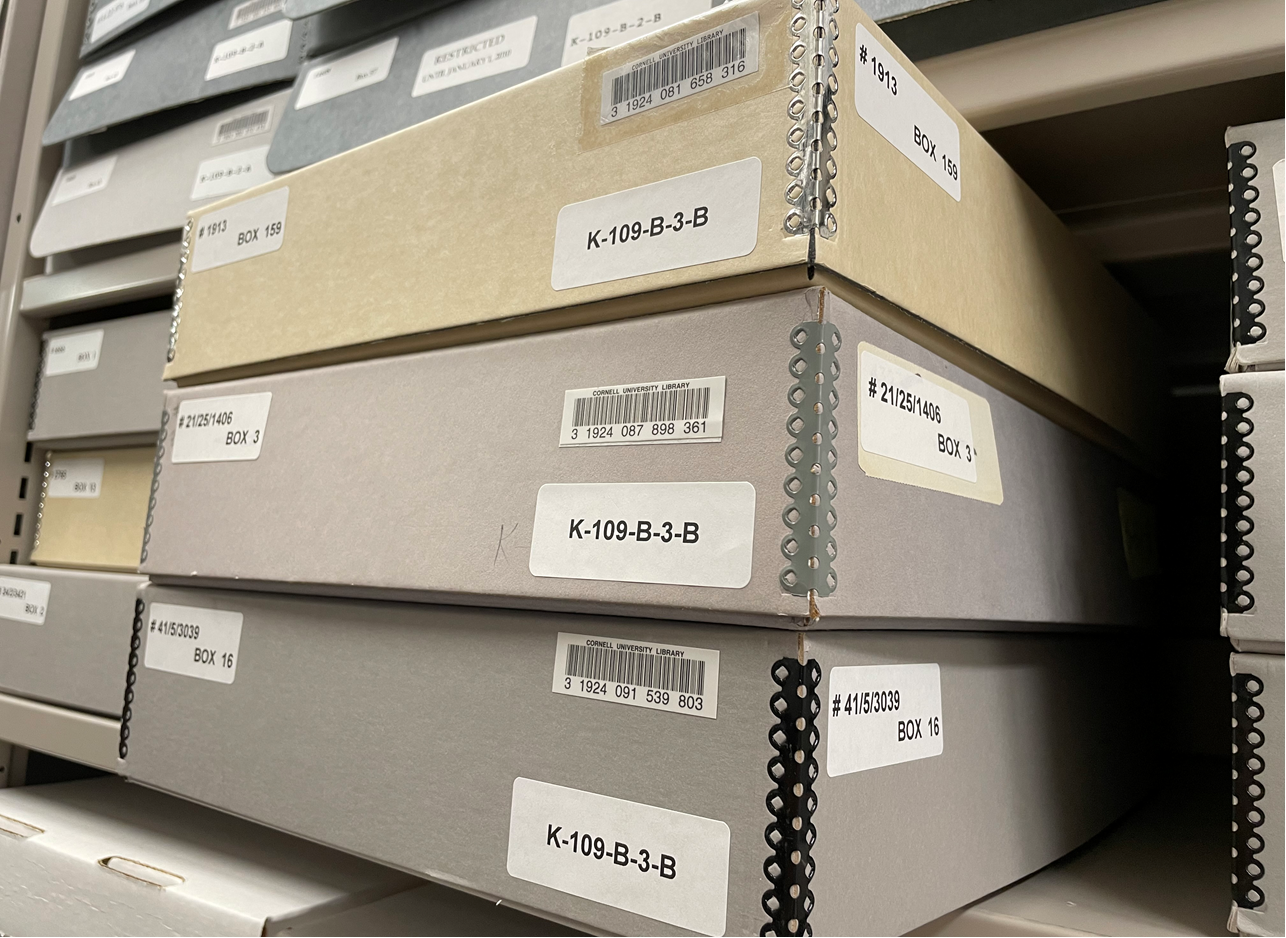
Add all primary stickers on the narrow side with the string handle (front side).
Side of box: the side you open the box from (not the back)
Vault
Call number sticker: upper left corner
Barcode: middle
Location: bottom
Side of box: call number: upper left corner
- If there is no string, this box cannot be sent to the Annex.
- There is no location sticker for Annex boxes
- Leave room for their sticker, in the center of the front of the box
Add sticker dots: RED for paper, BLUE for plastic
Call number sticker: upper left corner
Barcode: bottom
Side of box: call number: upper left corner
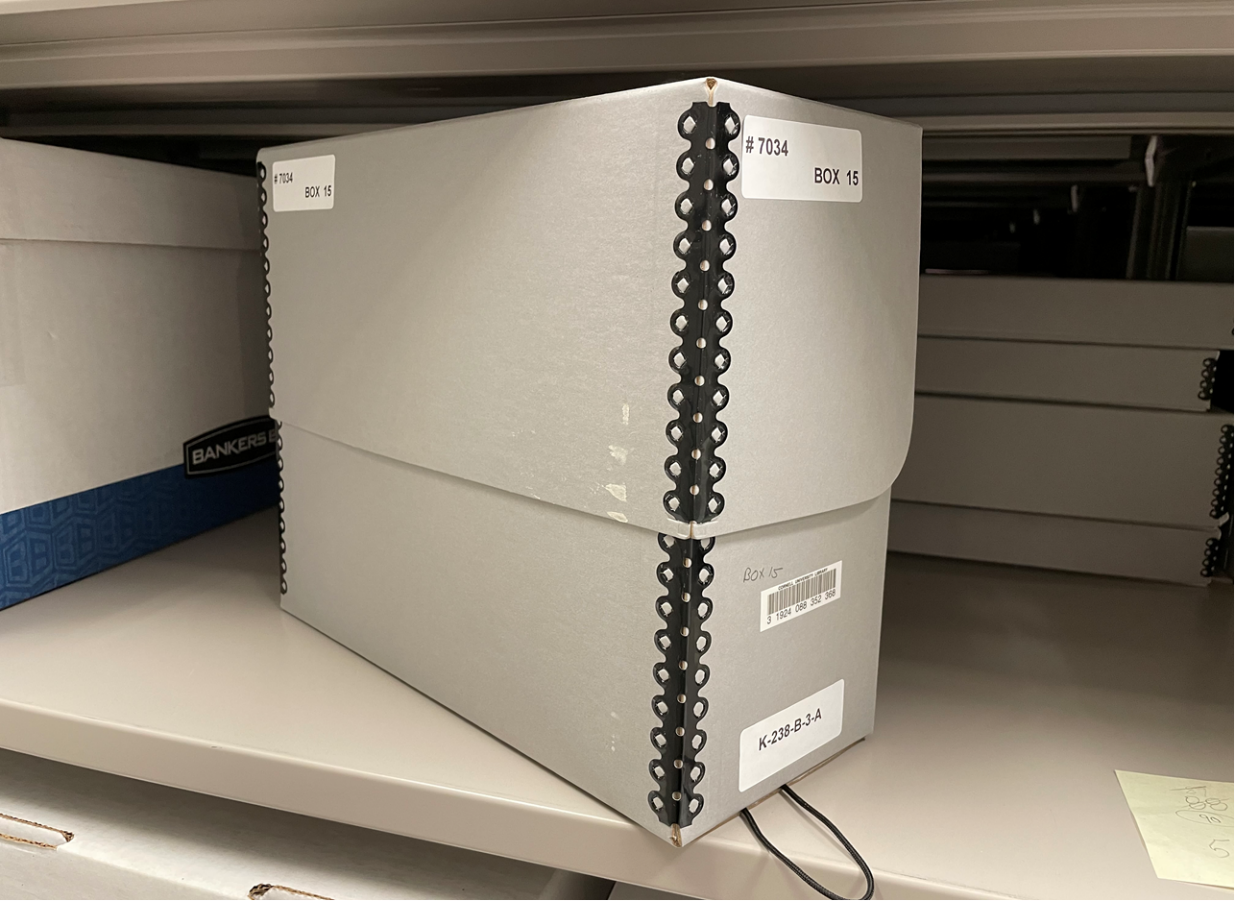
Nothing goes on the lid
Call number sticker: top (under handle)
Barcode: middle
Location: bottom
Side of box (turn box clockwise): call number: upper left corner
- If there is no handle, this box cannot be sent to the Annex.
- There is no location sticker for Annex boxes
- Leave room for their sticker, in the center of the front of the box
Add sticker dots: RED for paper, BLUE for plastic
Call number sticker: top (under handle)
Barcode: bottom
Side of box (turn box clockwise): call number: upper left corner
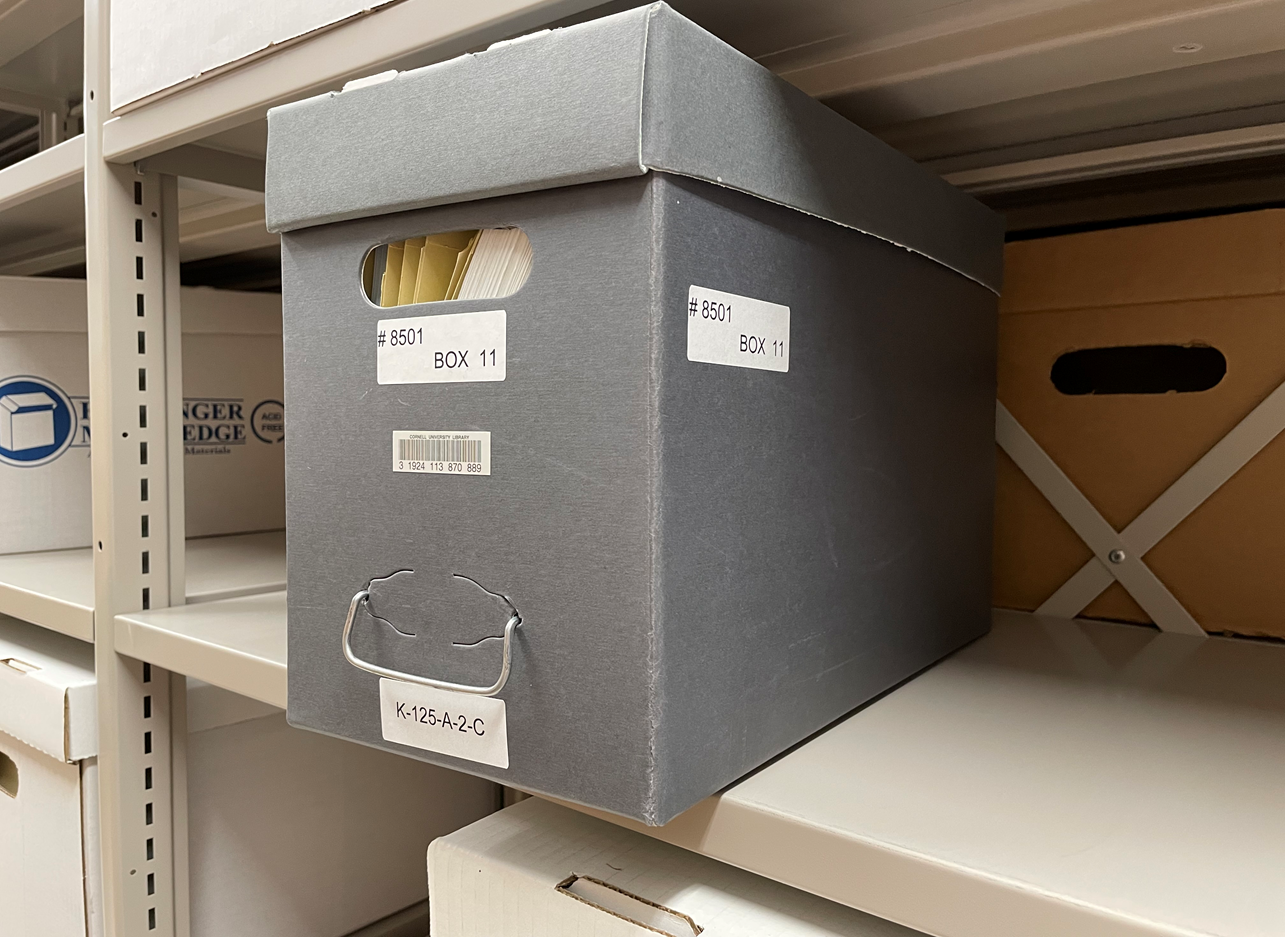
TBD
TBD
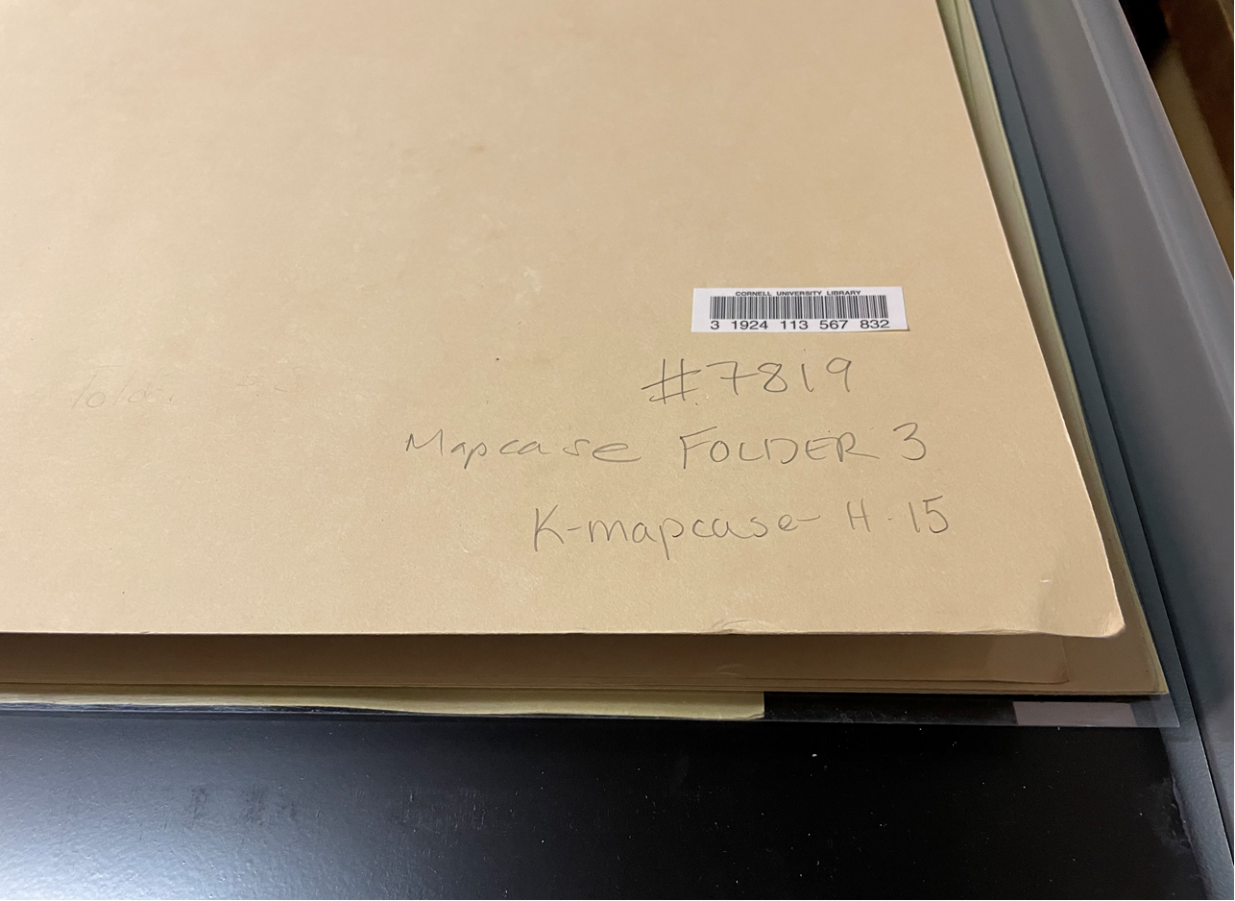
Note: If using original media box with donor labeling, be sure not to cover any of that information
TBD
TBD
TBD