Contact: Joanna Cerro
Unit: LTS Serials
Date last updated:
Date of next review:
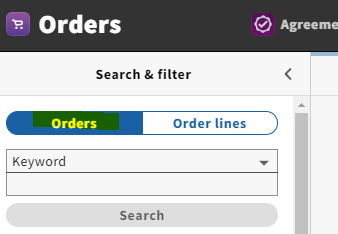
- Begin in the Orders app and make sure you've selected "Orders" at the top of the left-hand column on the screen.
Click "Actions" in the upper right-hand corner of the screen and select "New."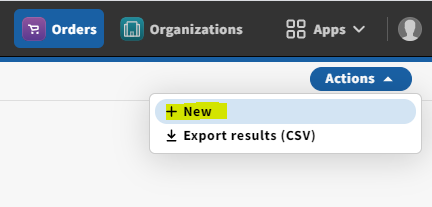
3. You'll be directed to the Edit Purchase Order screen, where you can begin filling in your PO "header" information. Fill in the following information in the "Purchase Order" section:
a. PO number: FOLIO will auto-populate this field with a system-generated number. Add an "e" to the end of this number to indicate if this is an e-resource PO
b. Vendor
c. Order type: Ongoing
d. Bill to/Ship to: LTS E-Resources & Serials
e. Deselect the Re-encumber box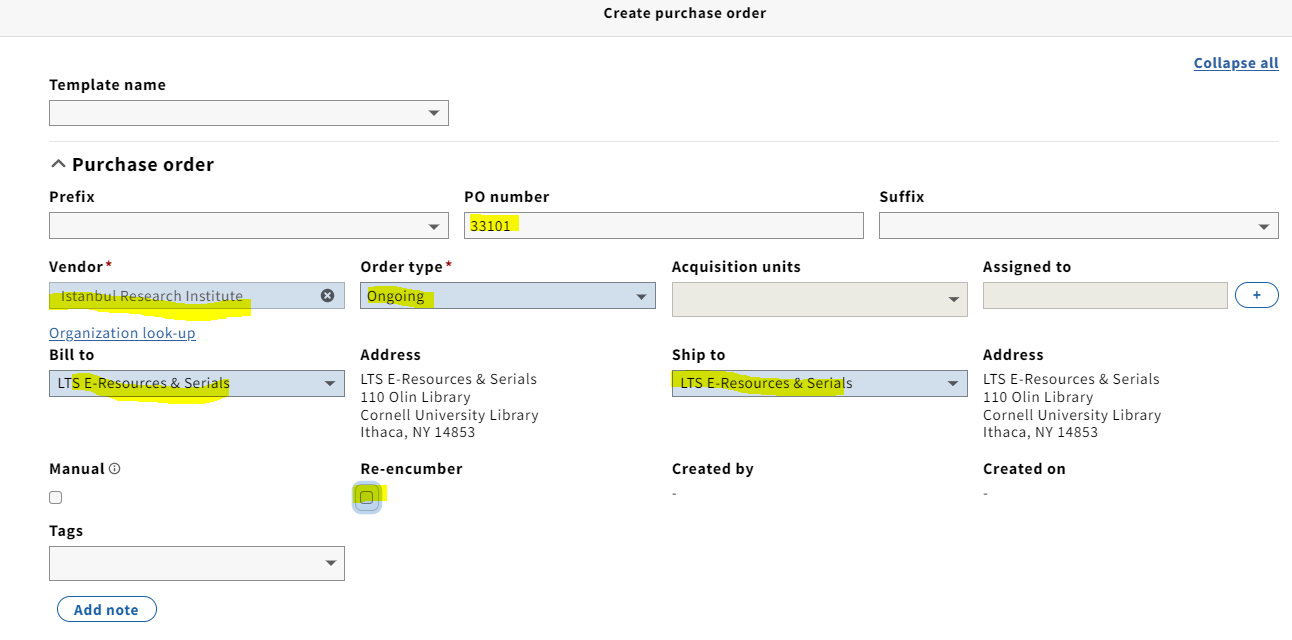
4. Scroll down to "Ongoing order information" and check the "Approved" box and click "Save & close".
Note: At this point (as of May 2023), I haven't found the other fields in this section to be useful, but that doesn't mean they won't be in the future. For now, I don't think there's a need to fill them in.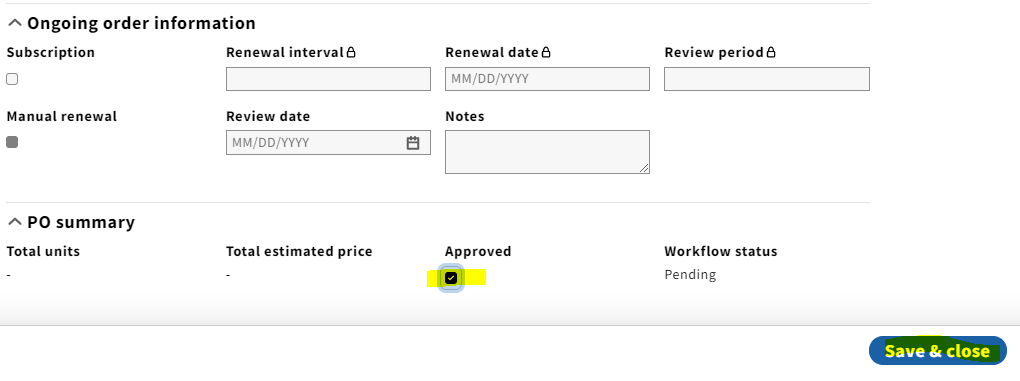
5. The purchase order will now display in the third column on the screen. Click on Actions under the PO Lines accordion and then click Add PO line.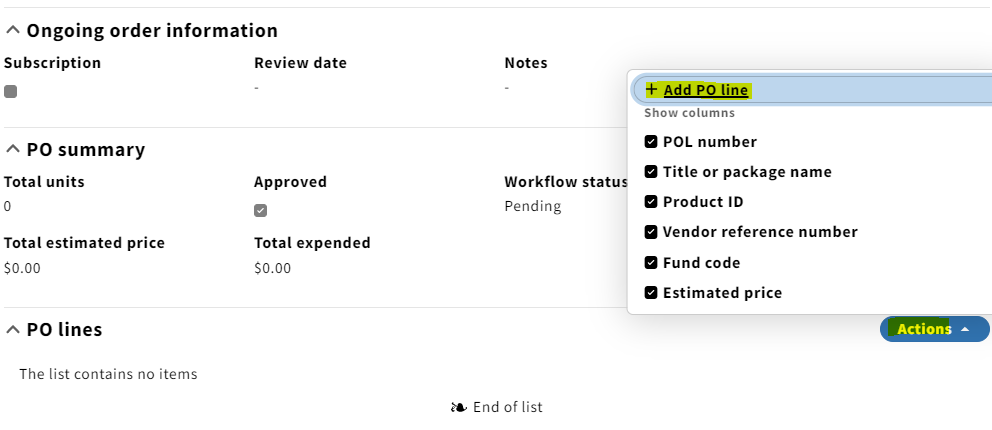
6. In the "Item details" section of the "Add PO line" screen, click "Title look-up" to link the POL (PO line) to the appropriate Instance record in Inventory.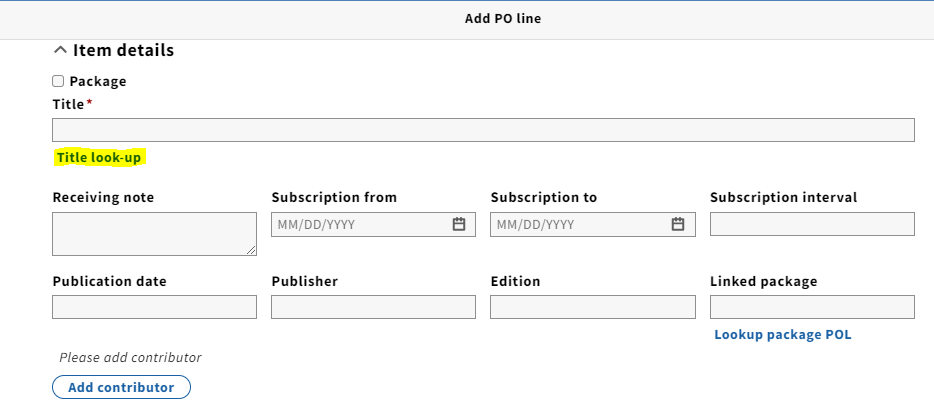
7. The Select instance box will appear. Identify the title you would like to add as a POL. Searching by Instance HRID will yield the most accurate results.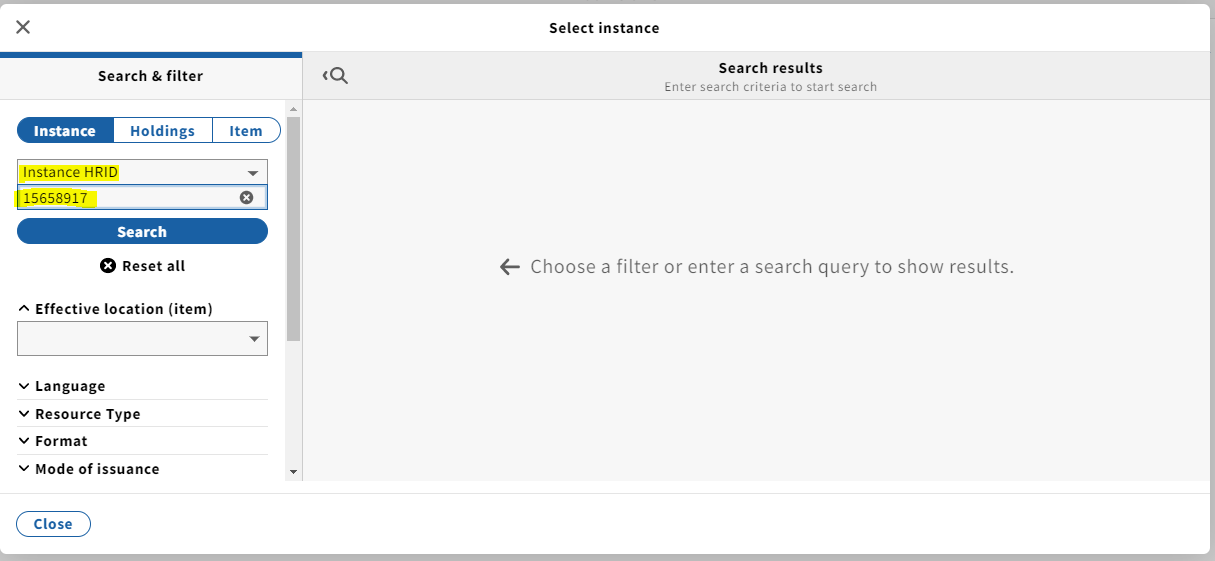
8. Click the title you wish to add from the results list.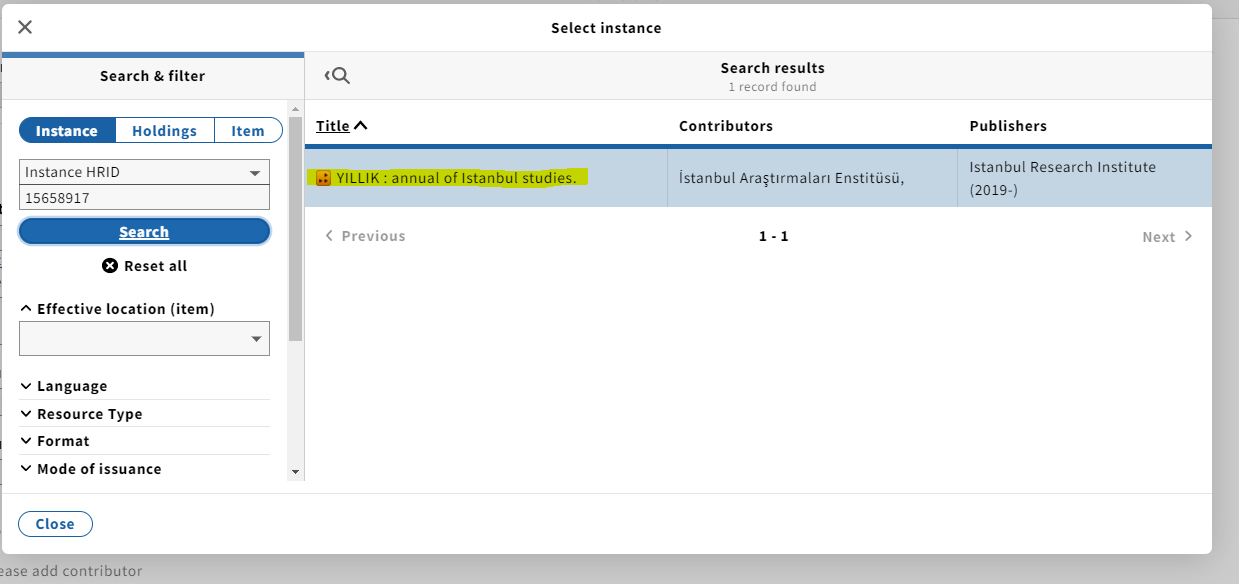
9. Fields under the Item details accordion will automatically populate upon attaching a POL to an Instance. The Receiving note is a good place to put any pertinent information regarding the order.
Note: As of May 2023, I've been leaving the subscription fields in this section blank. I haven't yet found a use for them.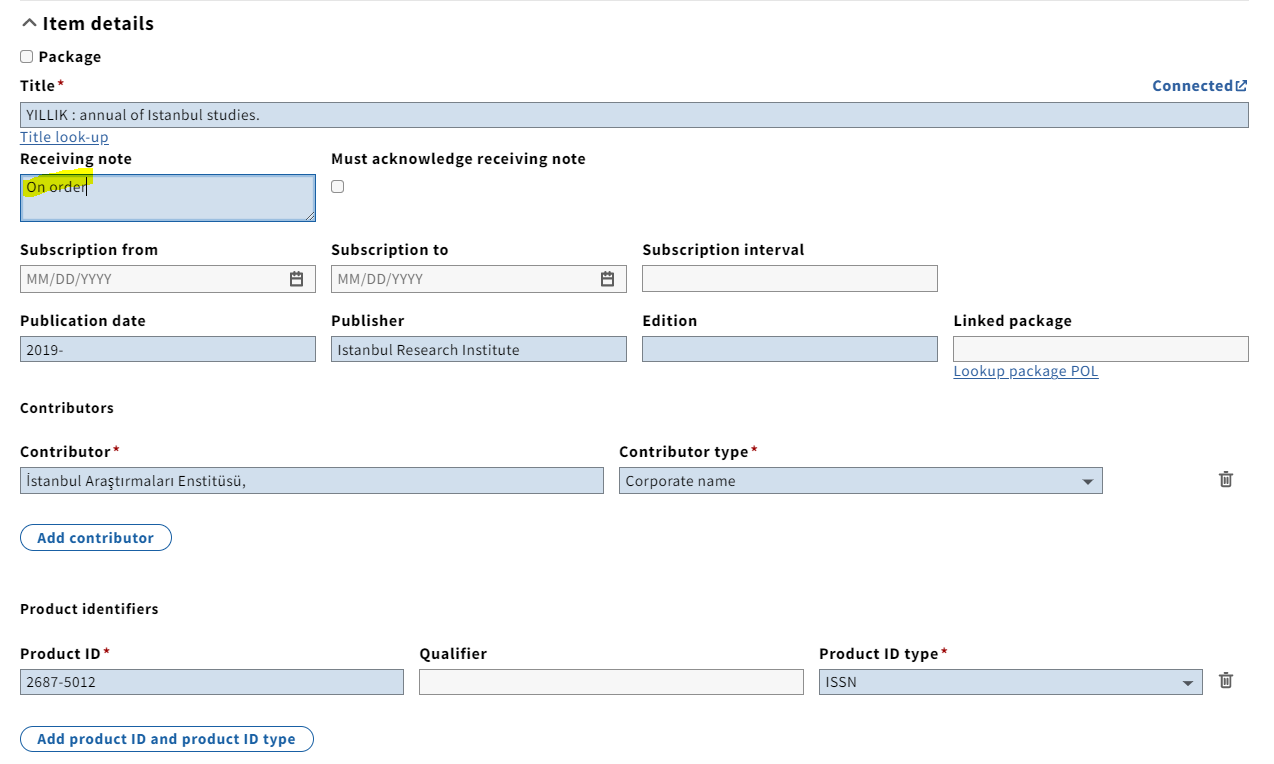
10. Scroll down to "PO line details" and fill in the Acquisition method field. In most cases, you'll be selecting "Purchase at vendor system," which we select after placing an order via email or directly to the vendor in some other way. The "Purchase" line is used to indicate that the order was placed by EDI, which is something we don't do in Serials/E-Resources.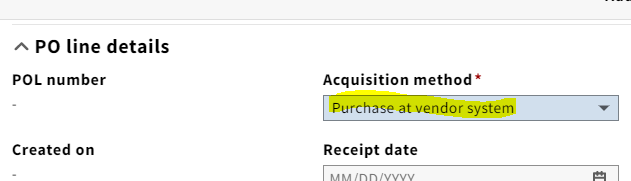
- Select the appropriate Order format: Physical resource, Electronic Resource, or P/E Mix. Select Independent order and receipt quantity under Receiving workflow, which is the workflow we select for all ongoing orders.
Note: In prior system releases, this field was a checkbox named Manually add pieces for receiving.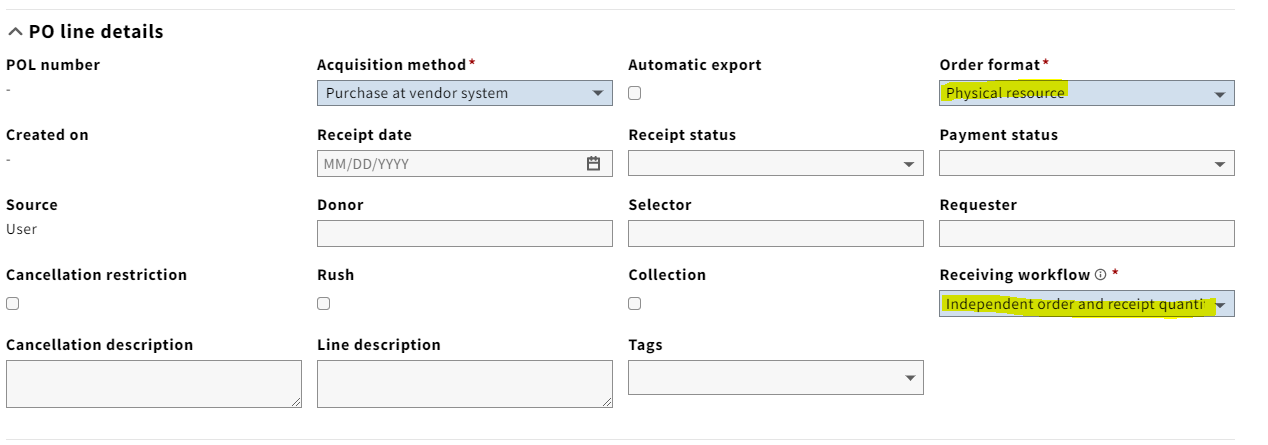
2. Scroll down to the Cost details accordion. Fill in 0 for the unit price. Fill in the quantity (which will usually be one for serials & e-resources).
Physical: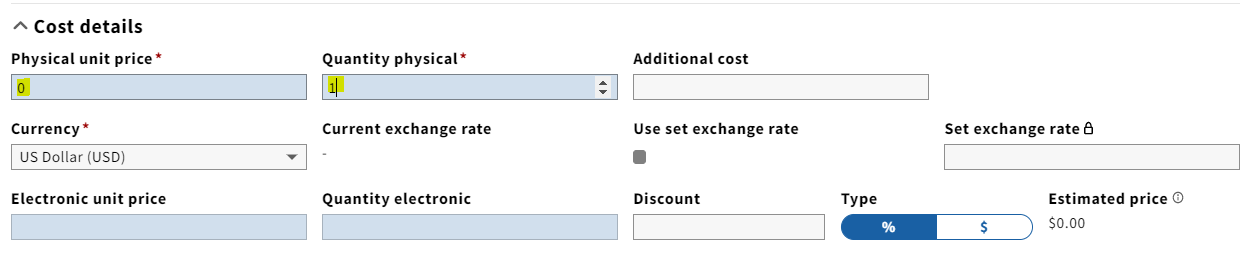
Electronic: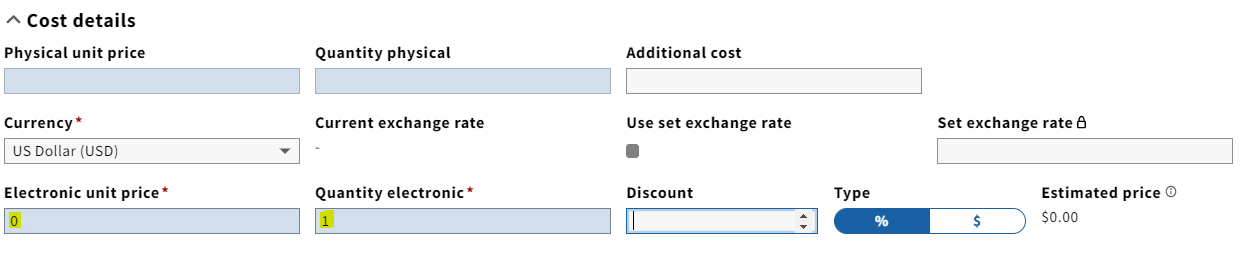
P/E Mix: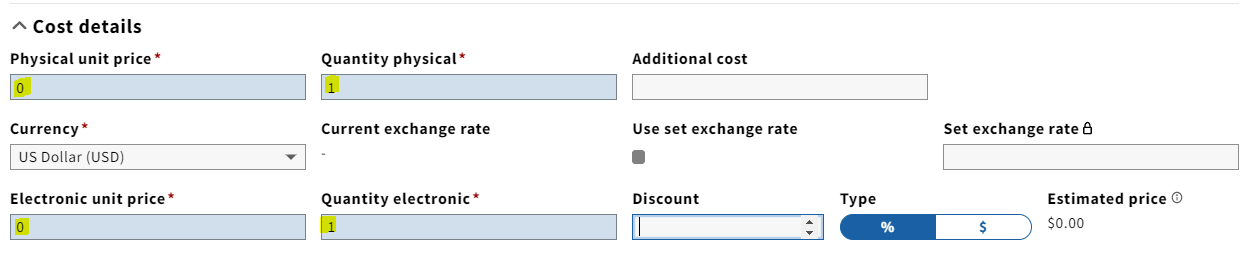
3. Fill in the Fund ID and Expense class under the Fund distribution accordion.
Physical: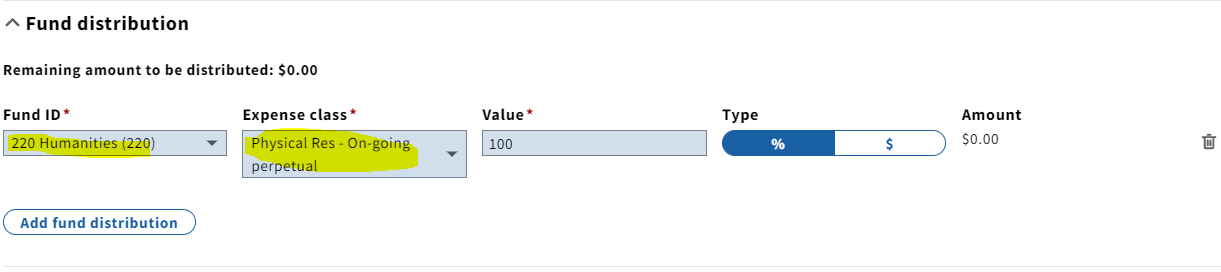
Electronic: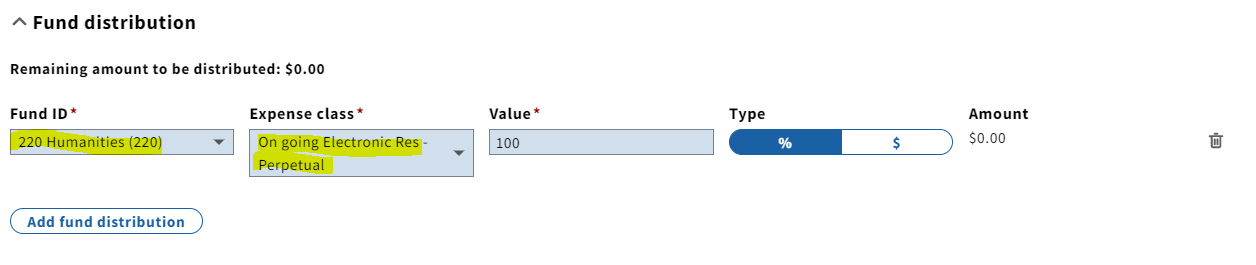
The expense class could also be non-perpetual for electronic resources.
4. Under Physical resource details, E-resource details or both, make sure that Instance, holdings is selected under Create inventory. NOTE: This will NOT result in a duplicate Instance and holdings as long as you've followed these instructions correctly. Instance, holdings needs to be selected in order to link the correct holdings location to this order.
Select the holdings location attached to this order (you should only see one location under this drop-down menu). Fill in the Quantity for either Physical or Electronic.
Physical: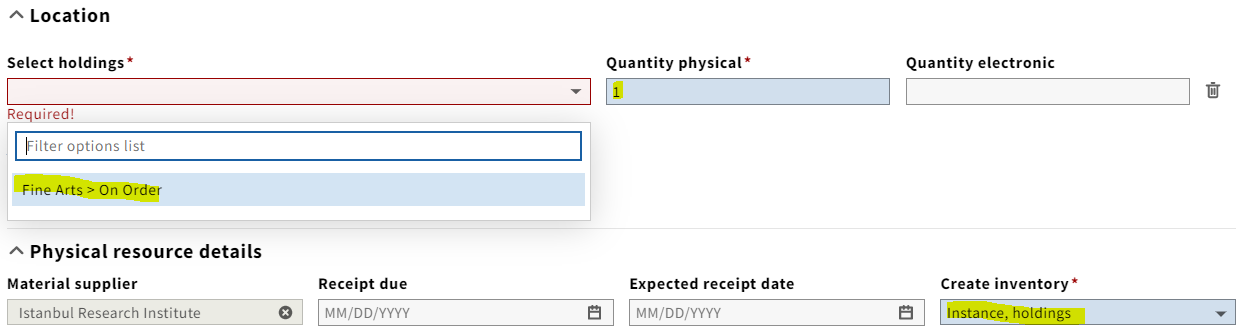
Electronic: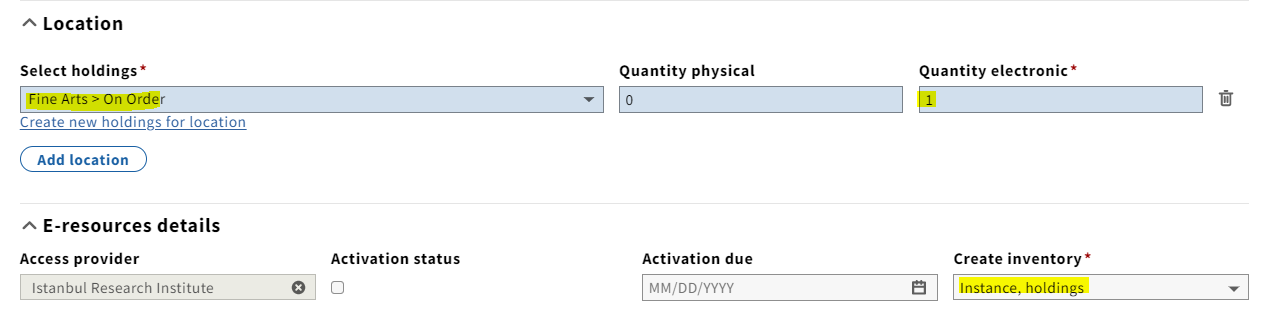
P/E Mix: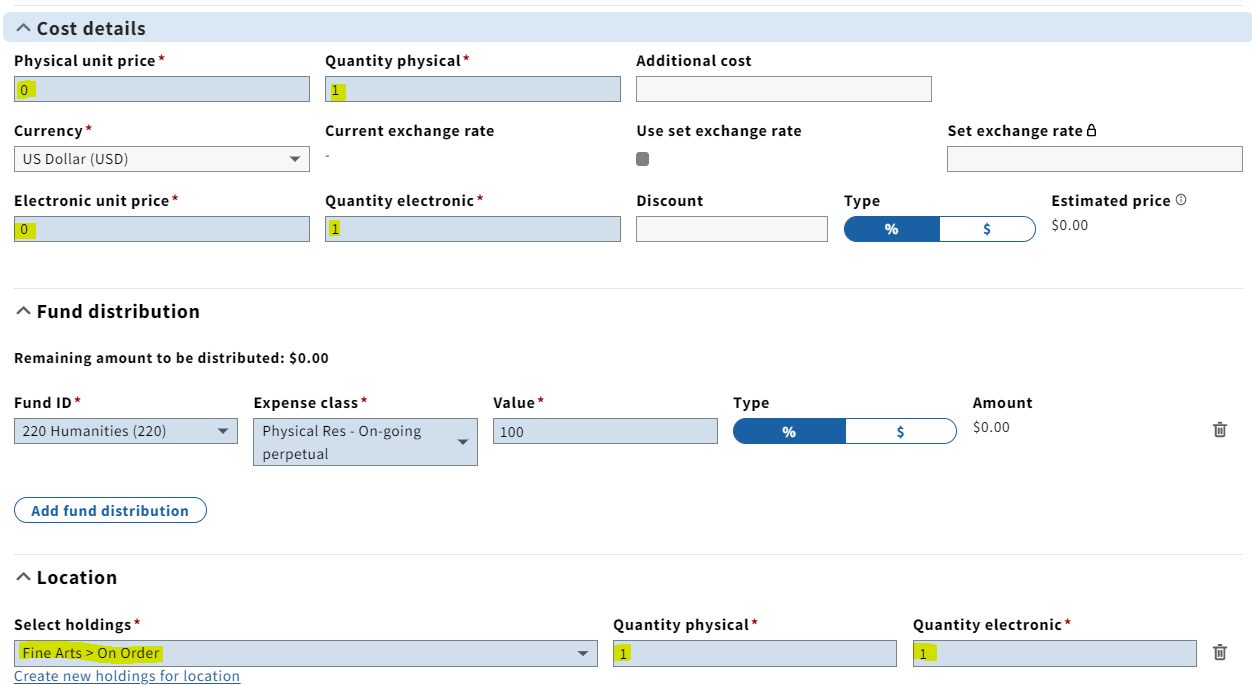
5. Select Serial under Material type. Click Save & open order if you are done adding POL's. If this is an electronic resource and you are adding more POL's, click Save & close and repeat the above steps.