Overview
The calendar system has been changed to use a new pattern as of Nolana. Calendars may now be assigned to multiple service points instead of each service point needing to have its own calendar.
Sections
All calendars
List all calendars in the system. New calendars are created in this section
Current calendar assignments
All current service points, what calendar is assigned to them, the calendar active dates and the service points current status. (open /closed)
Monthly calendar view
Shows a month view of the current service point.
Create a new calendar
In the Settings app select Calendar, All calendars. from the Action menu, located in the upper right corner of the last panel, select New.
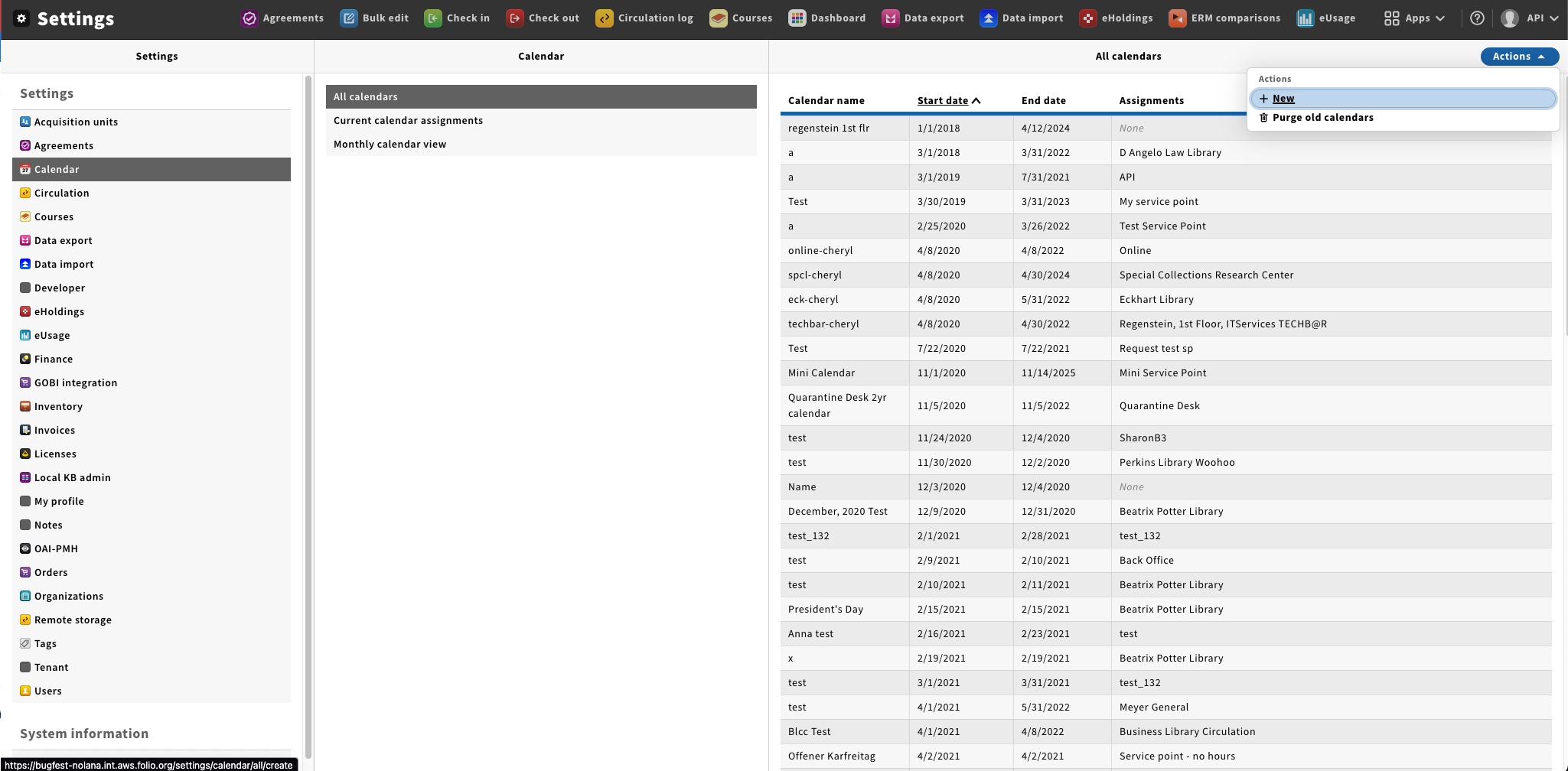
Under the General section enter a Calendar name, Start date and End Date in the top part of the New calendar form. From the dropdown select all the service points you wish to apply the calendar to.
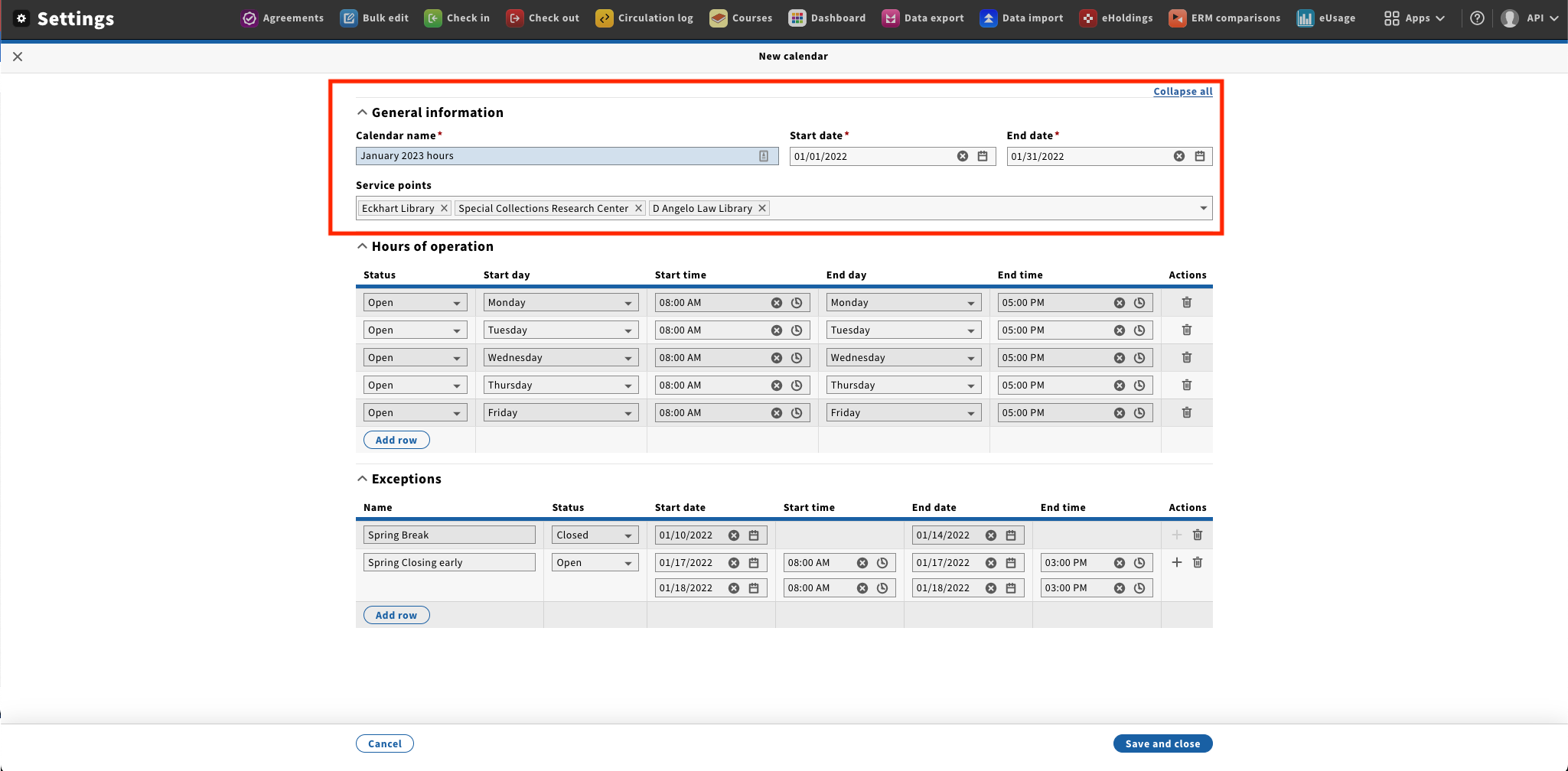
Under the Hours of operation section enter the base hours for this calendar.
- Select the Status - Open or Closed
- Select the Start day for the hours; ie Monday
- Using the selection model select the Start time.
- Select the End day for the hors range. Hours can start on one day and end on another, for example start Monday at 8:00am and end on Tuesday at 1:00am.