Scope: This document outlines special considerations for e-books during the fastcat procedure. It assumes that staff are already familiar with LTS Procedure #4, Fastcat and LTS Procedure #3c, Fast-cataloging. We strive to keep the e-fastcat procedure as close to our regular fastcat procedure as possible. The differences outlined below are largely due to either (a) additional/different cataloging fields required for an e-resource, or (b) the lack of a tangible item in the e-resource format.
Please note that this procedure covers only e-books, not e-journals, databases, or websites. Some fields in the MARC leader will indicate that the item is an e-book, however, the definition of an e-book is still fuzzy enough that we also employ the "You know it when you see it" rule of thumb; if an e-resource looks more like a website or a serial than an e-book, please route it to Original Cataloging for a cataloger's analysis.
Contact: Laura Daniels/You Lee Chun
Unit: E-Resources Unit
Date last updated:
Date of next review: February 2027
To fastcat an e-book, please refer to the LTS Fastcataloging procedure, with the following alterations/considerations:
Multivolume works may be cataloged either as one volume per bib, or multiple volumes on a single bib, depending on how the volumes are hosted and sold. Accept bibs that describe only a single volume; these are eligible for e-fastcat.
If any changes are required to the MARC bibliographic data other than adding/updating/deleting the following fields do not fastcat. Refer these to cataloging.
MARC fields that may be added, edited or deleted (using quickMARC): 506, 856, 899, 906
Do not edit the 040.
In the MARC record view, review and verify the following. Unless explicitly indicated otherwise, any discrepancies disqualify the item for fastcatting. In case of doubt, refer the item to cataloging.
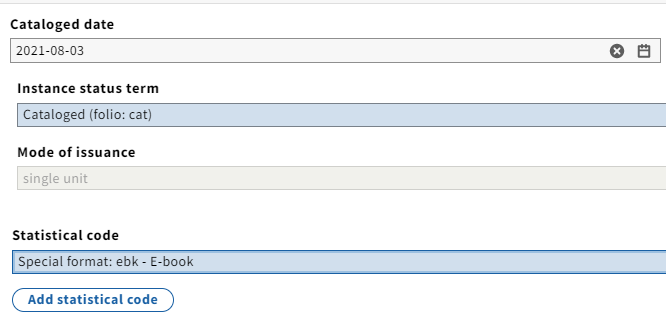
Editing the instance record:

Editing the holdings record:
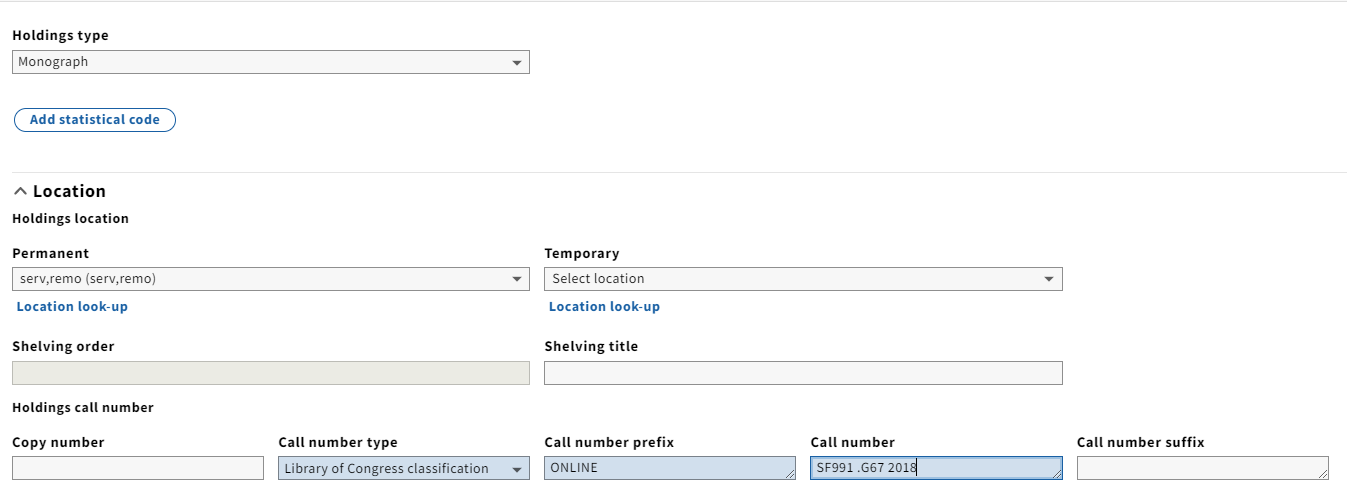
As with all electronic resources, no item record is created.