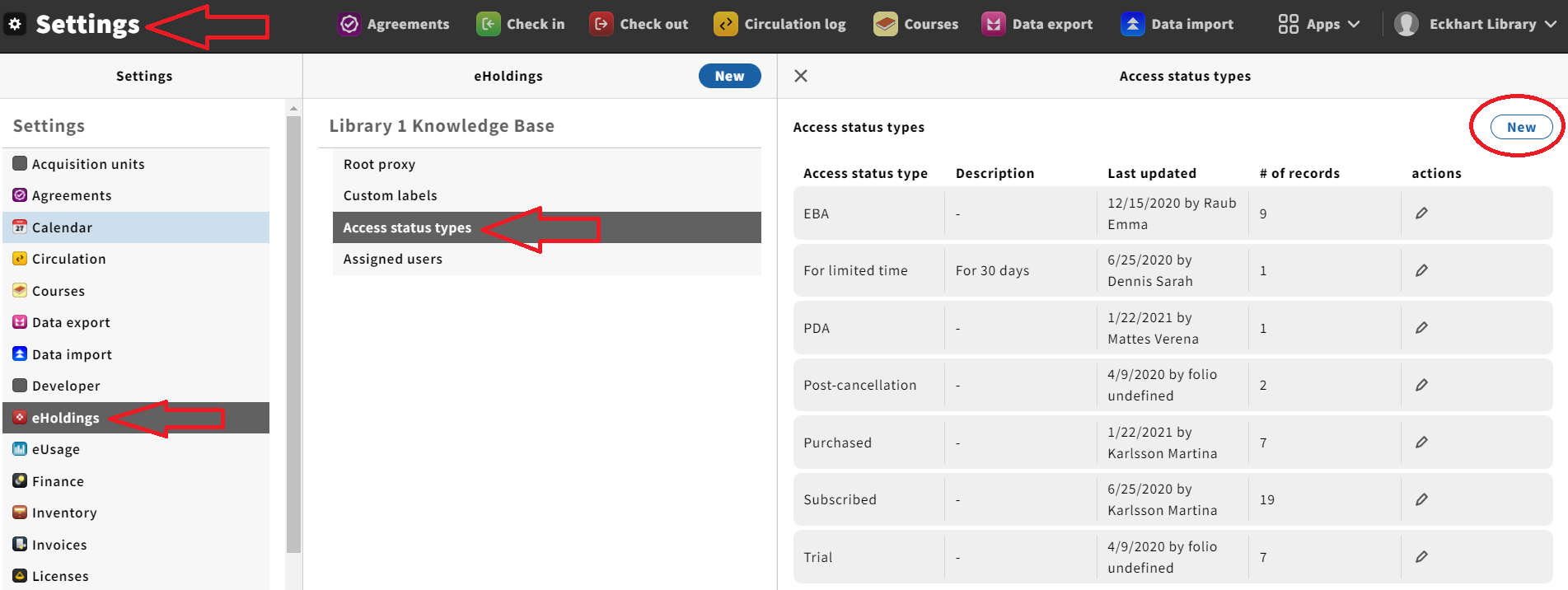
Create an access status type
Preconditions
Minimum permissions assigned: Settings (eholdings): Can create, edit, and view access status types
Steps
- Go to Settings > eholdings > Access status types
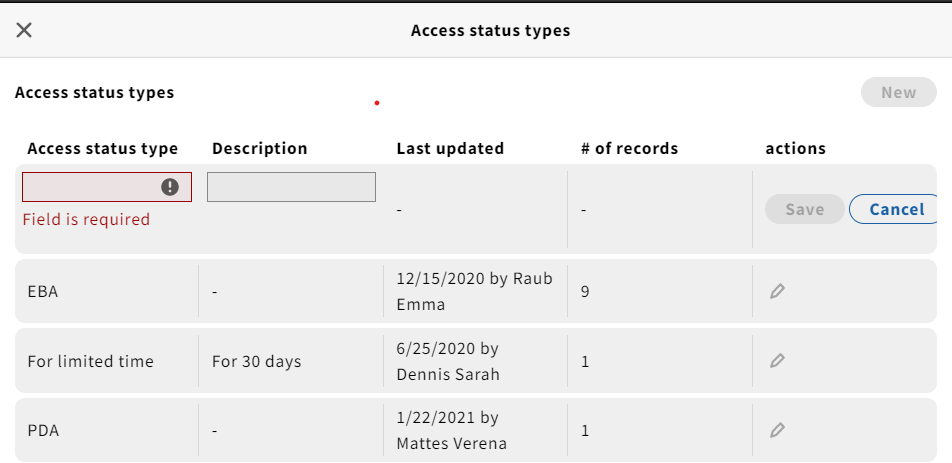
- Click the New button and fill in the required fields
- Click Save
Expected Result
New access status type displays in Settings > eHoldings > Access status types
Edit an access status type
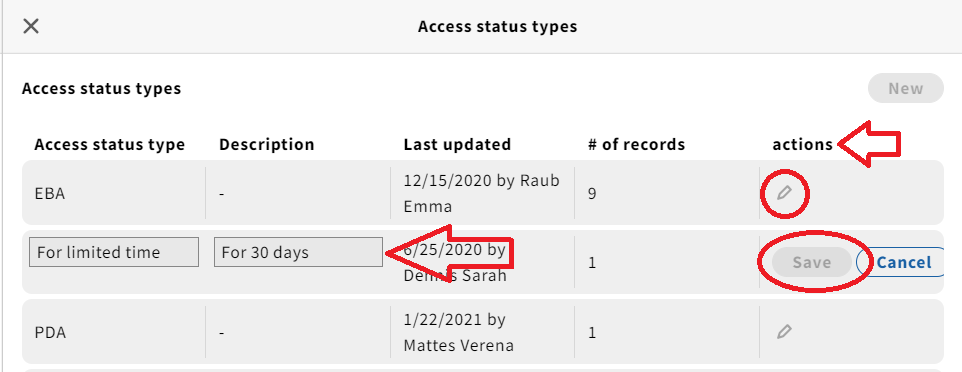
- Go to Settings > eHoldings > Access status types (see above)
- Click the pencil icon under "actions" for an access status type
- Edit the name (or description)
- Click Save
Delete an access status type
Preconditions
Minimum permissions assigned: Settings (eholdings): Can create, edit, view, and delete access status types
Steps
- Go to Settings > eHoldings > Access status types (see "Create an access status type" above)
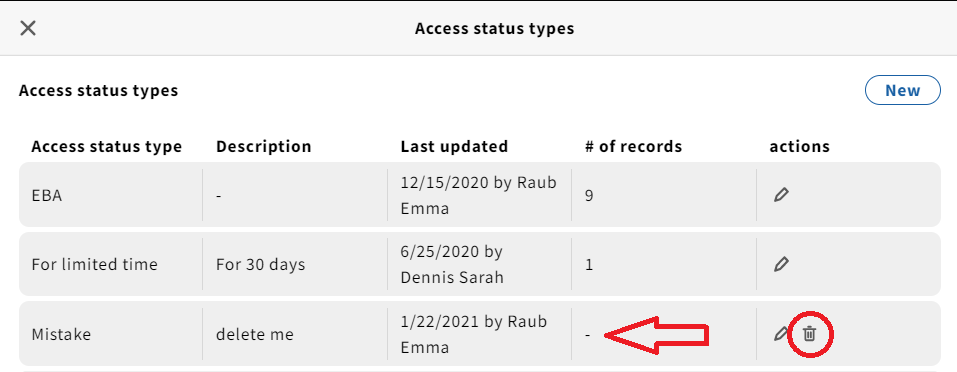
The Access status type must be assigned to 0 records - If the Access status type is assigned to no records, a small trashcan will be available under "actions"
- Click on it
- Click the blue Delete button from the warning popup
Expected Result
The deleted access status type will disappear.
Assign an access status type
To a package:
Preconditions
- Minimum permissions assigned: eHoldings: Can edit providers, packages, titles detail records
- In the eHoldings app
Steps
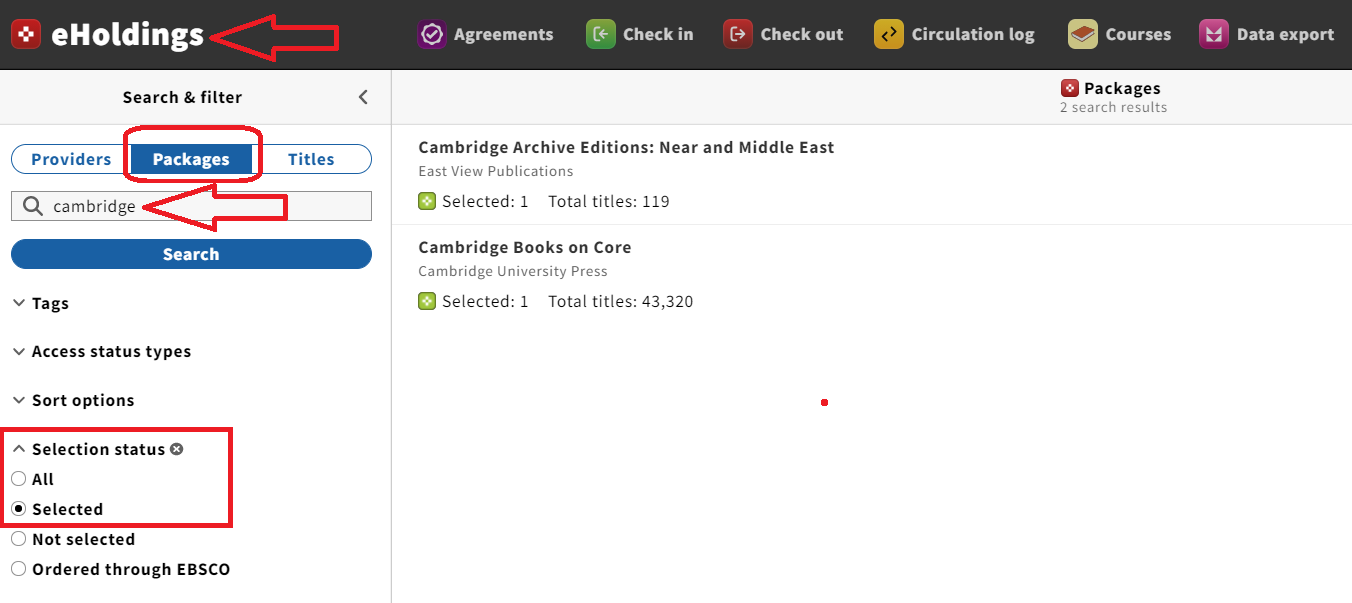
- Search for packages and have Selection status filter set to Selected
- Choose a package by clicking on the options that display in the right-hand pane
- The record details for that package will open
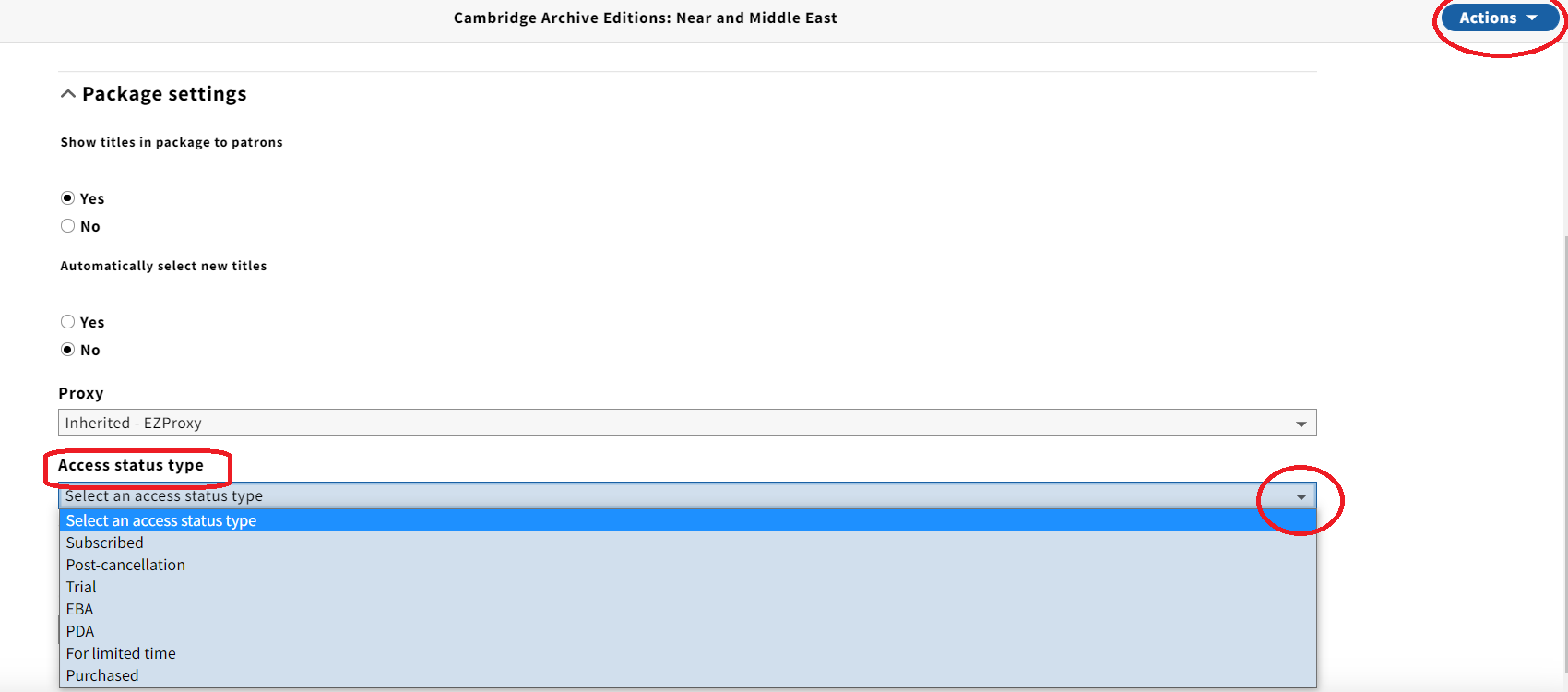
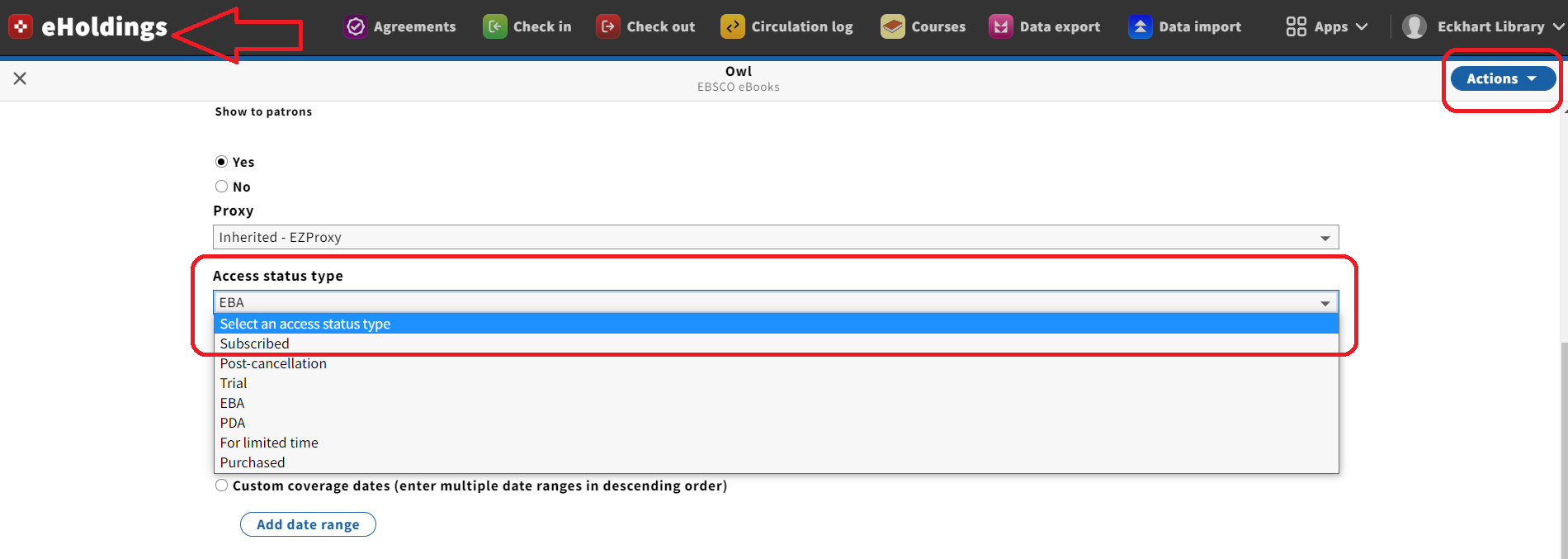
- Go to the blue Actions dropdown menu in the upper-right hand corner and select Edit
- Select an Access status type from the dropdown menu
- Click Save
Expected Result
Package record is saved with selected access status type.
To a title:
| Access status types can also be assigned at the title-level within eHoldings. |
- eHoldings app > Search & filter pane > Titles toggle
- Search for a title using the search bar
- Select that title by clicking on it when it appears in the right-hand pane
- The title detailed record will open
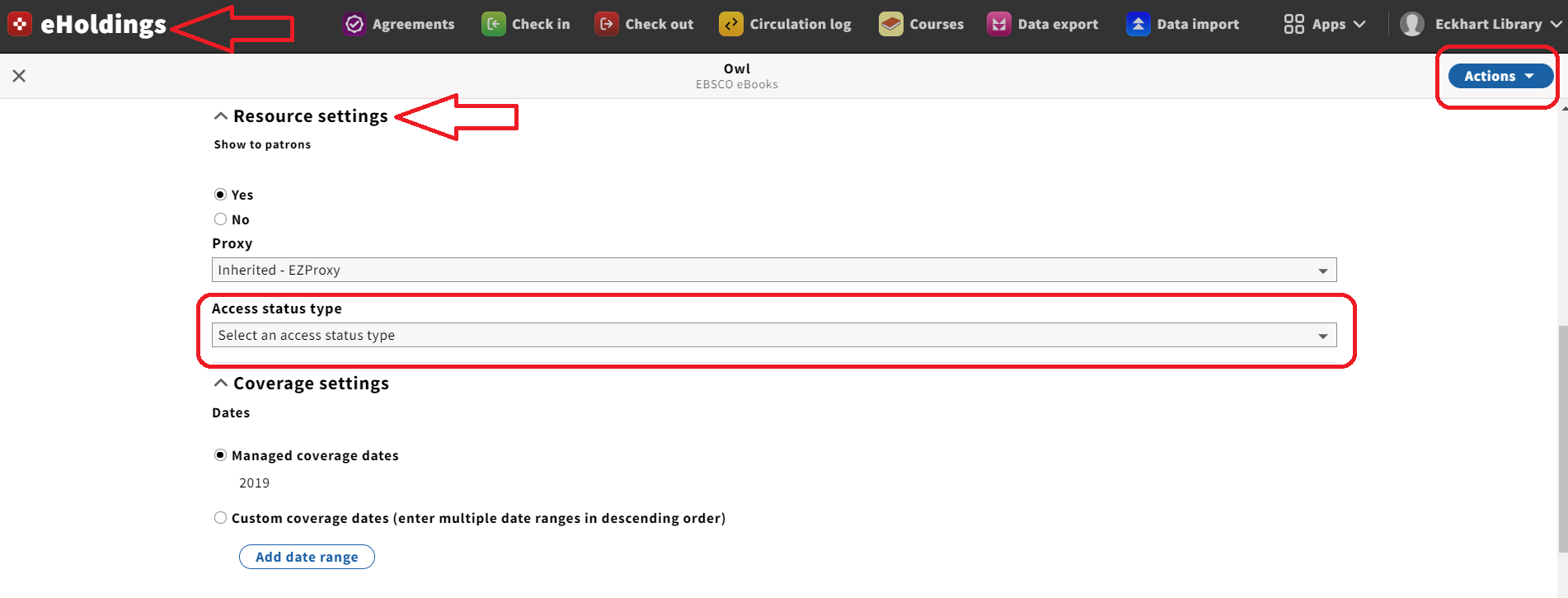
- Select Edit from the blue Actions dropdown menu
- Select an Access status type from the Access status type dropdown menu
- Click Save & close
Unassign (or change) an access status type
(from a package or title)
- Go to the eHoldings app
- Search for and select a package or title with an assigned access status type
- Select Edit from the Actions dropdown menu
- Under Access status type, choose "Select an access status type" from the Access status type dropdown menu - to unassign an access status type
- Or select any other Access status type from the dropdown menu to change the Access status type
- Click Save & close
Filter by access status type
Preconditions
Access status types have been setup in Settings
Steps
- Go to the eHoldings app
- Click on the Packages toggle
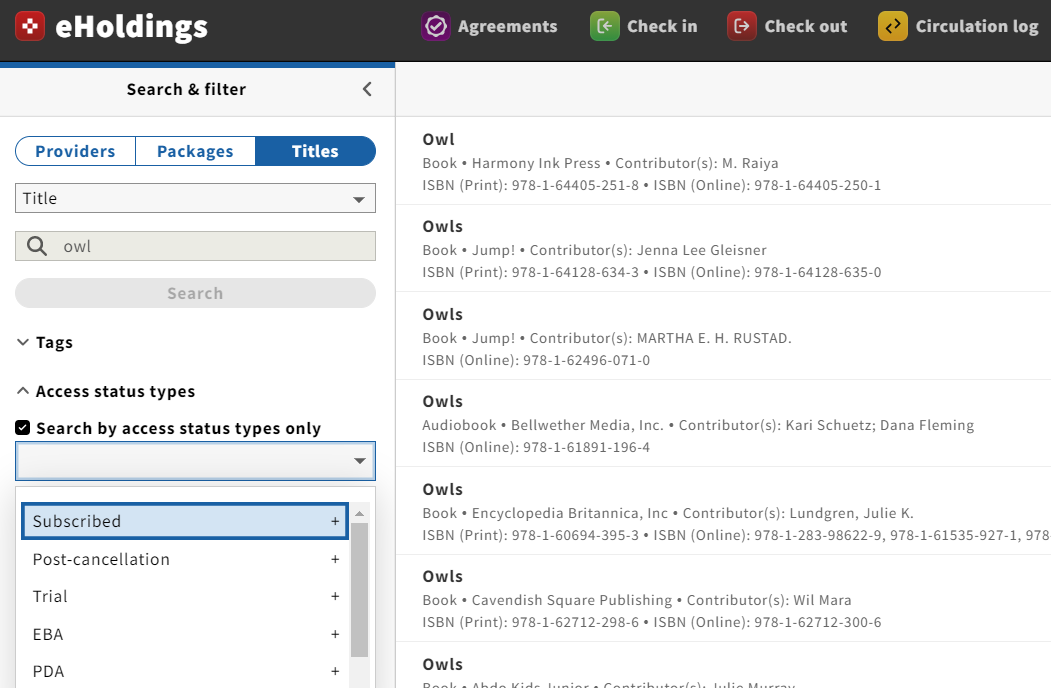
- Under the Search & filter bar, open up the Access status types accordion
- Check the "Search by access status types only" box
- Select an access status type from the dropdown menu
*The same can be done by clicking on the Titles toggle
Expected Result
Only packages with the selected Access status type(s) should return