Fun facts about the Notes helper app
- The Notes helper app is a "helper app," meaning that it can only be accessed through another app. As of Honeysuckle, you can find the Notes helper app via Agreements, Licenses, eHoldings, Organizations, eUsage, Orders, Requests, and Users.
- Although the same note types will appear across all apps that support the Notes helper app, you can only assign notes within specific apps. For example, a note created within the Agreements app can only be assigned within the Agreements app. It will not appear within the eHoldings app. The broader note type (e.g., Agreements: General note) will appear as an option in other apps, which is why it's important that we follow naming conventions.
How to assign and unassign a note
- I will be using the Notes helper app from within the eHoldings app for my examples.
- A note can be assigned at the provider, package, or title level.
- Simply search for the provider, package, or title within the eHoldings app and select the one you wish to edit.
- The Notes section appears midway down the record at the provider and package-level.
- If you search by title, after you select the journal or ebook title, you will need to select the package it appears in before you can reach the notes section at the bottom of the record.
- For example, select Cambridge Quarterly and then select Oxford Journals Archive to add a note to that title within that package.
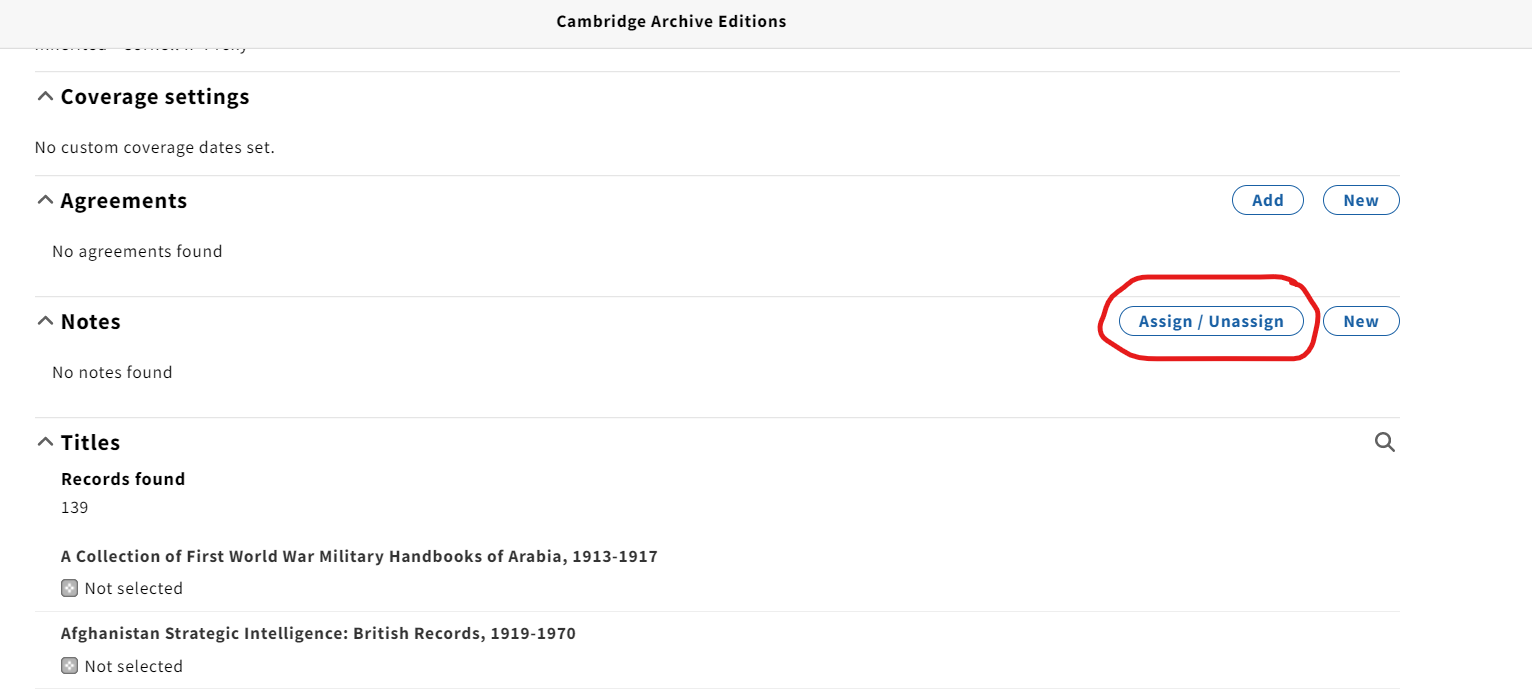
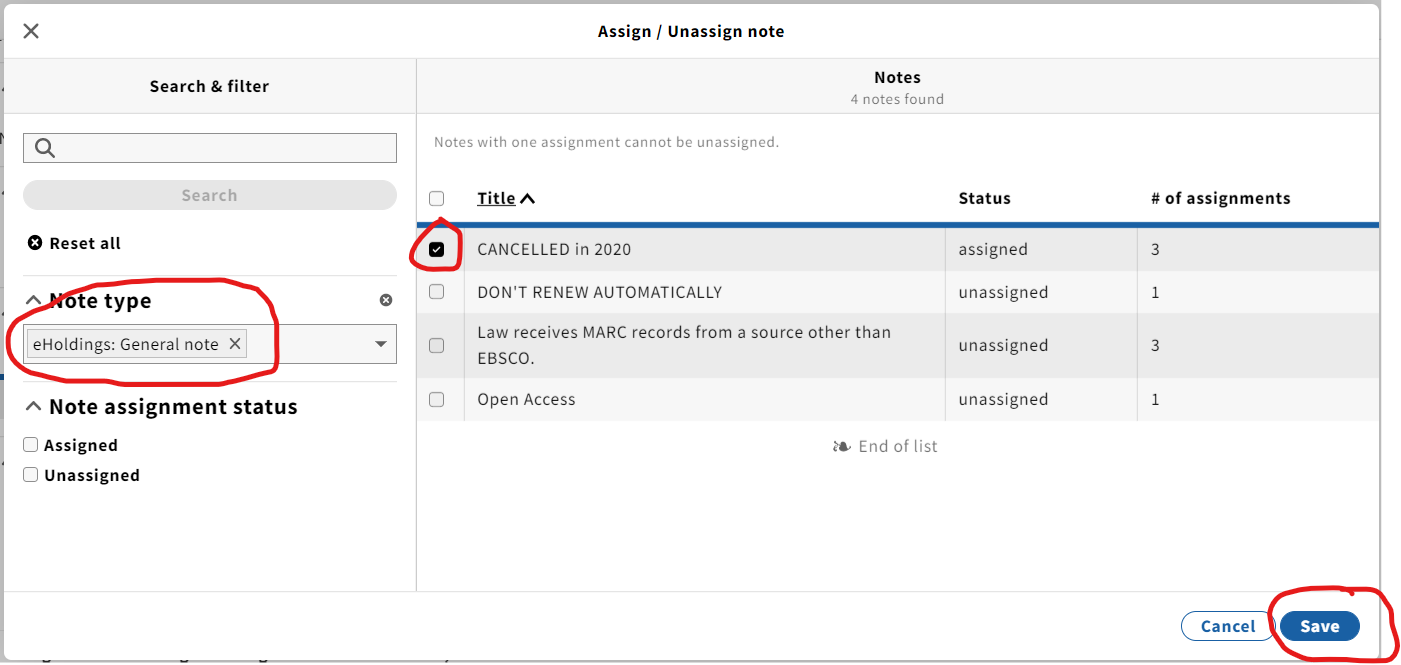
- Click the Assign/Unassign button.
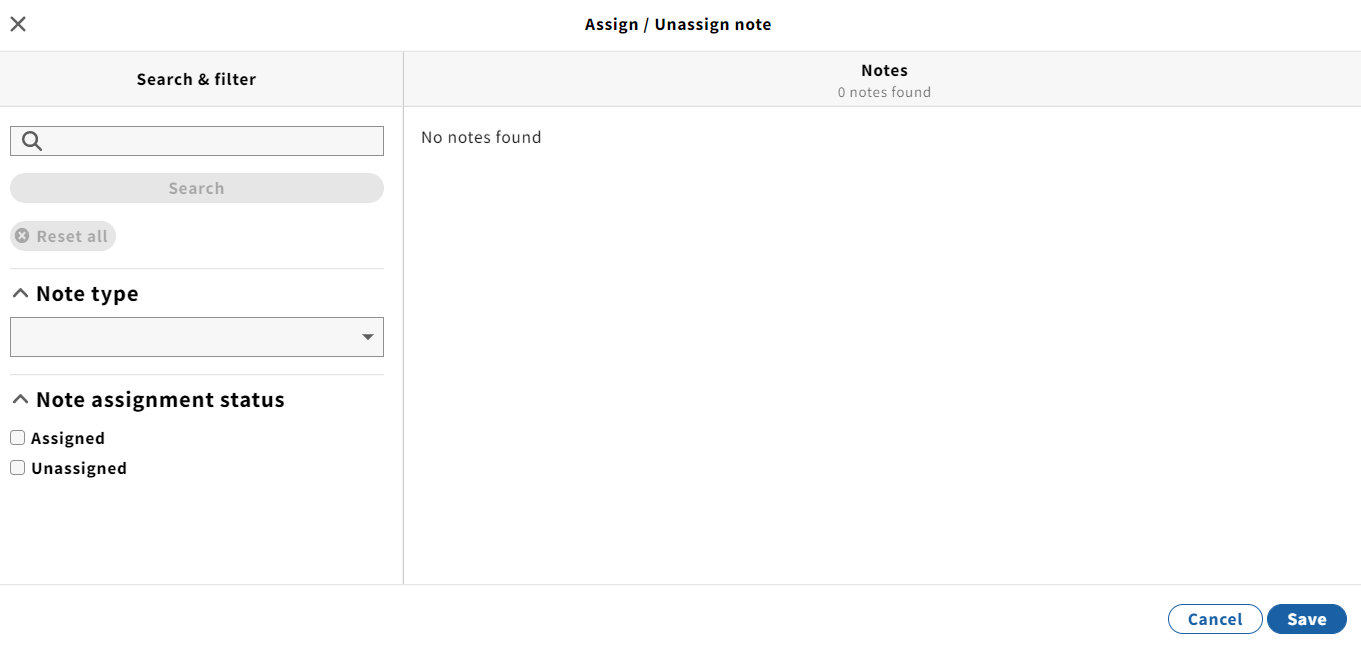
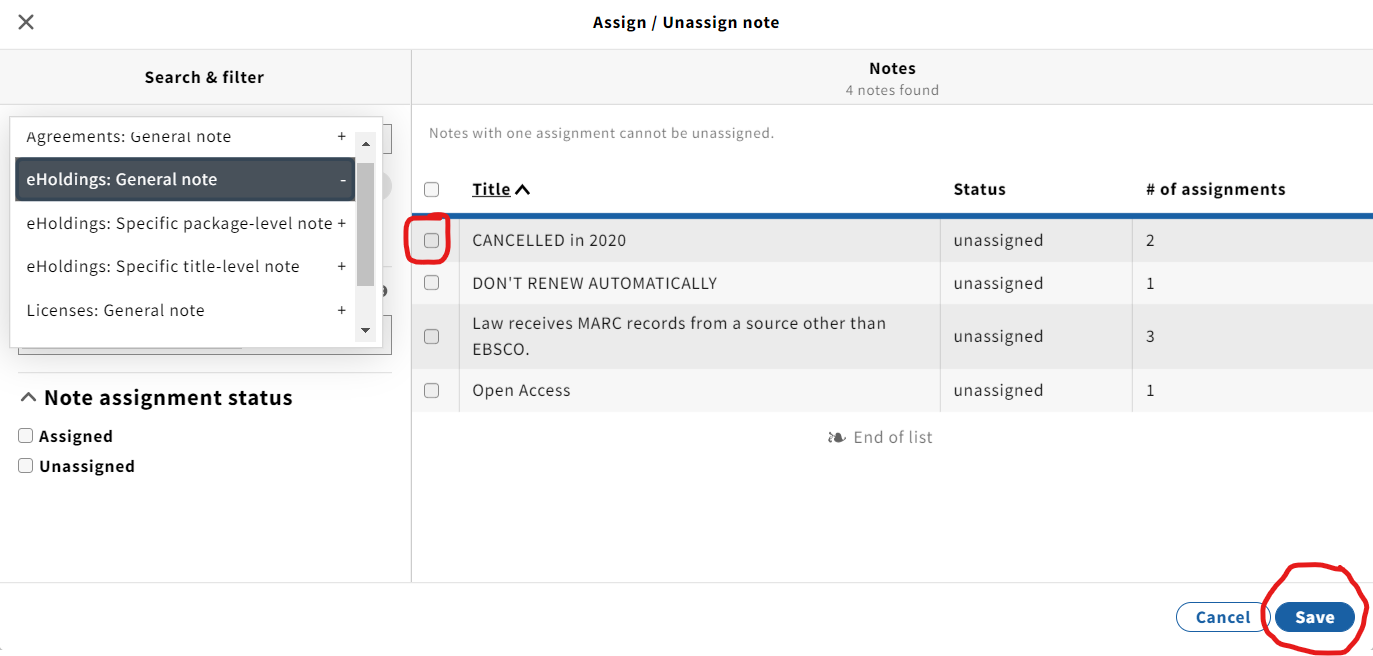
- Use the Note type dropdown menu to select the type of note you wish to assign. →
- A selection of note titles will appear. →
- By checking the box next to the note title and clicking save, that note will now appear within the record to which you assigned it
When creating a new note, be descriptive in the title for easy assigning. |
To unassign a note from a record, click on the Assign/Unassign button. →
- From the pop-up screen, choose the note type you wish to unassign.
- Uncheck the box of the note title you wish to unassign.
- Click the Save button.

How to create a new note
- From the Notes section of a record, click on the New button.
- You will reach a New note pop-up screen.
- Select the Note type from the dropdown menu.
- Complete the Note title and details.
- Click the Save & close button.

How to edit or delete a note
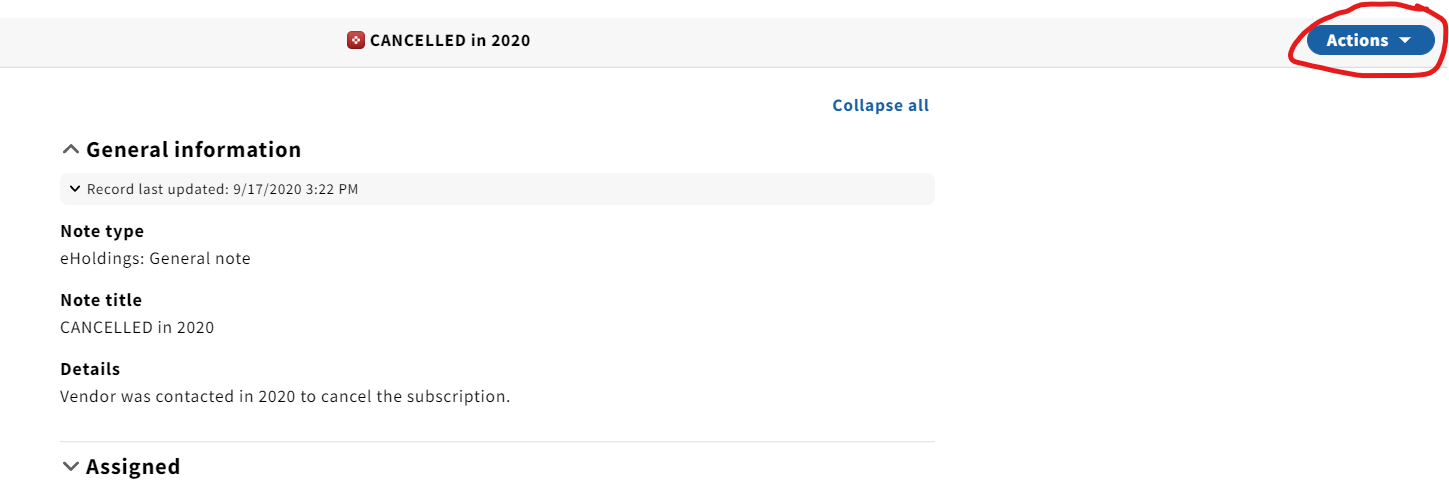
- From within a record, click on the note you wish to edit.
- Select edit from the Actions dropdown menu.
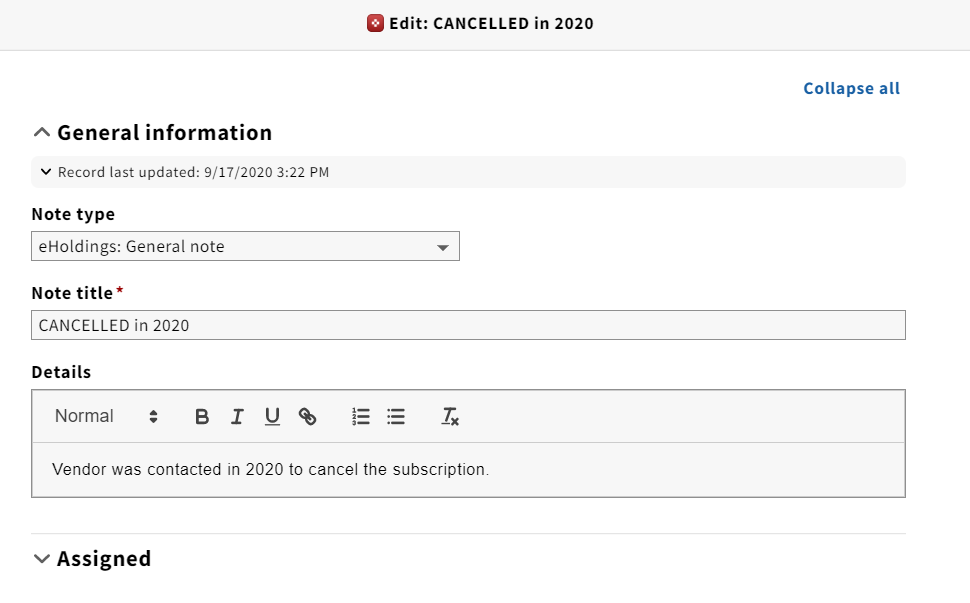
- A new screen will pop-up where you can edit the Note type, Note title, or details.
Be aware that if a note is assigned across multiple records, editing it will change the type, title and/or text across all of the records to which it is assigned. |
You can delete a note by selecting delete from the Actions dropdown menu.
Again, this will delete the note across ALL of the records it is assigned to. If you wish to simply remove the note from an individual record without altering the other records, unassign it, rather than delete it.
Note types
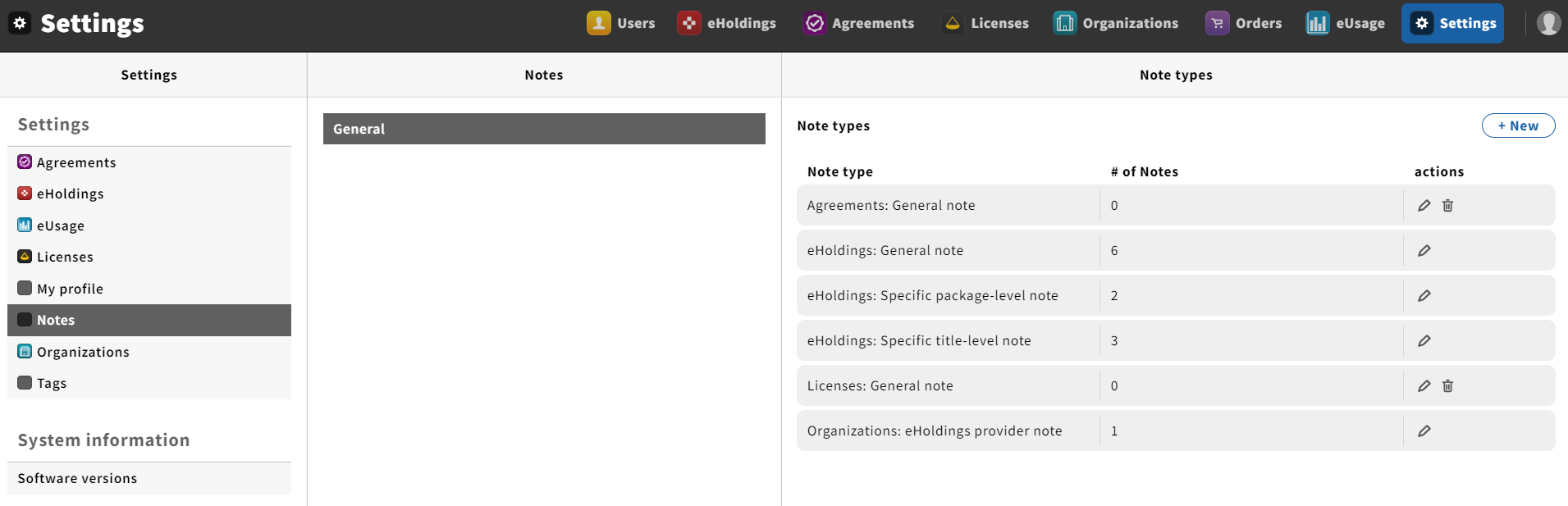
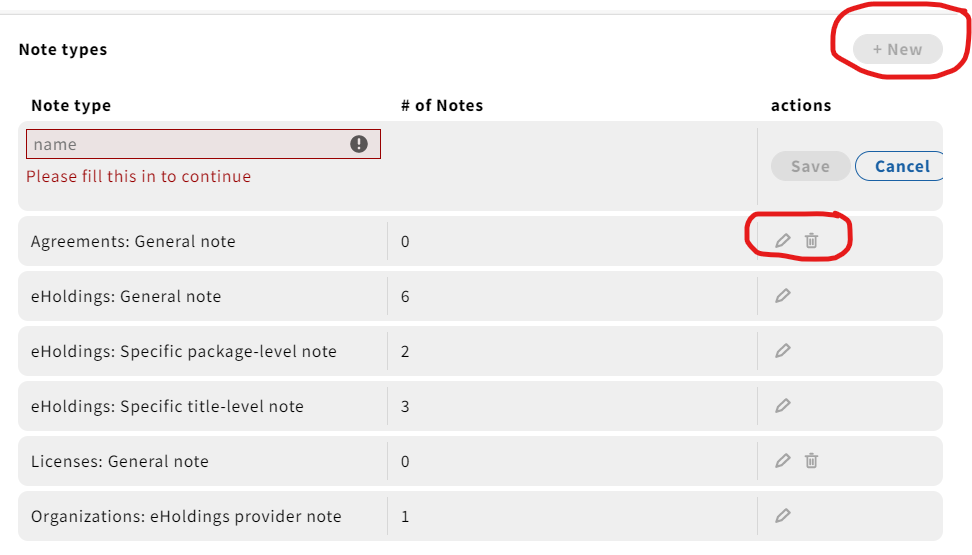
- The Notes helper app can be located under Settings > Notes > General.
- Here you can create a new note type.
How to create a new Note type
- Click on the + New button in the upper-right hand corner.
- Complete the name of the note type.
- You can also edit and delete note types here.
- Note types can only be deleted if they aren't assigned to any records.
- If you wish to delete a note type that is assigned to a record, you will first need to unassign it from that record(s).
- If you wish to delete a note type that is assigned to a record, you will first need to unassign it from that record(s).
- Note types can only be deleted if they aren't assigned to any records.
|
Viewing and sorting notes
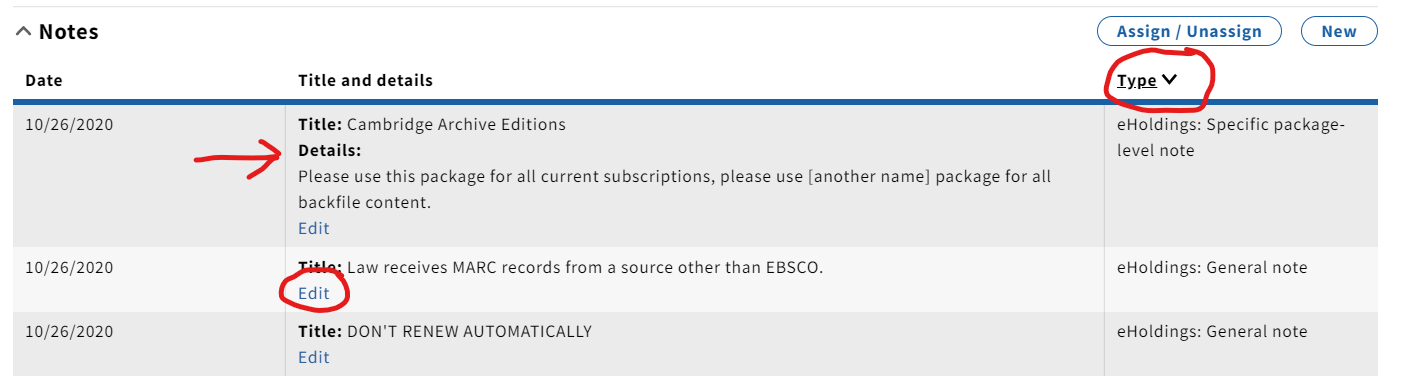
- Under "title and details," you can see the contents of the note without having to click on the note and open a pop-up screen.
- The date, title and type columns are all sortable
- , so you can group notes by type, date, etc.
- You can edit the note from within the record using the Edit link rather than clicking on the note to open a pop-up screen.