| Organization | An app within FOLIO. Contains information about any group of individuals with which we would operate, whether it's a company that sells products to us, provides a services to us, acts as a subscription agent, hosts content, etc., etc. In Full FOLIO, Organization entries will be used for billing services, as well. |
| Agreement | |
| License | The license defines what we can access, and how. The license indicates |
Some initial notes:
My new motto is "PERFECTION PREVENTS COMPLETION". We definitely want to be accurate and complete, but we also want to be complete as in done. Generally speaking, to make this happen, I believe we should start with the best balance of largest and easiest collections (of course those often conflict; we need to choose carefully), and then work from there. Leave the most complex and smallest collections for last, as the fewest individuals will be impacted by them.
For a resource to be "done", as in "good enough to move on to the next one" (Jesse's words, Feb 14, 2020), we must do the following, to the greatest extent reasonably possible:
Access the current FOLIO instance here.
Instructions to complete each of these steps are described below.
If the agreement isn't active – if we don't have access to the resource, or the agreement has expired, or the resources has disappeared, then set the agreement aside, and we'll work on it at a later date, if at all.
An Organization is a group that supports our access to the resource in some manner. That may be as a content provider, as a subscription agent, as a vendor, or some other way. A "vendor", generally, is an Organization to whom we pay money. In some cases, we'll identify an individual Organization as having multiple roles, so one Organization may be both a "vendor", if we pay them directly for the service, and a "content provider" if they host the product and provide access to it for us.
Look for duplicate vendors, and clean them up if necessary. For instructions on this, see here.
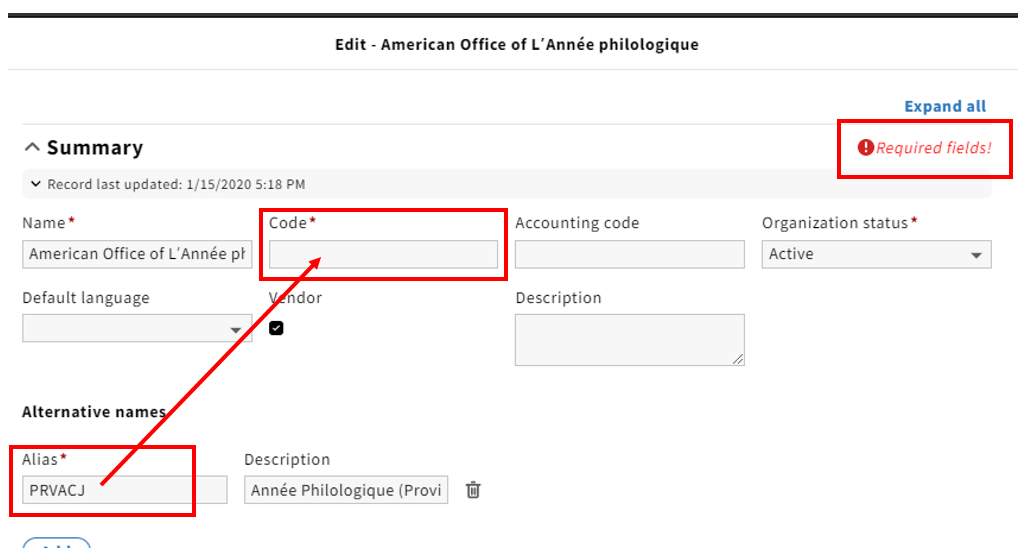
When you go to edit an Organization for the first time, you'll see that it doesn't have a Provider Code yet, and that these are required. We have agreed that, for the time being, we'll use the pre-existing Serials Solutions provider codes, at least for the time being, until we find a better, or more definite solution. So drag the PRV* code into the "Code" field, so that you can save the record.
If you have a username and password that can be added for this resource, now is a great time to do that. The spreadsheet in Box.com, titled Resource_Administrative_Information_COO-2020-01-02.xlsx, has much of this information in it. To add username and password information, create a new interface by clicking on the "Add interface" button under "Interface". FOLIO supports multiple Interfaces for each Organization. One Interface might be a location for collecting usage statistics, while another might be for recording usernames and passwords.
If you're logged into a password manager, you might want to log out before accessing the Interface area, as it can grab and store passwords that are automatically pasted into the fields by the password manager. |
Be sure you click "Save & Close" before clicking "Add" anywhere, if it's present at the bottom of the screen when you open up any other windows. If you go to a section in which you can create a new entry, like "Contacts" or "Interface", you won't be able to click on "New" and create a new one, without either losing your changes to the Organization record or needing to go back and save those changes. |
Once you have created a new interface, you will need to attach it to the Organization. Select the Organization, click edit, add interface, check the box next to the appropriate interface, and then save.
some more steps, if needed
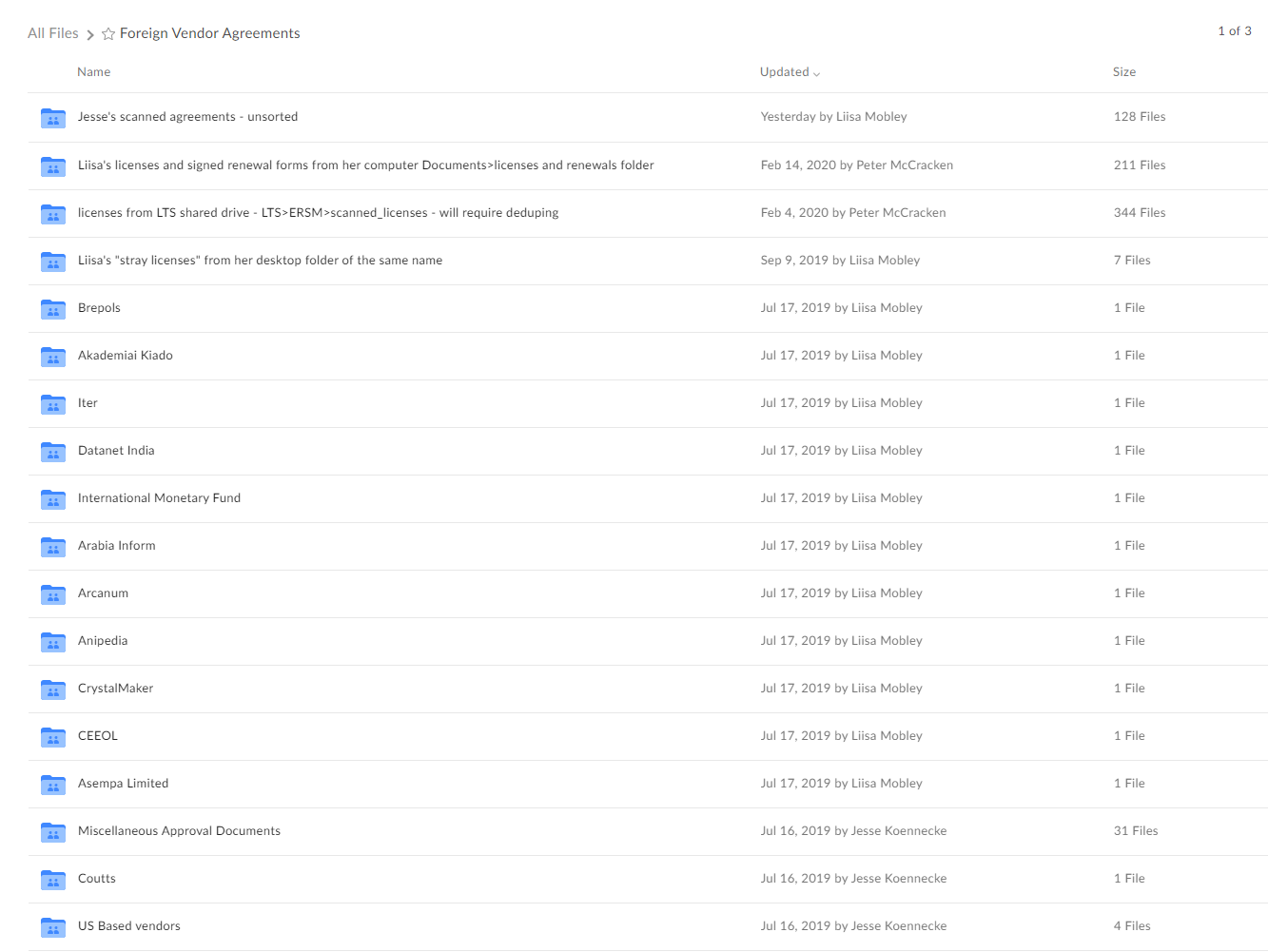
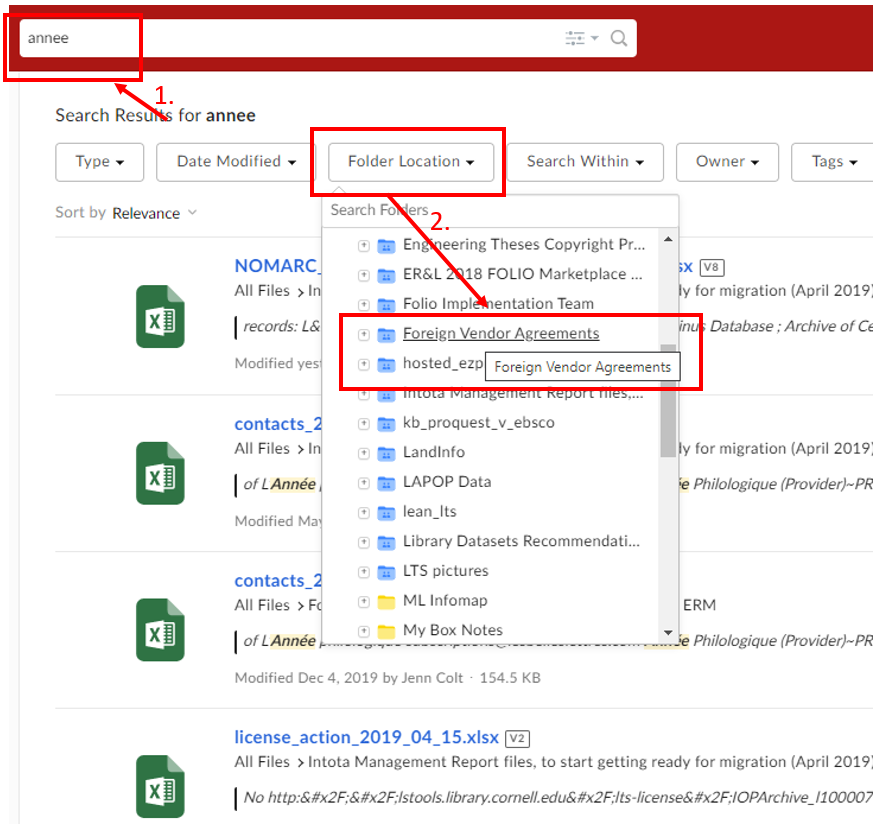
We assume that the license information taken from Intota is sufficiently accurate for our use here. If we find errors over time, we will correct them then. Licenses will generally have a same or similar name to the resource in question.
Question: Should we be attaching organizations to licenses at this step? - Perhaps only if the org is with whom we have the licensing agreement, as the options here are "Licensee", "Licensor", "Consortium", and "Consortium Administrator". I guess if we know that some portion of the license comes via NERL, WALDO, or another Consortium, we can record that here.
Should we be adding start and end dates to licenses?
We have not created default agreements, so you'll need to create one. Open the Agreements app, then click "New". Add the Name, Description, Status, etc., as you see fit.
Question/comment: do we want to define how the "Names" appear? Do they cover the vendor, the product, the platform, or something else?
If it's easy to do, add the bib ID in the "Description" field. Liisa's note: I am also adding the PO# and other notes
Agreement periods are required for each Agreement. You might be able to find this on the license itself (if you cannot find a Start Date, enter 12-25-2019); it should be a reflection of what we currently are using. You can leave the End Date open if you're not certain of it. If the license or agreement states that it will automatically renew if we do not notify the vendor of cancellation, then add a "Cancellation deadline" to the entry.
We need a lot more about what an Agreement Period is and how we measure it and such; when do we add additional periods, etc.? Liisa's note: I am adding a "period note" if we are required to sign a new license or amendment with new or renewed subscriptions.
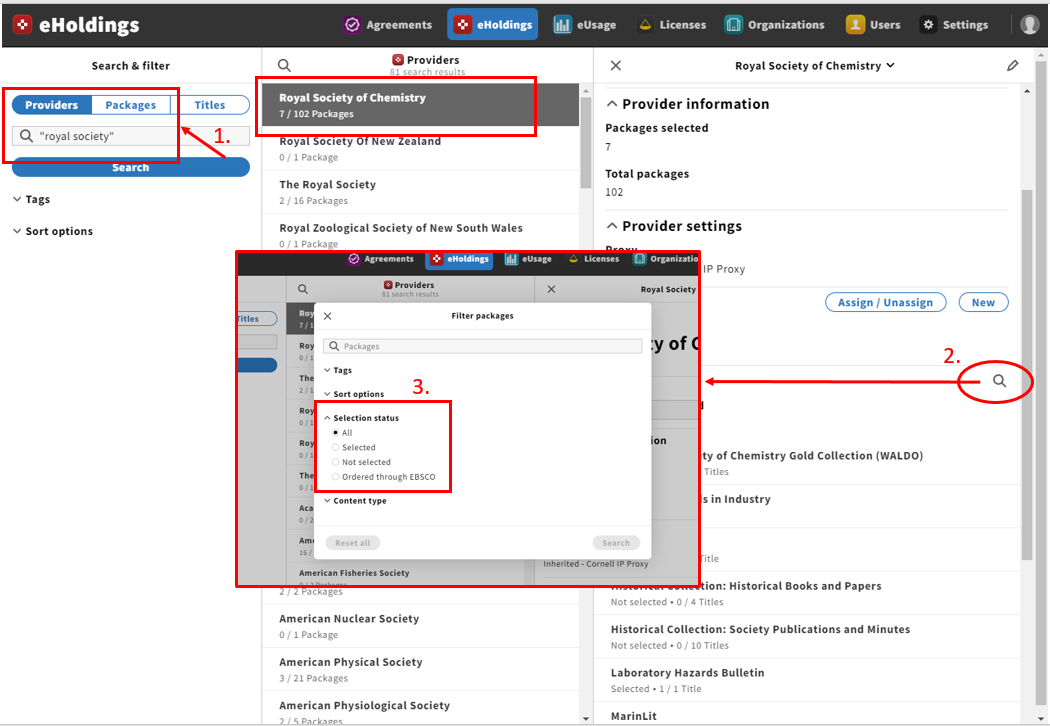
Unlike the other processes, right now you must go to the eHoldings app, and attach an Agreement to an eHoldings file.