Basic Information about the updates processor page:
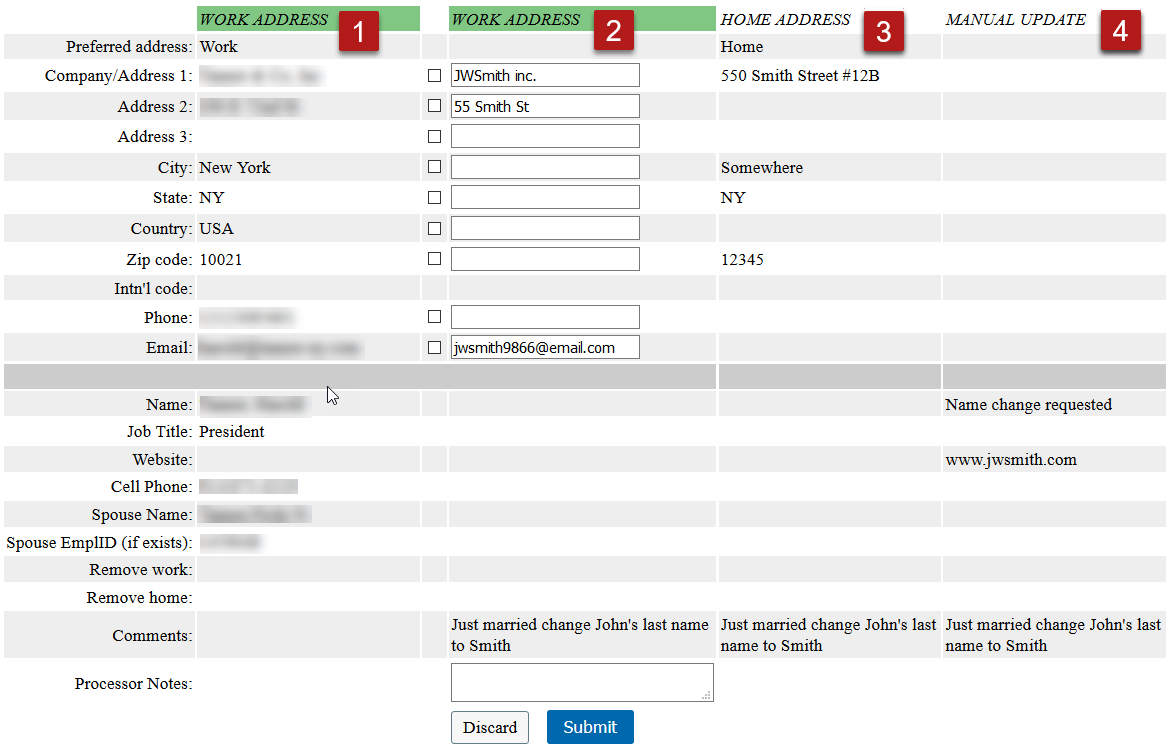
 The leftmost column always shows current alumni data
- Pulls data from the SPI to match changes (in this case "Work" data)
 The second column shows the first of the changes (active update)
- New changes (in this case "Work" data)
 The additional changes to the current record.
- New changes (in this case "Home" data)
- Column 1 will change to match changes to current alumni data.
 The final set of changes for this record (manual changes)
- Manual changes are changes that are made by the processor directly in PeopleSoft
Submit button will submit changes to the active part of the update.
Discard button is to discard the update (Work, Home, or Manual)
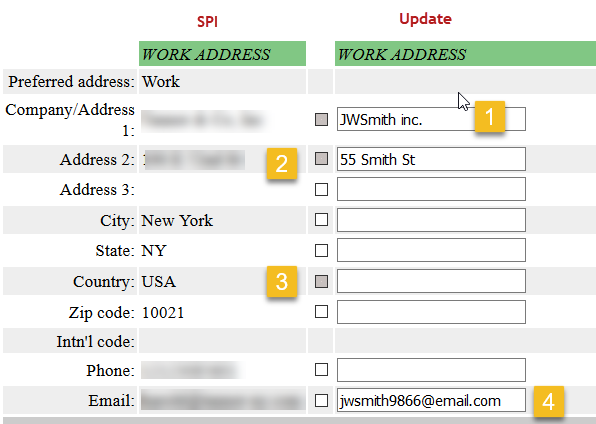
To process this section, if you want to:
 Edit the change submitted – check the checkbox and edit the info in the update box.
- Example: JWSmith inc. should be JWSmith Inc.
 Approve the change as is – check the checkbox in front of the update box.
- Leave info without editing the update box.
 Remove a line of information – check the checkbox on that line.
- If blank, the update box will be transferred to the upload.
- If not blank, delete the info to transfer a blank update box.
 Dismiss a change – Do not check the checkbox in front of the change.
- Data will not update if you do not check the checkbox.
When done with this address update, select the Submit button at the bottom of the page.
- Submit button will submit changes to the active part of the update.
- Discard button is to discard the whole update (in this case the work address)
This will move on to the next update for the current record. If there is no more updates to the current record, it moves to the next record.
In both cases the checkbox is checked and disabled, this will change the preferred address to home or leave work as preferred and creates updates for preferred as well as the home/work address with all changes to be processed for both.


