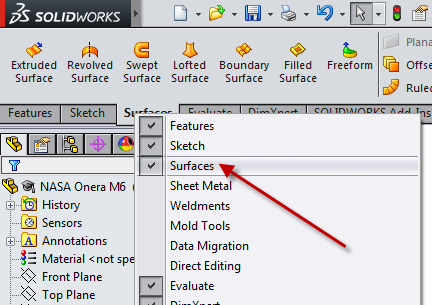
To import a surface to ANSYS in the Design Modeler, you will first need to create just the surface using a CAD program, such as Solidworks.
In Solidworks:
In ANSYS:
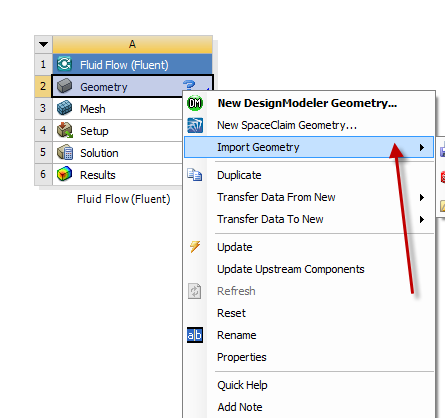
Now you should be able to see your surface in Design Modeler.
After you have created the geometry in Solidworks and saved it:
In ANSYS
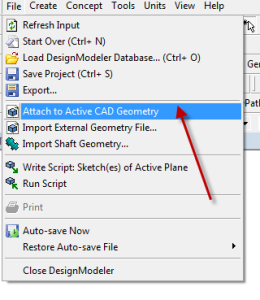
Now you can edit your Geometry in Solidworks and refresh it in Design Modeler after you have changed it.
To refresh the geometry in Design Modeler:
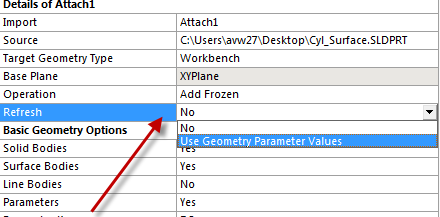
Now your Geometry in Design Modeler will reflect the changes you made in Solidworks.