Many, many "start up" issues resolved by CIT. Here are any remaining ones to work through. |

Facts to know
- Updates to the desktop image are usually only done on Saturday.
- Video-enhanced service gets you dedicated video, of 256MB video RAM (~24-32 VMs split up across available video RAM).
- CIT's service does not support RDP (currently). Only accepts PCoIP.
- End-point can off-load some of that protocol's processing to hardware if it has a dedicated Teradici-licensed PCoIP hardware card.
Testing ideas
How many simultaneous connections? If I'm logged in at work (Dell Wyse), can I log in from home (browser)?
- Test from a browser of another computer in the office, first.
- Can I log into it from a browser running from within my VDI?!
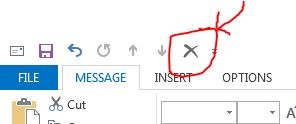
In MS Outlook, I set that the "Delete" button would show on any message I compose.
- Does is it retained over time, through reboots?
What is the lowest level of processing the think client needs?
- Try to measure the value of using a client with Teradici-licensed, dedicated hardware card.
- If performance OK without the card, than can consider using cheaper clients.
- Also, if it performs OK on decent, but non-carded, hardware, then the question is how does it perform on super-low performance (even cheaper!) hardware?
- See "NoTouch Desktop", elsewhere on this page.
Try out NoTouch Desktop software (Per seat: ~$32 + $6-7/yr).
- http://www.stratodesk.com/products/notouch-desktop
- 5/14/15Thur: MH created boot drive and use on one of our old, spare Dells. Worked fine.
- 5/8/15: Requested free trial software and got the links.
- 697MB
- Stratodesk-NoTouchReceiver-2.39.323-EEs-k305-150425.zip
- R:\Users\oh10\VDI related
Try out Creative Cloud software
- 5/11/15Mon: Tested out with Zack and all looked good.
- Acrobat DC still not loaded up, however.
- Info from Friday morning, 5/8/15, with KeeneS:
- May switch Acrobat to the Serialized Creative Cloud.
- Serialized Creative Cloud replacing current virtual application deployment this weekend, for Monday (5/11/15).
Issues Oliver is having
NEW reported issue to CIT, as of 5/8/15:
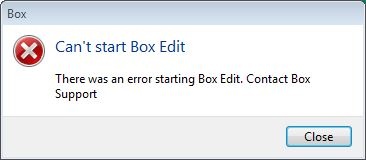
Box Edit sync client not able to start.
It is installed and set to auto-start on boot up. Here's the error message:
Context
Since VDI's local file storage is limited, may not be a good idea to have a local Box.com sync folder.
- Desktop Everywere does not support this feature, for this reason.
However, Box Edit may be "good enough" to facilitate using files within my CU-based Box.com account.
- Hence the desire for Box Edit to start and work correctly.
File share privileges too liberal, but only within Desktop Everywhere
Status
Friday morning, 5/8/15, with KeeneS:
- Keene Bomgar'd in to both my VDI and workstation Dell and confirmed report.
- Keene intends to work with Greg to develop theories and let me know if I can do any further tests.
- I suggested he create a Desktop Anywhere instance for himself and have Greg give him file share access to A&S file share analogous to mine and see if the issue can be replicated.
Original report, 5/3/15
I can see anyone’s files within our file share, such all directories here:
\\files.cornell.edu\as\chm\Users
I’m using my basic <oh10> account to log in (the only one I’m paying for within CIT’s VDI service); nothing special.
We have verified that permissions on the above directories are correct. Indeed, on any other Windows computer, permissions are respected. Thus I suspect the CIT VDI instance is giving me elevated privileges to my account in an unintended way.
More details: I just tested more directories and I can seem to see into any directory below <\as\chm\> AND everywhere below <\as\PHY\>. However, one level above those <\as\>, I was not able to get to other directories I tested at that level, FWIW.
To clarify: My basic <oh10> AD account should not get broad access to either of the Chm or Phy levels, even though my IT group supports both Chemistry and Physics. And I confirmed I cannot get access to them when using my <oh10> account from within other Windows systems, other than CIT’s VDI.
In this case, my directories are on a file server provisioned by A&S IT, a service used to support A&S staff and admin-related services.
Why I think this is critical: We need to trust file shares will respect the permissions set on directories and files and thus are capable of holding data which is designated NOT to be shared. When that trust is compromised the value of the file share service is severely compromised. This can lead staff to find alternative locations for data (such as performance reviews and salaries), perhaps using places not very "good" from an institutional perspective, even as they may nominally seem to meet a staff member's own needs.
CU View blocked (Java plug-in)
Status
Friday morning, 5/8/15, with KeeneS:
- Ideally webcams should be using signed Java applications, if they must use Java at all. (Self-signing is not sufficient; must get a certificate!). Especially Cornell-based web cams.
- Asking web visitors to perform a configuration work-around (which doesn't even work in all instances, such as within Desktop Everywhere!), or even worse, ask them to lessen their security, is not a reasonable alternative.
Action step
Have someone inform webcam of evolved expectations.
- Should it be the IT Security office, who can confirm this request is valid, and if so, has the credibility?
Original report
Pertains to all of the campus's views:
https://www.hotelschool.cornell.edu/about/campusview.html
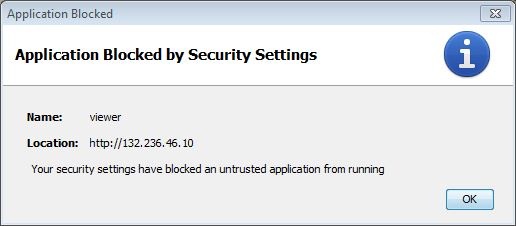
Details:
Java Plug-in 10.79.2.15
Using JRE version 1.7.0_79-b15 Java HotSpot(TM) Client VM
User home directory = C:\Users\oh10
----------------------------------------------------
Notes prior to 4/20/15 (as reported to CIT, INC000001364135)
FIXED: Quest tool upgrade delayed
Take-home, regarding any virtualized application in Desktop Everywhere
Any virtual application will require the Desktop Everywhere staff to update it specially.
- It's not part of the image, so updating the image's software leaves the virtual applications untouched (for better or worse!).
- Info per conversation, Friday morning, 5/8/15, with KeeneS.
Original report
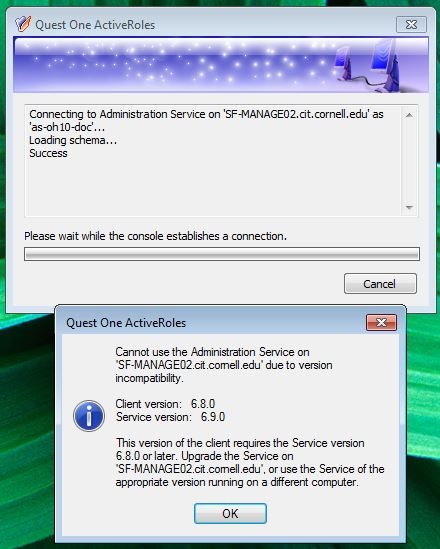
Quest server was upgraded over the weekend. By Monday morning (4/20/15), the Quest client was not updated so access to service via fat client not possible:
File share access
Status
Friday morning, 5/8/15, with KeeneS:
- I reported that this problem has not been seen for weeks. Thus, currently a non-issue.
Original report
A properly configured file share short-cut fails to work, per dialog presented below. And default of the dialog is to remove the short-cut- ouch!
- The short-cut always works the second time it's selected.

Printing
Status
Friday morning, 5/8/15, with KeeneS:
- Keene will investigate adding our 2 ChemIT printers to CIT's printer server. And let me know.
- printserver.cit.cornell.edu
- CIT uses something like "Microsoft RDP ez-print", or something like that.
- Service is not designed to work with printers directly, only with printer servers (anyone's).
Issue 3, below, can only be solved with boot-up scripts because of where date regarding default printer is stored.
- CIT does not have a stock script, etc. Thus, will just deal with it "as is".
Original report
1) Can't install a printer for which the driver is installed. (HP)
2) Losing duplex (double-sided) capability for one printer. (HP)
- This happens after printer is initially made to see that it is double-sided, and defaulted to using duplex. Or something like that!
- Is the root problem actually a VDI issue? Or can the problem appear on any Windows system? Perhaps must better characterize problem.
- The Dell printer does not exhibit this problem. It always shows it is duplex capable. And it retains its setting to defaulting to double-sided.
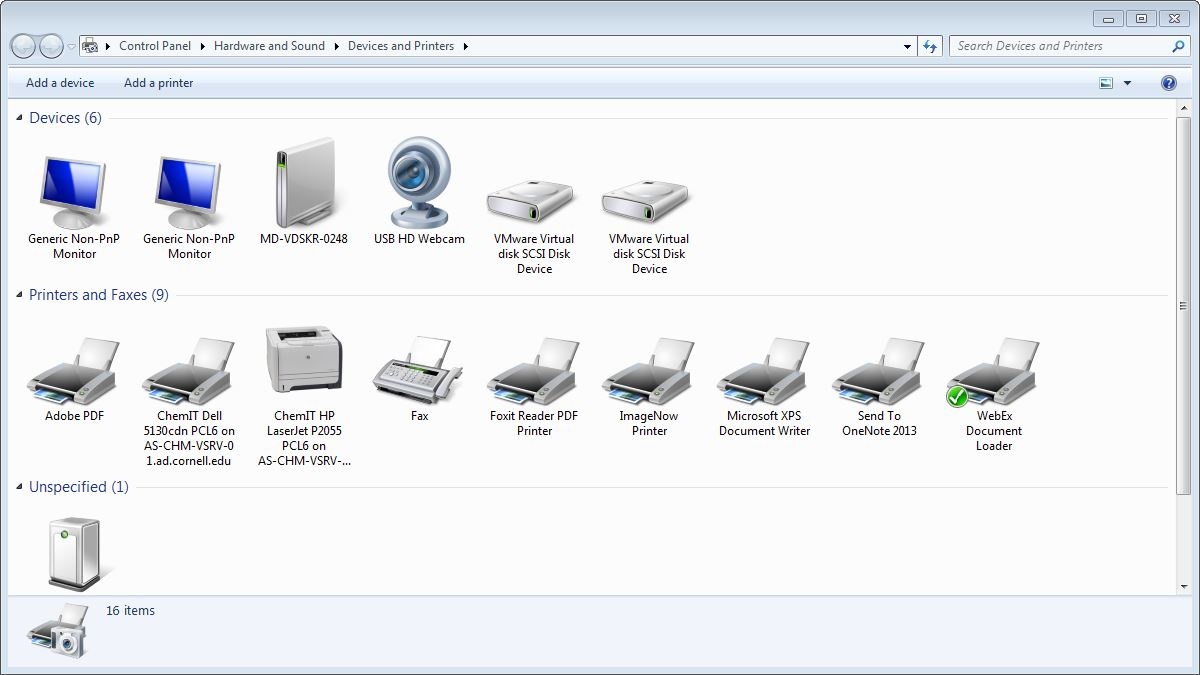
3) Also, default printer is not retained.
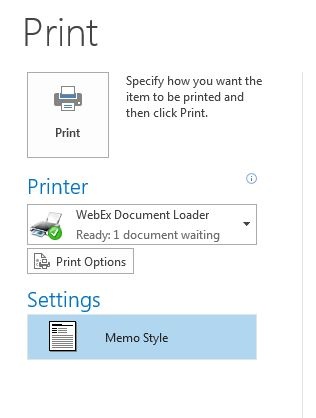
Keeps to WebEx Document Loader. See below in the "Doesn't retain settings" section for screenshot.
USB flash drive
Can't see USB storage device at all. Simple USB flash, 64MB from Dell.
iPhone plugged in by USB (to charge it) is recognized by the computer.
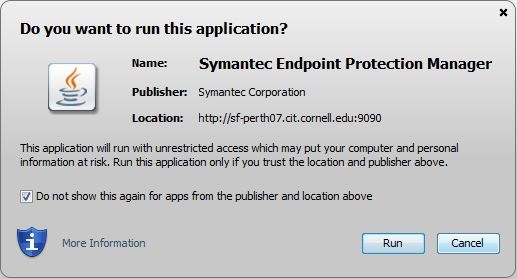
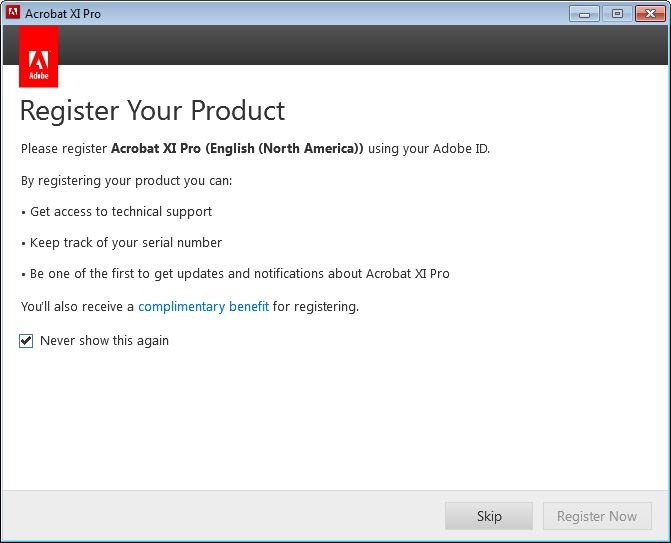
Doesn't retain settings, such as "don't ask me again" or "remember this"
Status
Friday morning, 5/8/15, with KeeneS:
- For some of these issues, can only be solved with boot-up scripts because of where data regarding stored defaults are stored.
- Service uses Redirected Profile, which includes App data (roaming).
- It does not include App data (local).
- For Acrobat specifically, service may switch application to the one available in the serialized (licensed) Creative Cloud, which would eliminate the "remember" box.
Consider doing
- For Symantec Endpoint Protection (SEP) Manager, the IT Security Office should sign the application they are hosting.
- They should get a certificate, since self-signing is not sufficient nowadays.\
- The IT Security office should be very well aware of evolved expectations.
Original report
- CIT does not have any stock scripts for this kind of specialized functionality. Thus, will just deal with it "as is".
Built-in camera
Status
Friday morning, 5/8/15, with KeeneS:
- CIT fixed one of their two Dell Wyse all-in-ones (AIO). The second one is not fixed.
- KeeneS will keep his ears open to solutions.
Original report
Camera only works when object placed an inch or less from the lens. (Tested with Skype.) Won't detect or refresh otherwise. Odd!
- Dell person told me no camera driver available. ETA?
- An old, external, USB camera, works just fine.
Notes
CIT's VDI service permits user to download MS updates. But naturally if you do, they get wiped out when you next reboot. Why permit? Maybe useful to get updates which don't require a reboot, I suppose.

Resources and other info
CIT's service's pricing:
Amazon Web Service (AWS) offers a similar service (WorkSpaces), for about 5 times the cost (as of 3/2015):
Teradici’s PC-over-IP (PCoIP) technology nominally affords the best performance. CIT (and AWS) offers PCoIP on its hosting infrastructure. Clients have to have this licensed technology to use it, and it is not available on Raspberry Pi-type devices.