- Install VPN

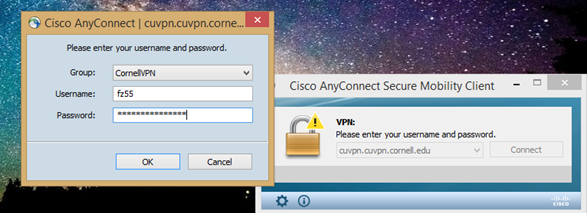
- Connect to VPN

- Log in to VPN
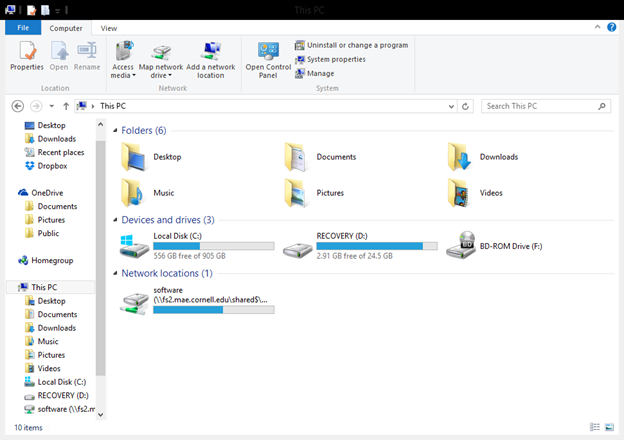
- Navigate to My Computer/This PC

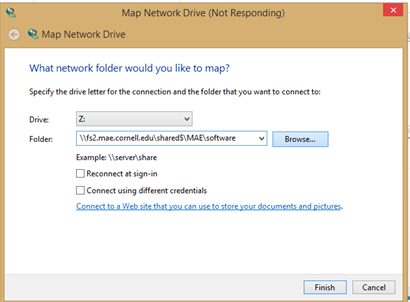
- Map a drive to the link: \\fs2.mae.cornell.edu/shared$/MAE/software
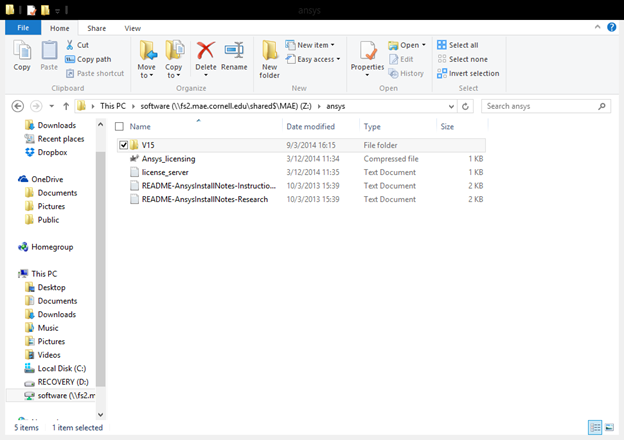
- Select the folder for ANSYS
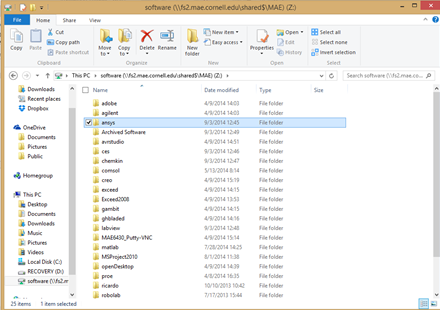
- Locate the ISO in ANSYS>V15
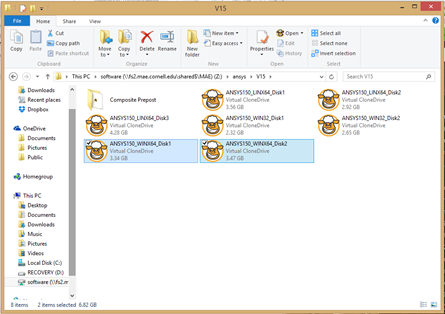
- Copy the two ISO files appropriate to your specific operating system
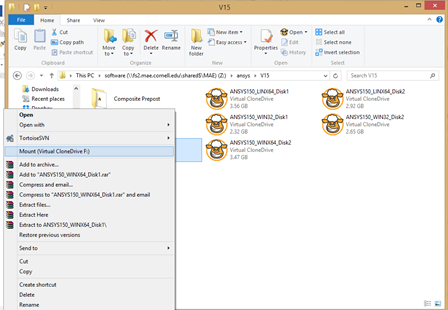
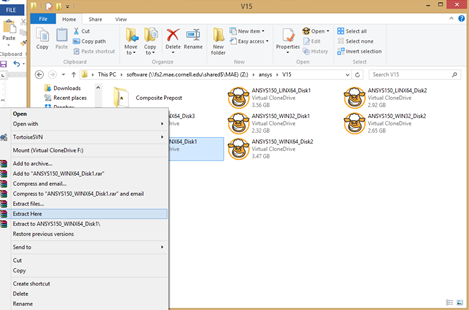
- You can access the files inside the ISO in two ways
- If you have Virtual Clone Drive, mount the ISO files
- If you have 7Zip, extract the ISO files
- Run the setup according to the Wizard
- When you reach the licensing, enter the license server: ansys-lic.coeis.cornell.edu
- If you need help, read the READ-ME in the immediate path: ansys
IF YOU HAVE ANY QUESTIONS: EMAIL itcoeis-help@cornell.edu