 contains all the information you need about your instance. Once you log in, click on the Instances tab to see a listing of all the instances you have access to (they could live on 1 VM or different VMs).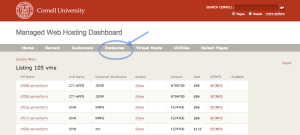
Your Cornell Stack VM will come with atleast one (1) Instance configured and running on. This instances is a "container" where your website or application will be served from. Each container will be either Coldfusion 10 or a LAMP-like installation. You could have many instances on one VM however based on the type of application, the traffic to your site, and any processing that needs to occur, the VM may need to be resized or load balancing your instance(s) across multiple VM's could be a potential fix as well.
The Hosting Dashboard https://dashboard.hosting.cornell.edu contains all the information you need about your instance. Once you log in, click on the Instances tab to see a listing of all the instances you have access to (they could live on 1 VM or different VMs).
On the right-hand side you can either "Show" or "Edit"

Clicking on the "Show" link shows you what VM(s) the instance is running on, Permits and Users who have access, virtual hosts configured on the instance, webdav URL, and current software installed.
To change some of the above information, at the bottom of the page click Edit (or click Edit on the previous Instance Listing).
The shortname cannot be changed. However other items can, like the description, the software available, and a few other items.
Changing some of the items on this page could lead to disastrous outcomes if one does not understand what they're changing.
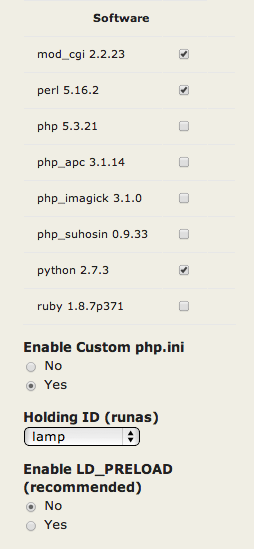
for more detailed information.Once Update is clicked, it may take up to 15 minutes for the changes to populate your VM and configurations.