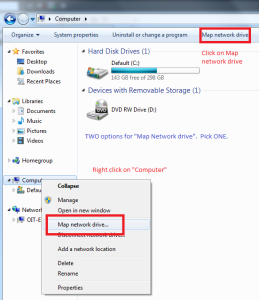
First click on "Computer". You will have TWO options for "Map network drive". Pick ONE
"Click on "Map network drive"
Right click on "Computer" and select "Map network drive"
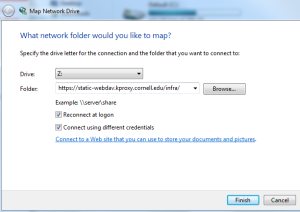
Enter the webdav URL
Select a letter for the drive i.e. Z:\
Optional "Reconnect at logon" (not necessary if you only occasionally connect)
Select "Connect using different credentials"
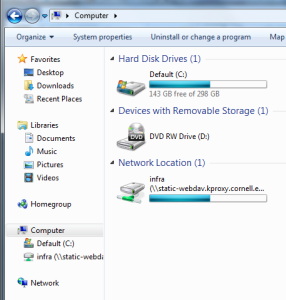
The webdav share will now appear as another drive