You are viewing an old version of this page. View the current version.
Compare with Current
View Page History
« Previous
Version 5
Next »
Scope: For use by archivists and catalogers working on RMC collections. This workflow outlines the process RMC staff should follow when sending books or archival material to Conservation. Click on images to enlarge.
Contact: Technical Services liaison, Jude Corina
Unit: ATS/RMC
Date last updated: March 2025
Date of next review: March 2026
Roles:
Contents:
General
- Please make sure your Aeon barcodes are installed. If they are not, instructions on how to install them can be found in X drive > Aeon > barcode fonts.
- Place all items with their pink/purple slips on the yellow cart labeled conservation in B79
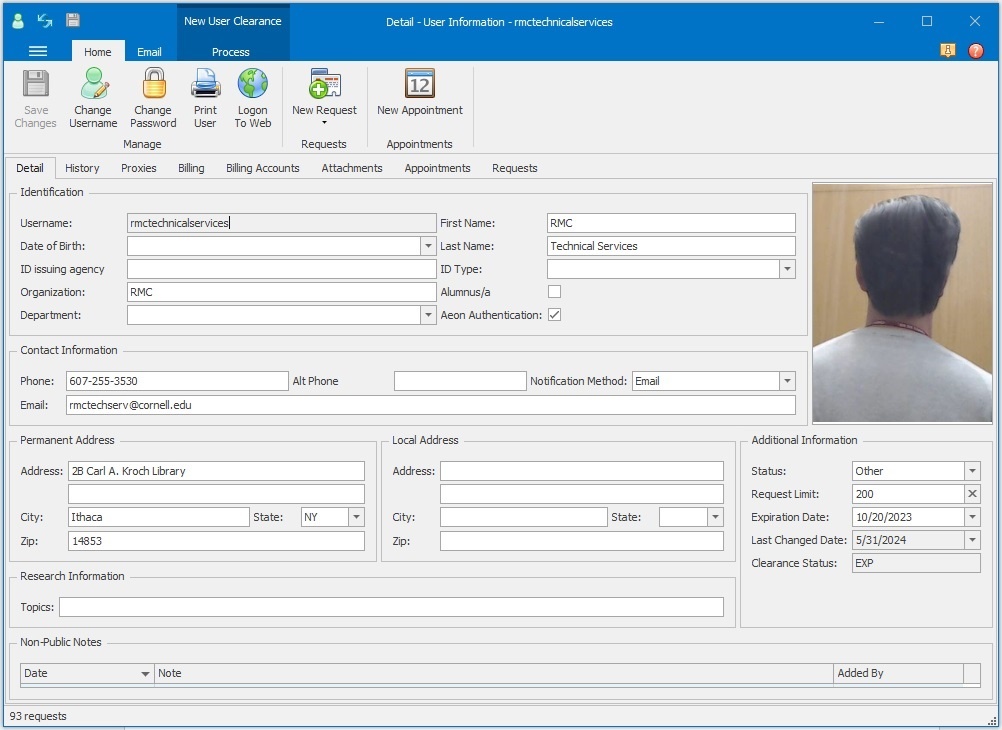
- Requests need to be made manually in Aeon under the RMC Technical Services patron:
Requests for items with Library of Congress numbers
- Includes books, bound manuscripts and rare book mapcase folders
- In Aeon, open up the RMC Technical Services patron (shown above)
- Click the New Request button at the top:
- This should open up a blank request form:
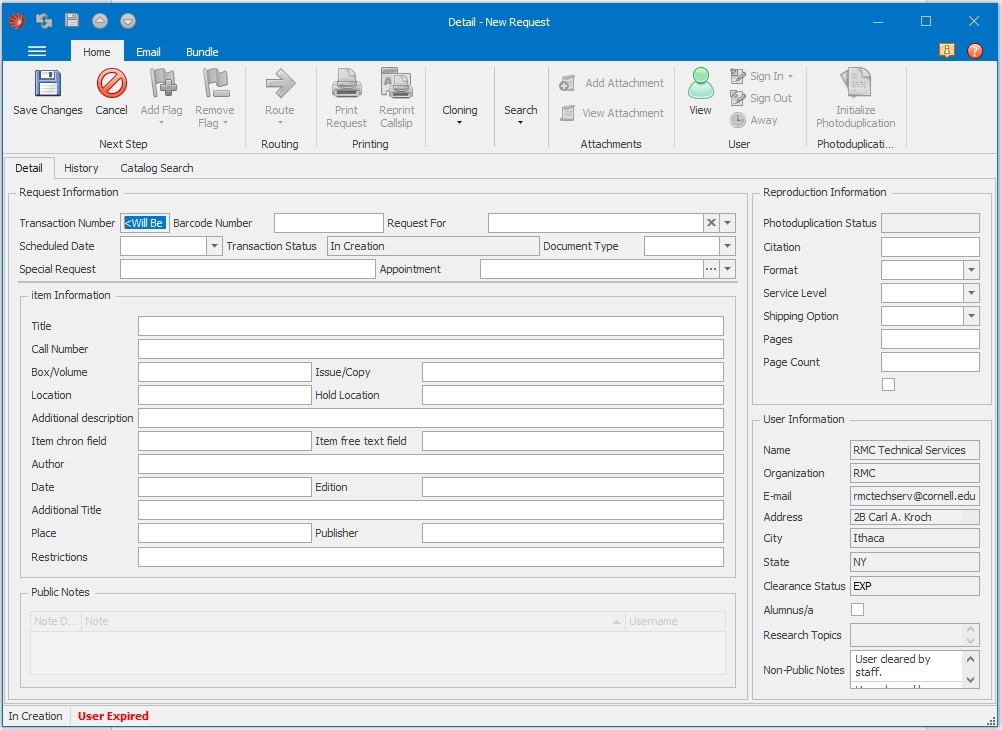
You will need to copy and paste the call number, title, barcode, and volume/copy numbers if relevant
Please copy the call number as it appears in the catalog, complete with the book collection name (i.e. “Rare”, “Dante”, “Witchcraft”, etc…). You may find it easiest to copy and paste from the actual catalog record:

- You will need to copy the barcode from the FOLIO record
- If the item is from the Annex, place Annex in the location field
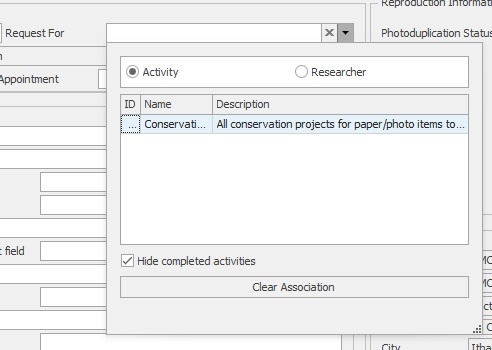
- In the Request for field near the top right, select the dropdown arrow > click the circle next to Activity > double click on conservation – paper:
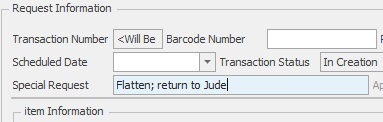
- In the Special Request field located in the top portion of the form, briefly describe the lab work needed - for example: mold, flatten, new housing, etc... Use this field to also state if the item needs to be returned to you when it comes back from conservation - for example: please return to Jude:
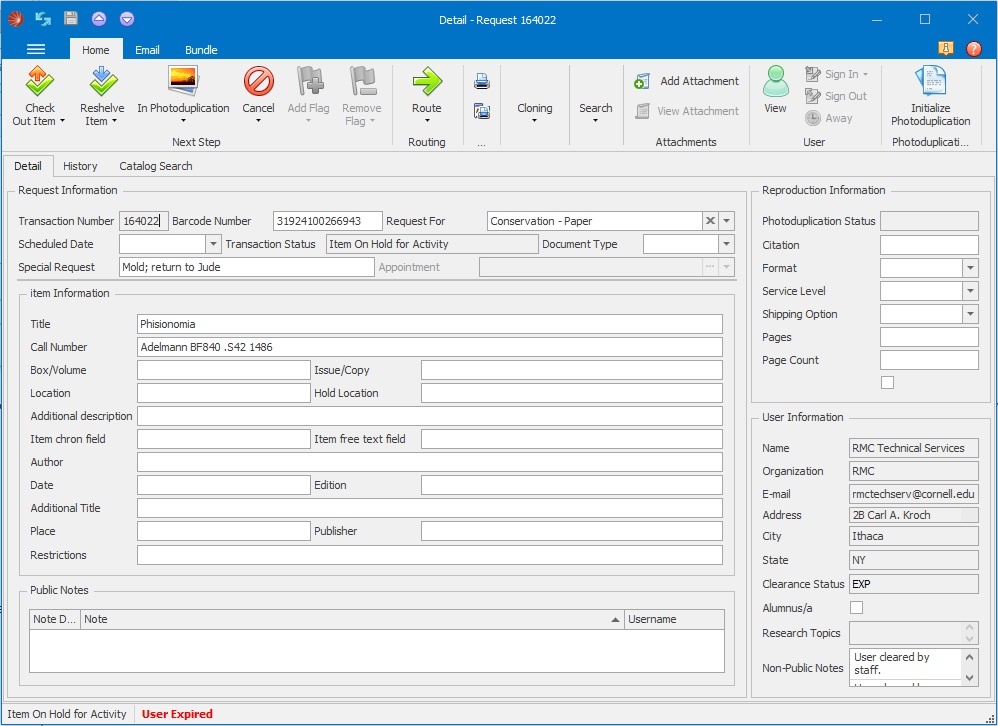
- When all fields are filled out, save the request and print it out. Use PINK paper for VAULT items and PURPLE paper for ANNEX items. Finished forms should look something like this:
- If the item is located in the vault, tear the pink slip in half and place the Item in use side on the shelf where the item was located and keep the other side with the item
- If the item is a new acquisition that will be located in the vault, place the other half of the slip on the shelf where the new item will be located after conservation
- If the item is located at the annex, you can keep both sides of the slip together with the item
- After the request is printed, in Aeon scan it as on hold (Aeon will automatically route it to "Item on hold for activity")
Requests for archival material
- Includes boxes, single folders, museum items, and archival mapcase folders
- In Aeon, open up the RMC Technical Services patron
- Click the New Request button at the top:
- This should open up a blank request form:
- You will need to copy and paste the call number, title, barcode, box/folder numbers if relevant, and location
- If the material is a new acquisition that hasn't been located yet, in the location field you can say new - to be located
- If you only need to pull one folder from a box, make it clear which folder and from which box on the request form. Same thing goes for pulling one item from a folder. If needed, you can use the Additional description field to describe the item.
- In the Request for field near the top right, select the dropdown arrow > click the circle next to Activity > double click on conservation – paper:
- In the Special Request field located in the top portion of the form, briefly describe the lab work needed - for example: mold, flatten, new housing, etc... Use this field to also state if the item needs to be returned to you when it comes back from conservation - for example: please return to Jude:
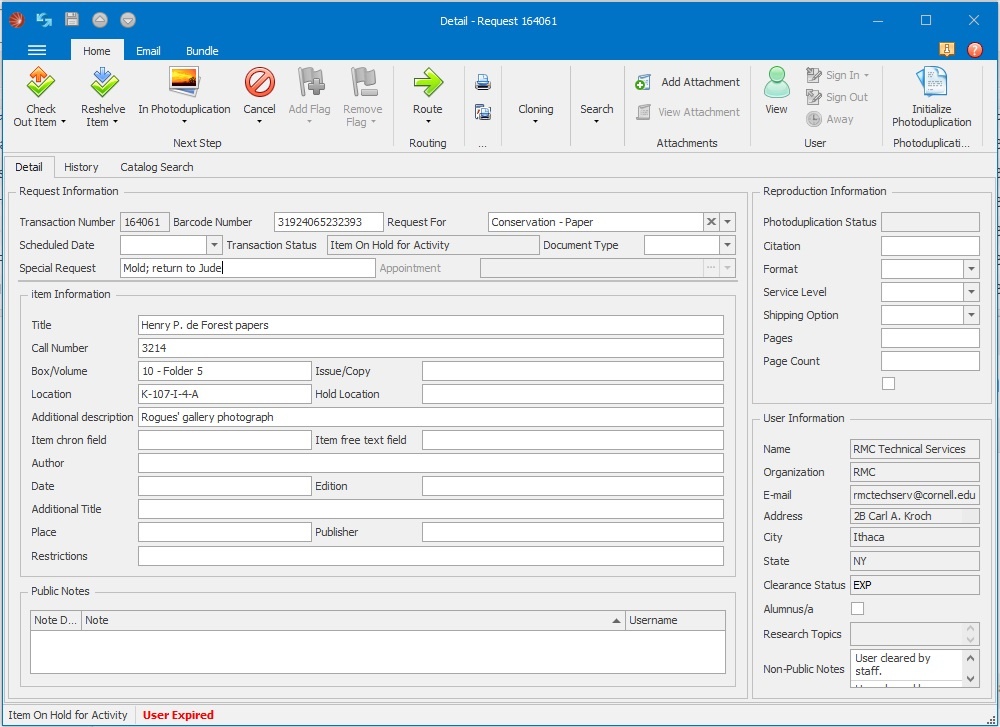
- When all fields are filled out, save the request and print it out. Use PINK paper for VAULT items and PURPLE paper for ANNEX items. Finished forms should look something like this:
- If the item is located in the vault, tear the pink slip in half and place the Item in use side on the shelf where the item was located and keep the other side with the item. If you are pulling a folder from a box, place the slip in the box where the folder was located.
- If the item is new and hasn't been located yet, you can keep both sides of the slip together with the item
- If the item is located at the annex, you can keep both sides of the slip together with the item
- After the request is printed, in Aeon scan it as on hold (Aeon will automatically route it to "Item on hold for activity")

 Katerina Dimitriadou-Shuster, last updated by Jude T. Corina on Oct 15, 2025
5 minute read
Katerina Dimitriadou-Shuster, last updated by Jude T. Corina on Oct 15, 2025
5 minute read
