...
- Install Xcode from App Store
- Install Flutter
- Use the response from
flutter doctorto guide you through any other necessary installations (e.g., Android Studio, Chrome, CocoaPods, etc.) - We currently do not support the Android version of the App but it’s necessary to have Android Studio installed for Flutter to function properly.
- If you encounter the "Bad CPU type in executable" error with
flutter doctor, maybe this would help - If you have trouble installing Cocoapods with ruby, try installing with
brew install cocoapods
- Use the response from
- Pull the frontend-mobile repo from https://github.com/DIAPER-Project
- For local testing and development, use the test server by switching the server URL to https://mobile-test.diaper-project.cfcom:5001/api in
dev-mobile/lib/helper/API.dart.- Note: the server URL may get updates in the future, please refer to the infra team/documentation for the new server url.
- Once
flutter doctoryields no error, proceed with the following steps in https://flutter.dev/docs/get-started/editor to build and run the app- Navigate to the
dev-mobiledirectory. - Simulation (two ways)
- You need to first open the iOS simulator by running
open -a Simulatorin the terminal and then runflutter run. - In VSCode, in the bottom toolbar, click "No Device," choose "iPhone 13" from the top drop-down menu, then run
flutter runin the terminal.
- You need to first open the iOS simulator by running
- If you get a BUILD FAILED error of "No file or variants found for asset: assets/mobile_secrets.json", you need to create such a JSON file. The contents of this JSON file can be found in the DIAPER Confidential box (ask Liz for access) under "mobile secrets".
- Navigate to the
...
For the TestFlight build, use the prod server by switching the server URL to https://mobile-prod.diaper-project.cfcom:5001/api in dev-mobile/lib/helper/API.dart . Note: the server URL may get updates in the future, please refer to the infra team/documentation for the new server URL.
...
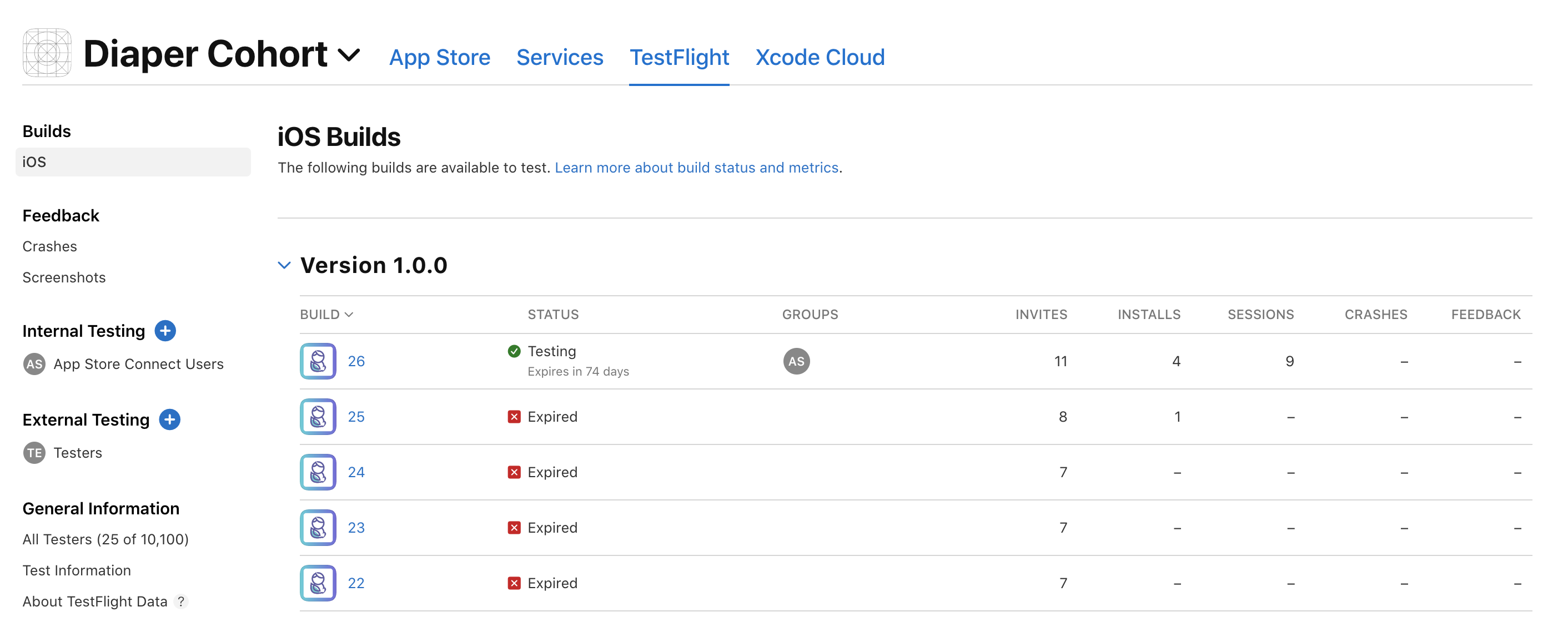
Once the app has been uploaded, go to App Store Connect and log in, you can find the new build (may take a while after uploading from Xcode) as in the screenshot.
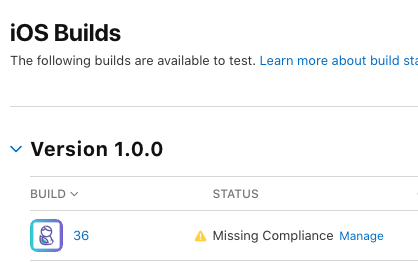
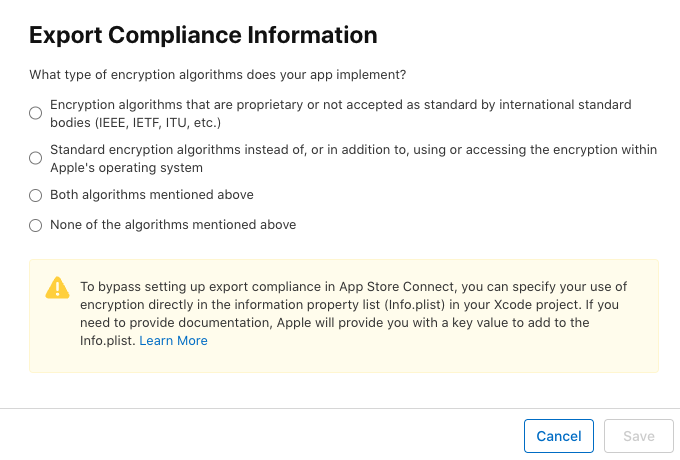
- Click "Manage" and choose "None of the algorithms mentioned above"
- Now you can click into the up-to-date build and invite testers
Then, download the app TestFlight from the App store and Redeem Diaper Cohort with the TestFlight invitation code. There, you can play with your most recent build.