| Include Page |
|---|
| ANSYS Google Analytics |
|---|
| ANSYS Google Analytics |
|---|
|
| Include Page |
|---|
| 3D Static Force Computation - Panel |
|---|
| 3D Static Force Computation - Panel |
|---|
|
Geometry
Now the geometry can be imported into ANSYS AIM . In the Magnetics model prompt, leave the default settings. Downloaded the geometry below and will then prompt for a geometry file. Download the geometry here and click Next. ANSYS AIM will then prompt for a geometry file. Select the coil geometry file and press Open. In the options section, check Compute force and then press Finish.
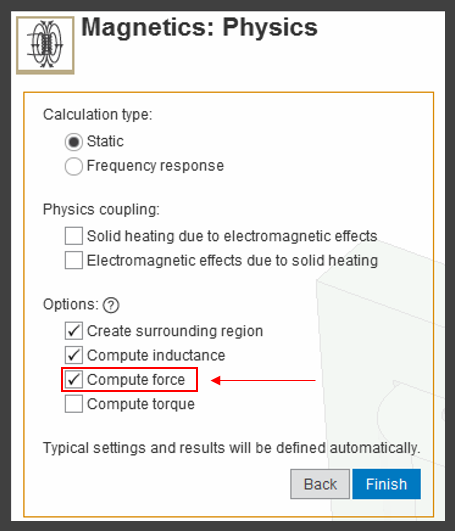 Image Added
 Image Removed
Go to Step 3: Physics Setup
Go to all ( ANSYS or FLUENT) AIM Learning Modules
 Sign-up for free online course on ANSYS simulations!