*** This version of Confluence is for testing only and contains a copy of content from June 29th 2026. No changes will be preserved. ***

...
Use Windows 7? You can the try Vista hotfix (Microsoft.com hotfix), but at this time Microsoft doesn't support web folders in Win7. We recommend using a 3rd party tool, such as, Bitkinex as a temporary work around. Here's a tutorial on how to use Bitkinex.
Use Vista? Are you following these directions only to get a whole lot of "The folder you specified does not appear to be valid"? If so, try this hotfix to enable web folder support on Vista (Microsoft.com hotfix). Alternatively, try mapping to a drive letter instead of a web folder. Still experiencing issues? Please drop webservices-l a note.
...
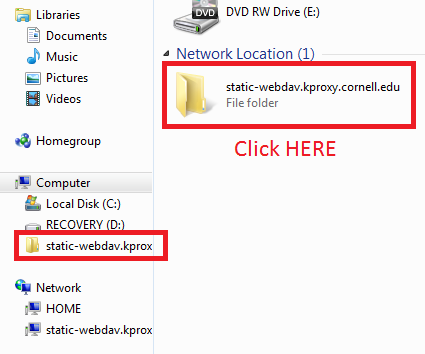
You can now open your DAV share just like it was any other Windows folder from your My Network Places screen. You can now drag and drop files to your website account via DAV and interact with it as if it were a folder on your local machine. The first time you log in, you may be re-prompted for your NetID and password - just enter them again.