 Sign-up for free online course on ANSYS simulations!
| Include Page |
|---|
...
|
...
|
| Include Page |
|---|
...
|
...
|
Mesh
Open the Model
...
Assign Cornellian to the Beam
...
Create Mesh
| HTML |
|---|
<iframe width="560" height="315" src="https://www.youtube.com/embed/m1USh43x9bA" frameborder="0" allowfullscreen></iframe> |
Degrees of Freedom
| HTML |
|---|
<iframe width="560" height="315" src="https://www.youtube.com/embed/iLNX1GRKhDU" frameborder="0" allowfullscreen></iframe> |
Specify the Element Size
...
The mesh has now been set.
| Info | ||
|---|---|---|
| ||
In the above mesh view, ANSYS is wrapping the cross-section around the line elements. To view the line elements and the corresponding nodes, click on View and uncheck Thick Shells and Beams. ANSYS will calculate the displacements and slopes at the nodes shown in this view.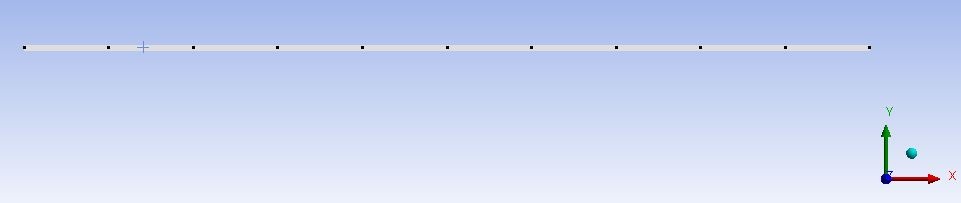 click here for full view |
...