*** This version of Confluence is for testing only and contains a copy of content from June 29th 2026. No changes will be preserved. ***

| Excerpt |
|---|
Many, many "start up" issues resolved by CIT. Here are any Use was from December 2014, through August 2016. Here is a partial record of my issues, along with some remaining ones to work through. |
| Table of Contents |
|---|
How many simultaneous connections? If I'm logged in at work (Dell Wyse), can I log in from home (browser)?
In MS Outlook, I set that the "Delete" button would show on any message I compose.
What is the lowest level of processing the think client needs?
Try out NoTouch Desktop software (Per seat: ~$32 + $6-7/yr).
Try out Creative Cloud software
...
Tuesday, Sept. 6, 2016: I have brought to a halt my CIT Desktop Everywhere engagement, which I started 12/16/2014. For over 1.5 years, this service was my primary work platform, with no other computer dedicated to me. A partial record of my issues, most of which CIT resolved, is parked below.
Coordinate with A&S IT to ensure the right people are doing the right work:
How many simultaneous connections? If I'm logged in at work (Dell Wyse), can I log in from home (browser)?
In MS Outlook, I set that the "Delete" button would show on any message I compose.
NetID credentials retention: Confirm it's happening, by others.
What is the lowest level of processing the thin client needs?
Try out NoTouch Desktop software (Per seat: ~$32 + $6-7/yr).
Try out Creative Cloud software
Per phone conversation with Jeff, 2 people (myself included) reported this problem last week.
-----Original Message-----
From: Cornell Information Technologies (CIT) [itservicedesk]
Sent: Thursday, April 28, 2016 10:16 AM
To: Oliver B. Habicht <oh10>
Subject: INC000001659658 Slowness in VDI: A recent, negative change
We believe this particular issue was due to an issue with a Microsoft patch (Update for Microsoft Outlook 2013 (KB3114941)). While we attempt to secure our VDI environment by installing all relevant software patches, we must rely on Microsoft and other vendors to do aggressive testing prior to releasing software updates.
The weekly VDI recompose process is lengthy and our maintenance timeline is short. We were able to remove this update after we received notification from Microsoft, but it had been deployed in our VDI image. We had to balance interrupting the VDI service for all users vs. inconveniencing a few users.
----------------------------
From: Oliver B. Habicht
Sent: Thursday, April 28, 2016 9:29 AM
To: Cornell IT Service Desk <itservicedesk@cornell.edu>
Subject: RE: INC000001659658 Slowness in VDI: A recent, negative change
Jeff,
Thank you for writing. The rubber-banding of textual inputting and other related slowness was not evident this week (3+ days, now).
Did you determine what it may have been, in order to prevent or address future symptoms like this? Has that scope been determined?
Is there monitoring put into place to detect this kind of problem so end-users are not the first having to report it? (Most won't, based on my experience.) A good way to monitor such a service is for service provider staff members to "live" in the service which can at least confirm that what I experienced may have just been restricted to my virtual instance rather than a system-wide issue (scope of problem)
I am no longer seeing the problem so, from my narrow perspective, as a single end-user, you can close this ticket. But I would appreciate knowing the answers to the above questions, moving forwards. Thank you, -Oliver.
----------------------------
I am reporting periodic, frequent slowness in my VDI. Please restore the performance to what it was!
Some symptoms:
This is a significant change in service. I have been “living” in CIT’s Desktop Everywhere VDI service (for a year or so now?) and I have not run into these (frustrating!) conditions. What has changed?
I have an “ideal” VDI set-up: Dell Wyse All-In-One on Cat-6 network.
In Chrome, plug-in won't load ("Can't load plugin") so video at BBC site won't work. Ex:
In Firefox and IE, plug-in is fine. And once loaded, one discovers it is the Adobe Flash plug-in.
Any considerations on getting the Outlook working in VDI better, and closer to what experiences on a normal desktop?
Examples:
When marking an email message as junk, one gets this dialog box:

Also, because caching is turned off, search within Outlook is useless. I must go to Office 365 (web) to search my email, which then takes me out of my desktop email client and is not as efficient.
Why these limitations matter, regardless of the technical or storage challenges they present to the VDI service:
These issues seem really important to address since email is a large part of what many people at work use a computer for, Any interference with effectively using email makes it really hard to recommend VDI as a production environment for staff or faculty. This is especially true for "core" client capabilities as preventing junk filtering, or preventing searching.
Why is this product not serialized? It had been working just fine, before.
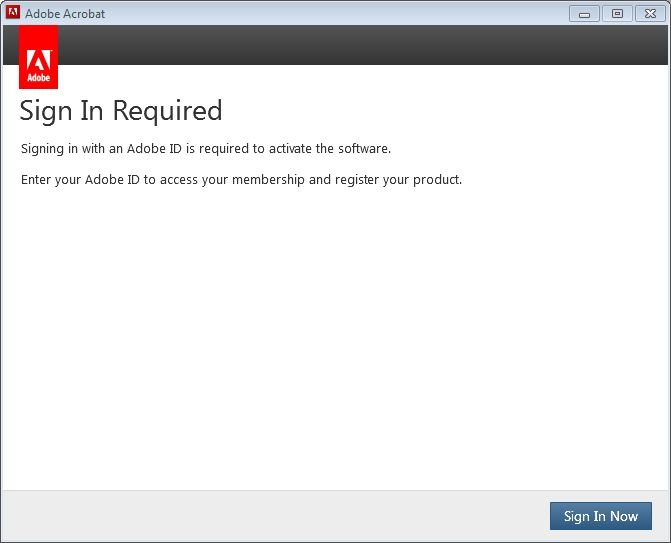
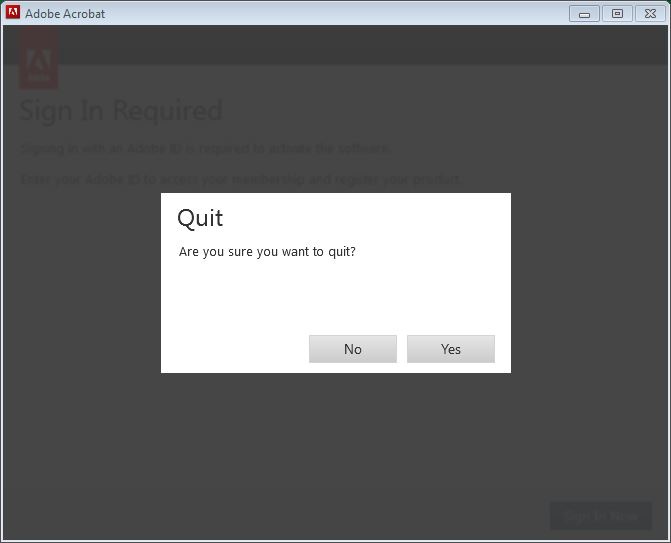
Answer: This sometimes happens. Restarting VDI session only known way to fix the problem.
Also, first time launching Acrobat after a restart produced (always produces?) this error:
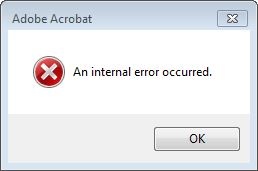
Acrobat doesn't launch after dismissing error. However, trying same thing again launches Acrobat, with no errors.
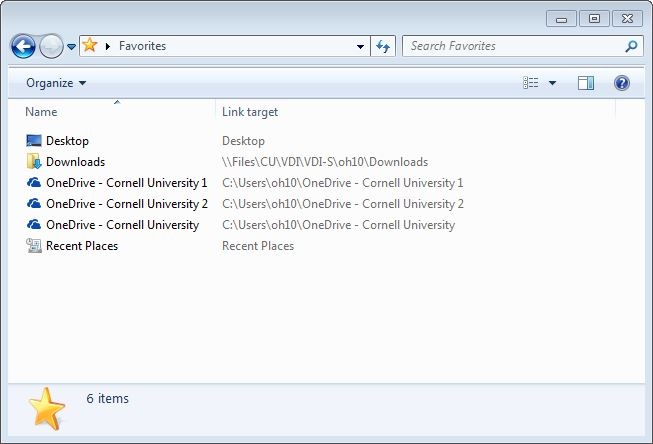
Multiple locations and creation of multiple associated support directories:
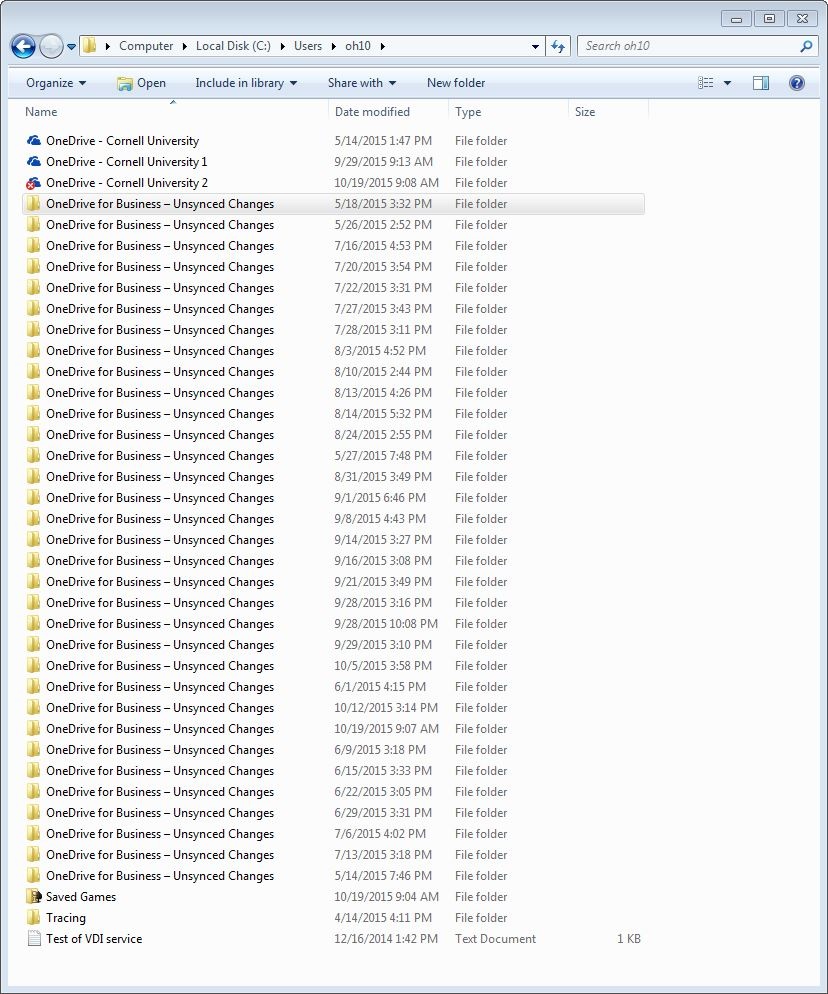
What that causes to be seen within "Favorites":
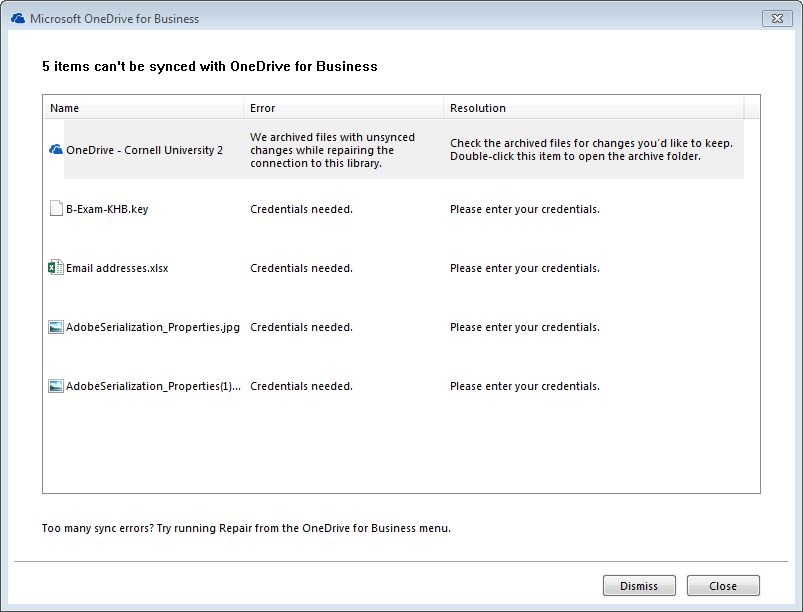
And the reported failures from today's syncing (10/19/15), even after a "Repair" invoked:
Did recommended aggressive "cleaning" (see Remedy ticket for details).
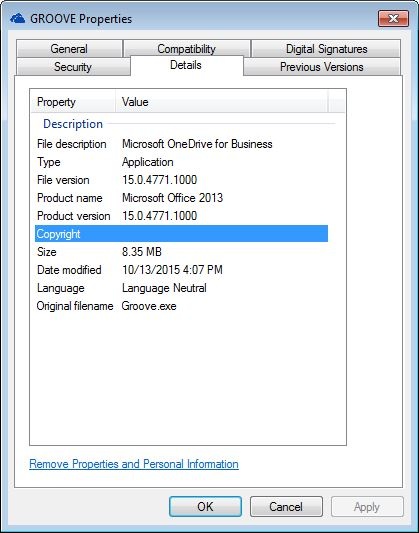
Oliver's situation, and his VDI Office/ Groove (prior tech. name for OneDrive):
Office version, in VDI:

OneDrive (Groove.exe) version, in VDI:
And a OneDrive anomaly in Oliver's Office365 interface in which OneDrive is not pinable, but otherwise completely usable via the web:
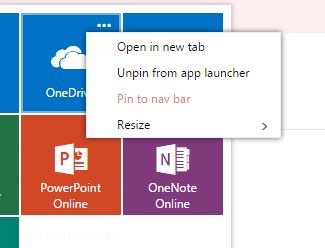
"Pin to nave bar" is red and not selectable. It is selectable, and does pin to the nav bar, for Michael and Roger.
I reused ticket number INC000001364135, "INC000001364135 -VDI tweaking: Box Edit still not working."
Although the Box Edit seems to be running ,it doesn't seem to work at all.
That is, within the Box.com site, it's as if Box Edit is not installed. Thus documents can't be edited within the site. Must instead old-school it and downloaded the document, edit it locally, and round-trip it back to the site.

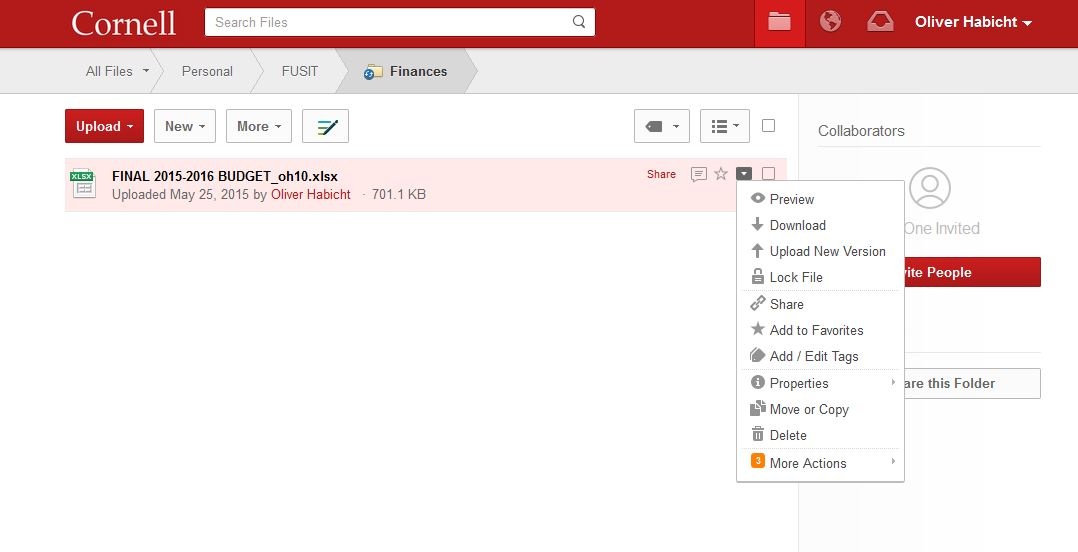
Notes: Box Edit no longer states an error when starting up on Windows log-in as it was doing in the past (below). And the icon shows up in the task bar, bottom right.
When I use Box Edit from a Windows non-VDI system, the tested file edits just fine within MS Word, saving directly to Box.com without needing to do the whole round-tripping thing.
I reused ticket number INC000001364135.
...
Not fixed, but getting closer. I can now get to the base Linux OS's System Information at the log-in dialog. That contains some helpful info, but provides no controls.
...
Workaround I found involved pulling the network cable on boot-up. That's not ideal. Instead, want to be able to do within the base Linux OS, as I used to be able to do with this system before getting CIT's *.ini configuration.
...
Keeps to WebEx Document Loader. See below in the "Doesn't retain settings" section for screenshot.
Data:
| Date | Note |
|---|---|
| 7/6/15 | Reverted again to WebEx Document Loader. I moved it back to Dell color printer. It's been a while since this has happened, but since it did again happen, starting up this log. |
Can't see USB storage device at all. Simple USB flash, 64MB from Dell.
...