*** This version of Confluence is for testing only and contains a copy of content from June 29th 2026. No changes will be preserved. ***

...
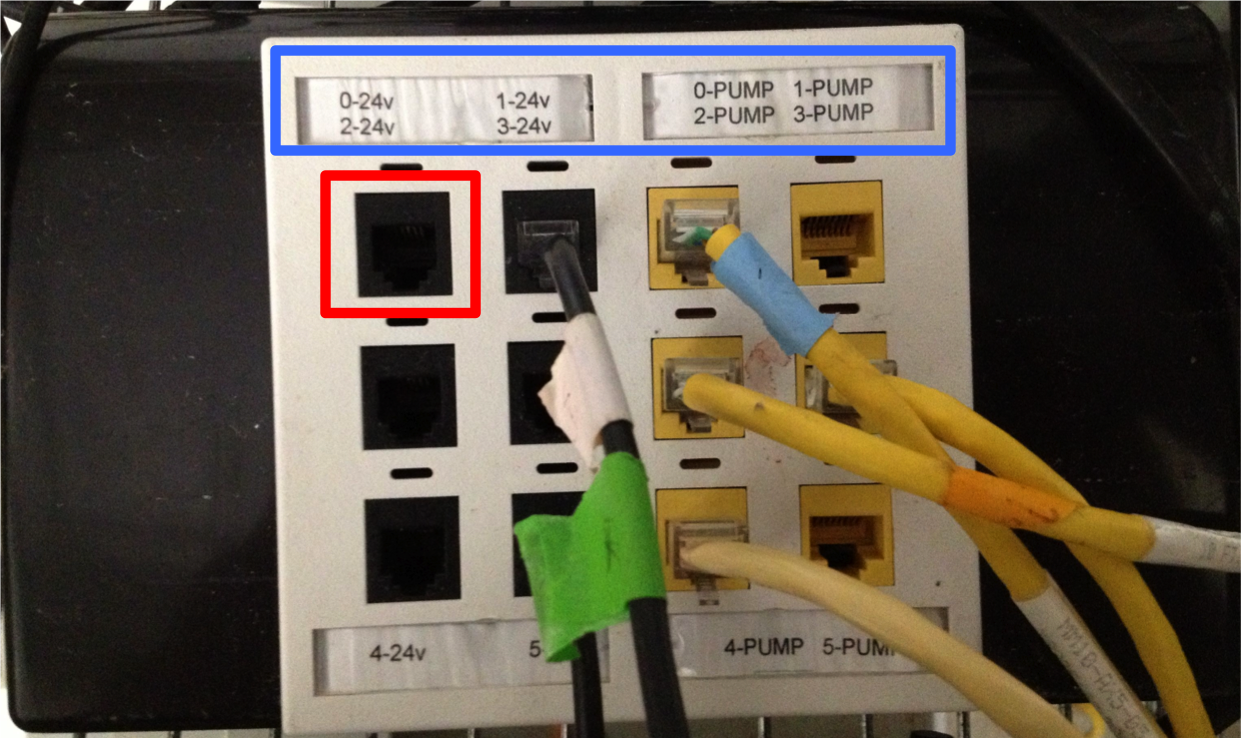
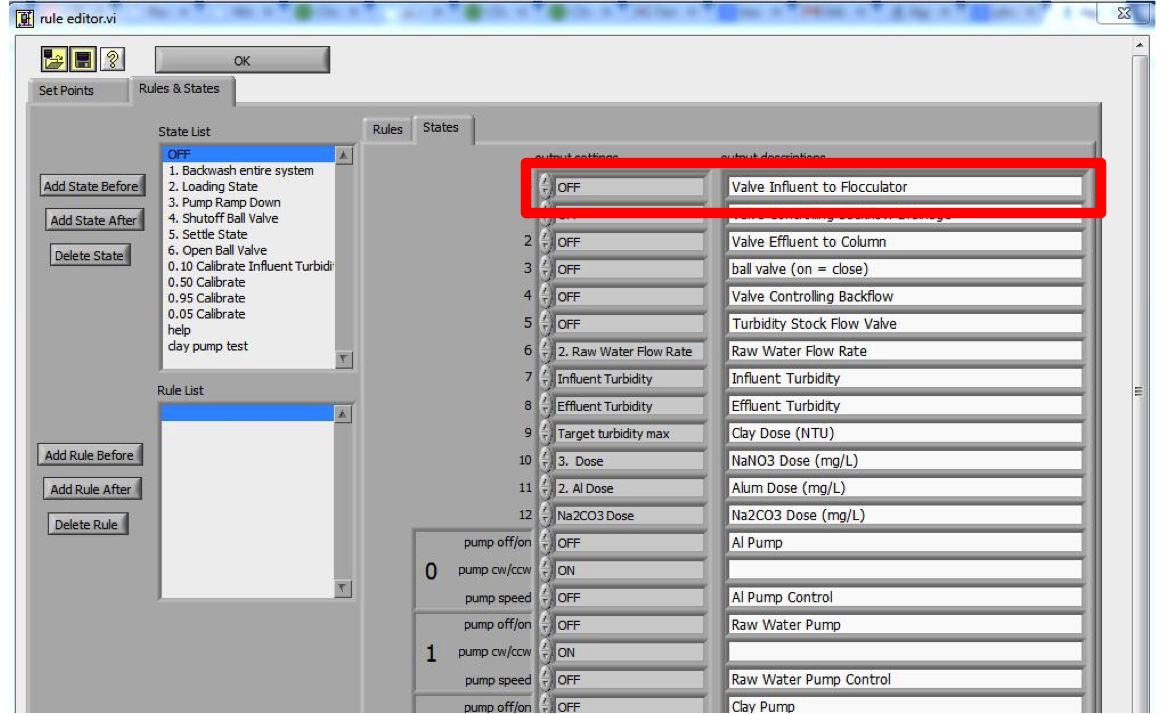
Process Controller uses Stamp Boxes (pictured below) to communicate with valves, pumps, relay boxes and other low voltage devices. They can control up to 6 - 24 volt outputs and 6 peristaltic pump (yellow ports). The numerical locations (highlighted by the blue box) on the Stamp Box correspond to the locations under "States" in the Rule Editor of Process Controller (red boxes). Thus, if you want to control a device in Port 0, its command would be sent to Port 0 in the Rule Editor. Each Stamp Box requires a power a power supply and has physical ON/OFF switch on the box.
...
Each DAQ system is organized into Modules. When you connect a sensor to DAQ, you must tell Process Controller where that sensor is located to display the data from it. Port numbers are listed on the DAQ box but the Module number may not be. Below is a table you should use to determine which Module you need to connect to. Find the Module and port number in the pull down list in "Sensor Configuration and Calibration". For a tutorial on connecting a sensor to Process Controller, go here.
...
...
| Module | Location |
| 1 | Top row Hollister 150 |
| 2 | Bottom row Hollister 150 |
| 3 | Incubator Hollister 150 |
| 4 | Hollister 162 |
...
| Module | Location |
| 1 | Top row |
| 2 | Bottom row |