*** This version of Confluence is for testing only and contains a copy of content from June 29th 2026. No changes will be preserved. ***

Scope: This document outlines the process that Library Technical Services serials staff follow when processing a serial that has been ceased. Note: In the case of a ceased serial, Paul Heckathorn (pjh25) should be notified after taking the steps below.
Contact: Joanna Cerro
Unit: Serials Management
Date last updated: 2/17/2022
Date of next review: February 2023This procedure has been archived and will no longer be updated. For the related regularly-updated procedure, please follow this link: https://confluence.cornell.edu/pages/viewpage.action?pageId=436189299
1. In the Receiving app record of the ceased serial, delete all pieces populating the Expected field if we know we won't be receiving the issue(s). Click each individual piece and selecting Delete.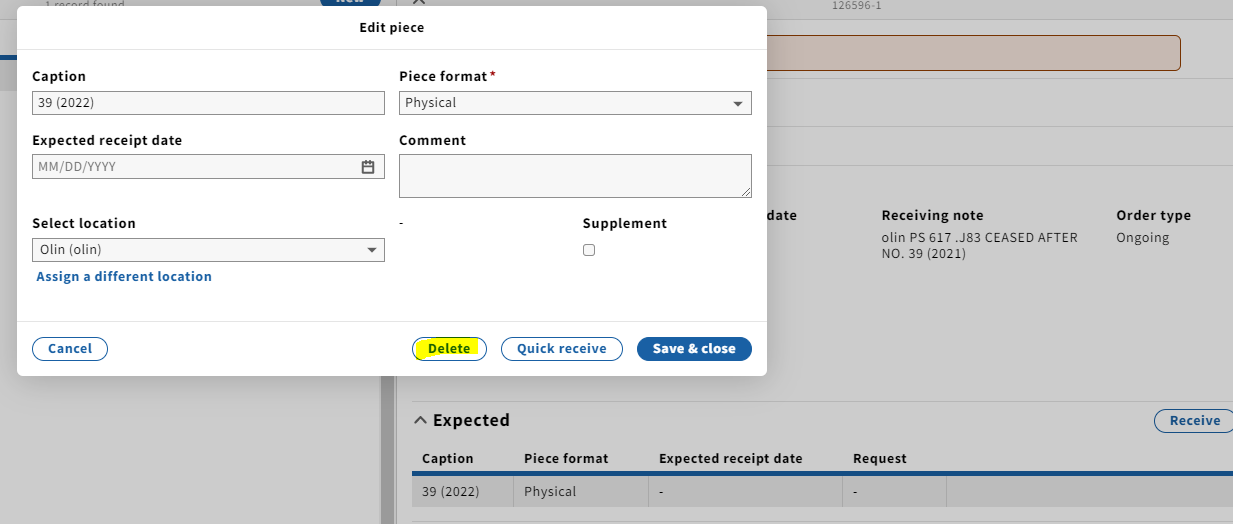
2. Open the Instance record in the Inventory app by clicking on the title at the top of the Receiving record, which is a link. You'll want to open the link in a new tab so you can easily navigate back and forth between Receiving and Inventory.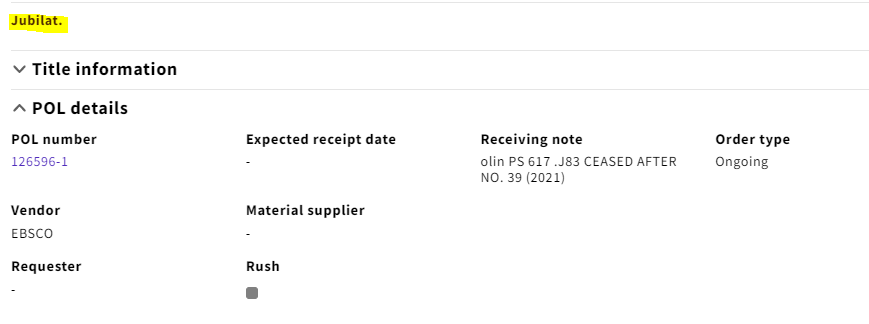
...
