*** This version of Confluence is for testing only and contains a copy of content from June 29th 2026. No changes will be preserved. ***

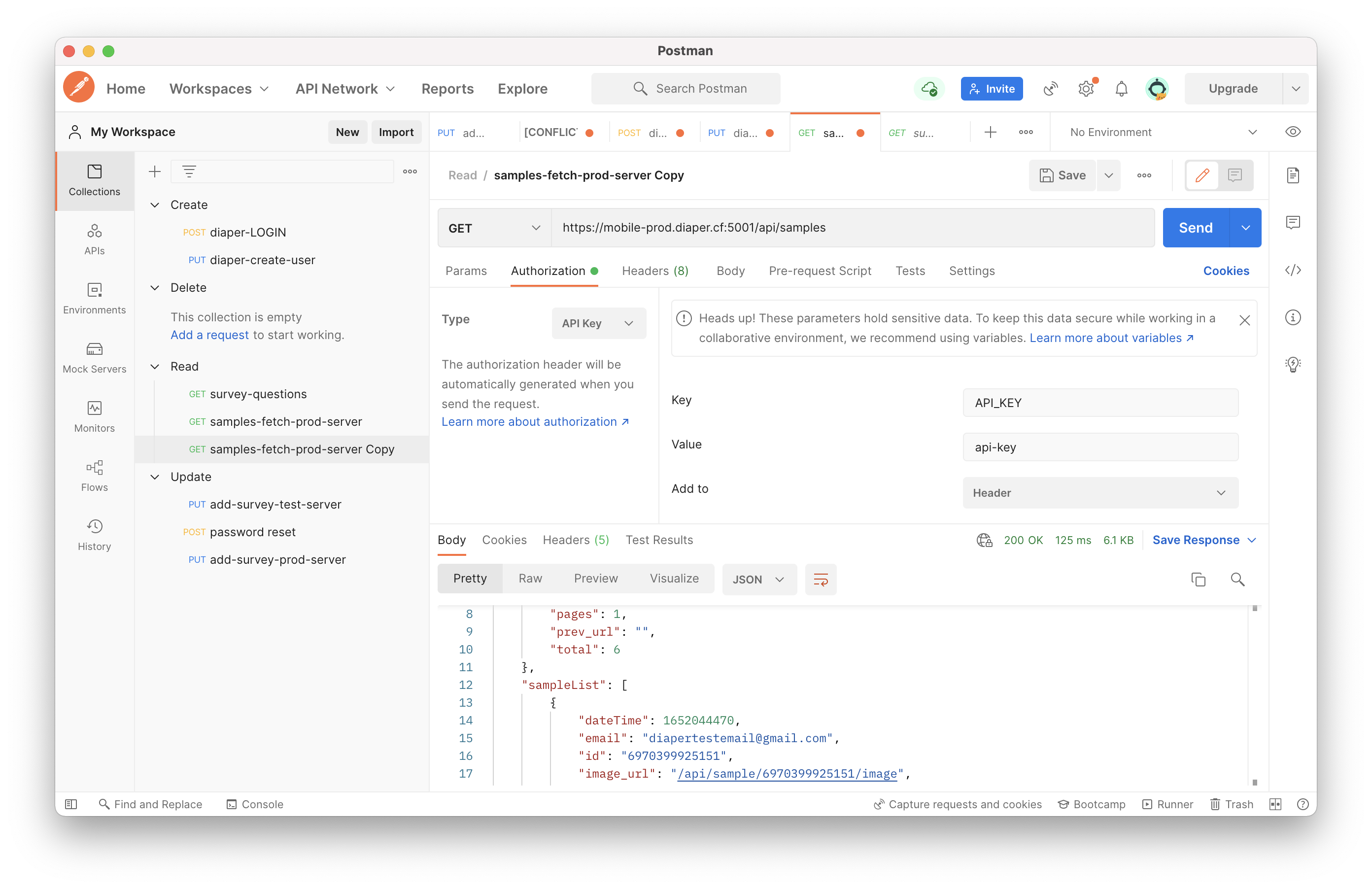
The API key is just the API key.
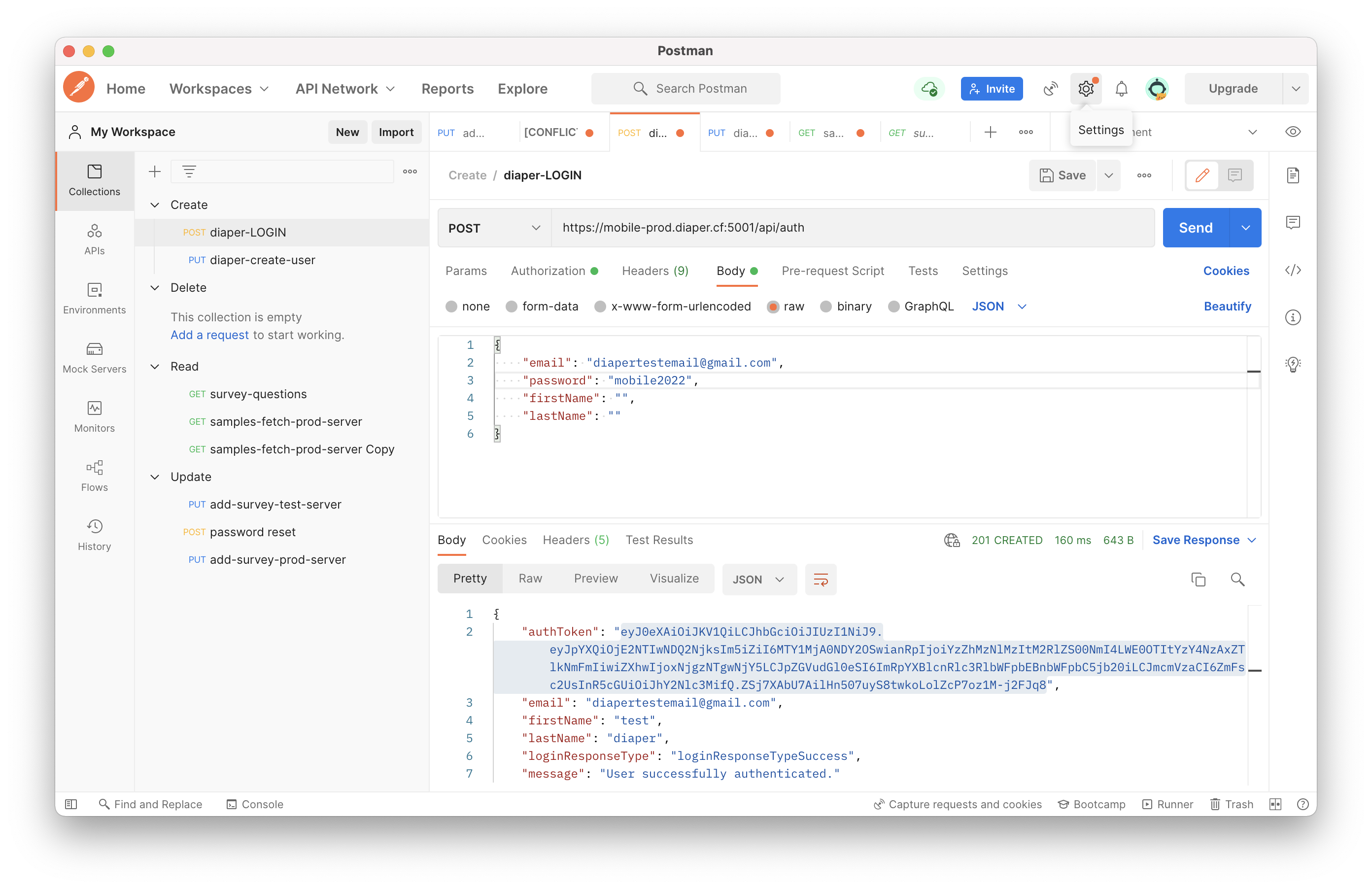
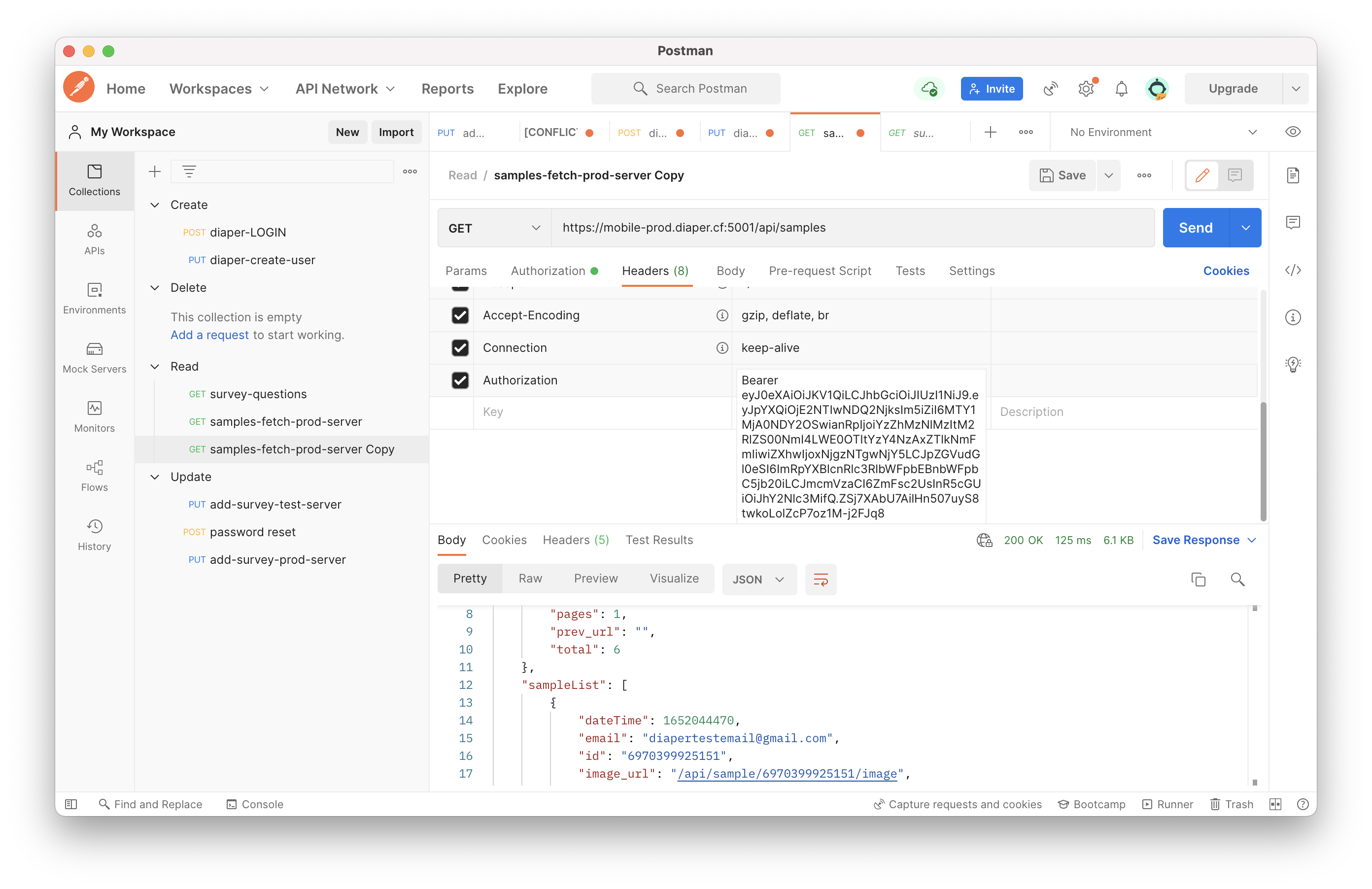
If the Header needs Authentification, please use the "user log in" API first, the response body will have "authToken," as shown in the below image. Copy it in to the header, and add "Bearer" in front of it.
| URL | /api/monitoring |
| Description | Monitoring related info |
| Method | GET |
| Url Param | -- |
| Request Body Data | -- |
| Response | { api_env: "dev", connected_db: "dev", pipeline: "mobile" } 200 |
| Cookie | -- |
| URL | /api/version |
| Description | Show API Version |
| Method | GET |
| Url Param | -- |
| Request Body Data | -- |
| Response | {version: "xxx"} - 200 |
| Cookie | -- |
...
| URL | /api/ |
| users |
| Description |
| Create a new user |
| Method |
| PUT | |
| Content-type | application/json |
| Url Param | --- |
| Request Body Data |
{ email: xxx, firstName: xxx, lastName: xxx, surveyData: xxx } | |||||||||||
| Response |
| ||||||||||
| Cookie | --- |
...
| URL | /api/ |
| auth |
| Description |
| User login | |
| Method | POST |
| Content-type | application/json |
| Url Param |
| -- | ||||
| Request Body Data | { email: xxx, password: xxx, firstName: xxx, lastName: xxx } | |||
| Response |
|
|
|
|
|
| |||||||
| Cookie | --- |
| URL | /api/users/ |
| <email>/resetpassword |
| Description |
| Reset password with given new password | |||||||||
| Method | POST | ||||||||
| Url Param | email: email for the user to reset password | ||||||||
| Request Body Data | { password: xxx } Note: password field takes the new password to be reset, not the old password. | ||||||||
| Response |
| ||||||||
| Cookie | --- |
| URL | /api/users/<email>/requestpasswordreset |
| Description | Send password reset email |
| Method | POST |
| Url Param |
| email: email for the user to reset password |
| Request Body Data |
| --- | ||||
| Response |
|
| ||||||
| Cookie | --- |
| URL | /api/logout | ||||
| Description | Log out user by deleting the user's access token | ||||
| Method | DELETE | ||||
| Url Param | --- | ||||
| Request Body Data | --- | ||||
| Response |
| ||||
| Cookie | --- |
...
| URL | /api/samples/ |
| Description | GET: Fetching all samples created from a user PUT: Inserting a new sample [Poop Sample Response] |
| Header | API_KEY, Authorization |
| Content-type | multipart/form-data |
| Method | PUT | GET |
| Url Param | -- |
| Request Body Data | GET --- PUT sampleData: { sampleBarcodeID: xxx, milkBarcodeID:xxx, surveyData: {...} }, image: xxx } Note: SampleData should send as form-data text, and the image should be form-data file. |
| Response | PUT
{ id: barcode id, milk_id: milk id, dateTime: timestamp, surveyData: {}, readableSurveyData: {}, image_url: url of sample image, email: xxx@gmail.com }, { ... },] } |
| URL | /api/sample/<barcode_id> |
| Description | Fetching a specific sample with barcode id |
| Header | API_KEY, Authorization |
| Method | GET |
| Url Param | <barcode_id> : ID for the sample to update (string) |
| Request Body Data | -- |
| Response | { sample: { id: xxx, dateTime: xxx, hasPict: xxx, hasSurvey: xxx, hasContainer: xxx } } { message: ”sample id is invalid” }
|
| URL | /api/sample/<barcode_id>/image |
| Description | Fetching the image of a specific sample |
| Header | API_KEY, Authorization |
| Method | GET |
| Url Param | <barcode_id> : ID for the sample to update (string) |
| Request Body Data | -- |
| Response | image/png 200:Succeed { message: ”This user does not have access to this sample data” } |
| URL | /api/sample/count_this_week |
| Description | Return the total number the user uploaded this week |
| Header | API_KEY, Authorization |
| Method | GET |
| Url Param | |
| Request Body Data | -- |
| Response | { "sampleCount": int } - 200 |
| URL | /api/sample/<barcode_id>/updatesurvey |
| Description | Update survey for the given sample id |
| Content-Type | multipart/form-data |
| Header | API_KEY, Authorization |
| Method | PUT |
| Url Param | <barcode_id> : ID for the sample to update (string) |
| Request Body Data | surveyData: list of new survey data |
| Response | {message: "Bad request: no survey data to update"} - 404 {message: "sample id is invalid"} - 400 {message: "successfully updated survey data"} - 200 |
| URL | /api/sample/count_total |
| Description | Return the total number of samples the user uploaded |
| Header | API_KEY, Authorization |
| Method | GET |
| Url Param | -- |
| Request Body Data | -- |
| Response | { "sampleCount": int } - 200 |
...
| URL | /api/sendAfterBirthSurvey |
| Description | send the infant after birth qualtrics survey to the email specified |
| Header | API_KEY, Authorization |
| Method | POST |
| Url Param | -- |
| Request Body Data | 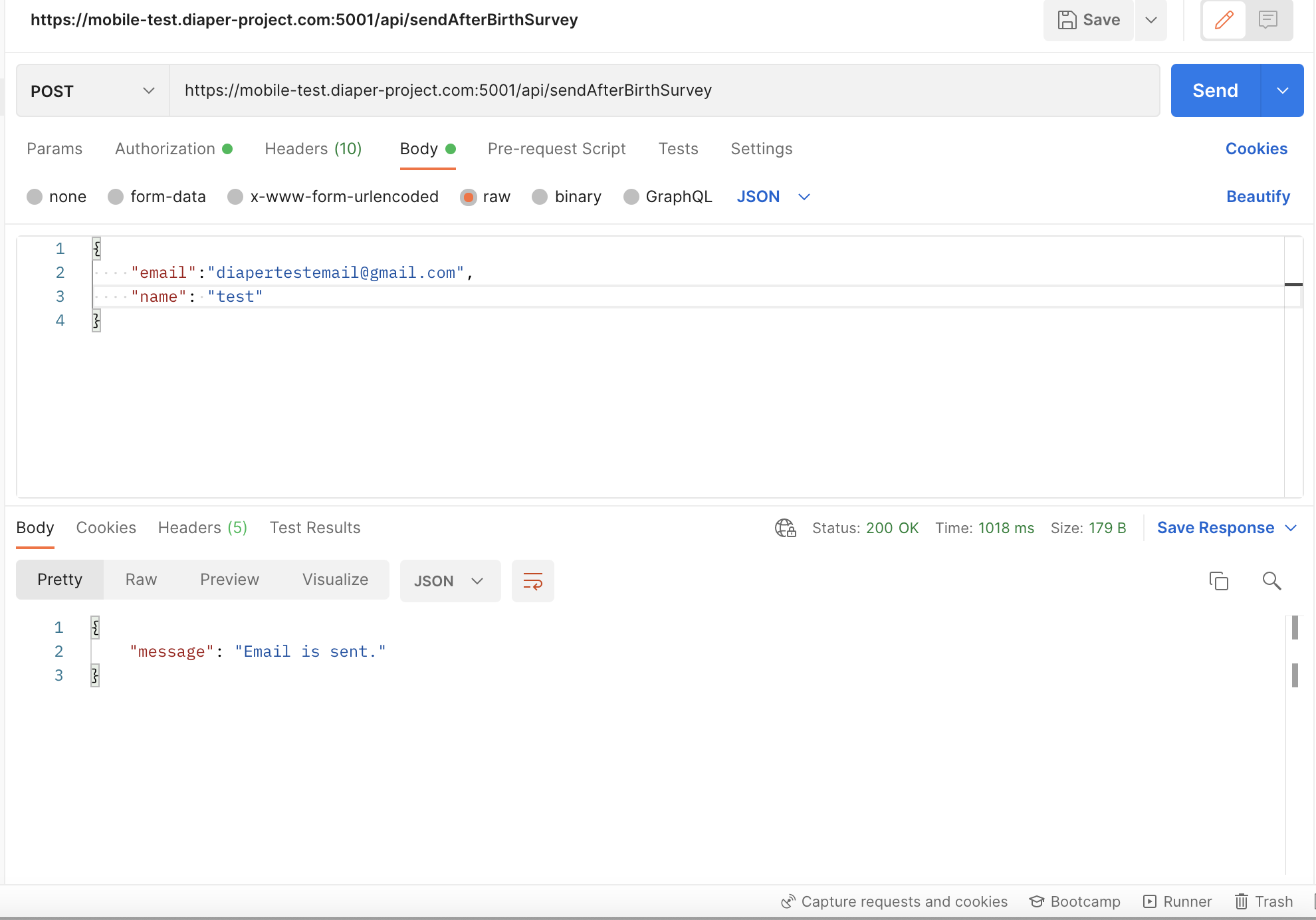 |
| Response | {message: "Email is sent |
"} - 200 {message: " |
...
There was a problem sending the email. Please try again later"} - 500 |
| URL | /api/survey/questions | ||
| Description | Returns the sample survey when 'main_survey' is passed in as survey_name | ||
| Header | API_KEY, Authorization | ||
| Method | GET | ||
| Url Param | survey_name | ||
| Request Body Data | -- | ||
| Response |
|
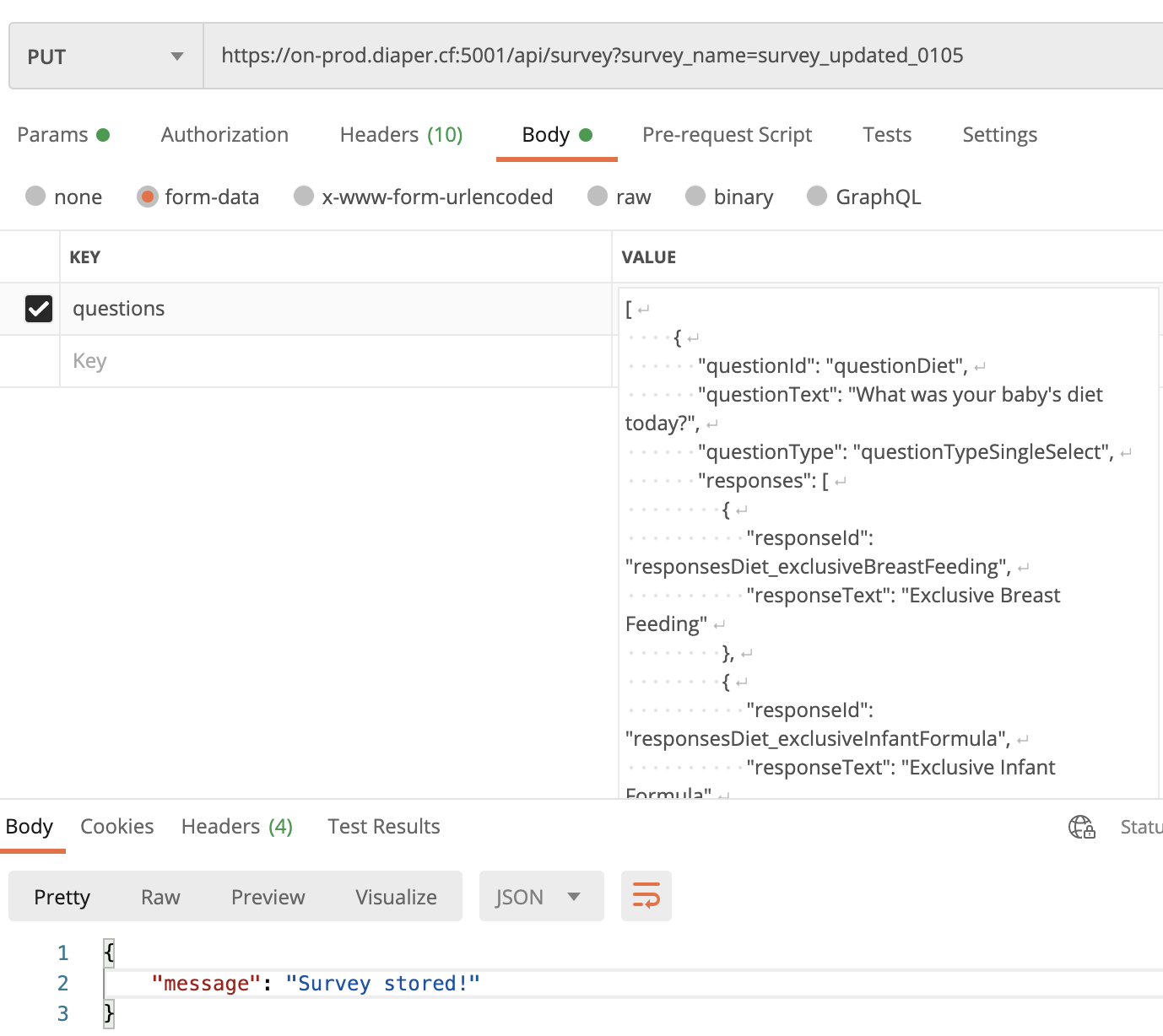
| URL | /api/survey |
| Description | Place a survey into the database in order to be retrieved by the application in the future |
| Header | API_KEY, Authorization |
| Method | PUT |
| Url Param | survey_name |
| Request Body Data | Survey to placed in the database |
| Response | { "message": "Incorrect API key provided." } { "message": "Survey stored!" }, 200 If survey name not passed in, { "message"="Please pass in survey name to create a survey" }, 400 |
| Sample |
|