*** This version of Confluence is for testing only and contains a copy of content from June 29th 2026. No changes will be preserved. ***

...
Unit: Serials Management
Date last updated: 29 2024
Date of next review: Mar. 20252027
...
NOTE: As of the Nolana release (March 2023), we now have the option to pay an invoice directly from the PO. Jump to this section for instructions.
...
4. Enter information into the following fields: Invoice date, leave the Status as Open for now, Bill to.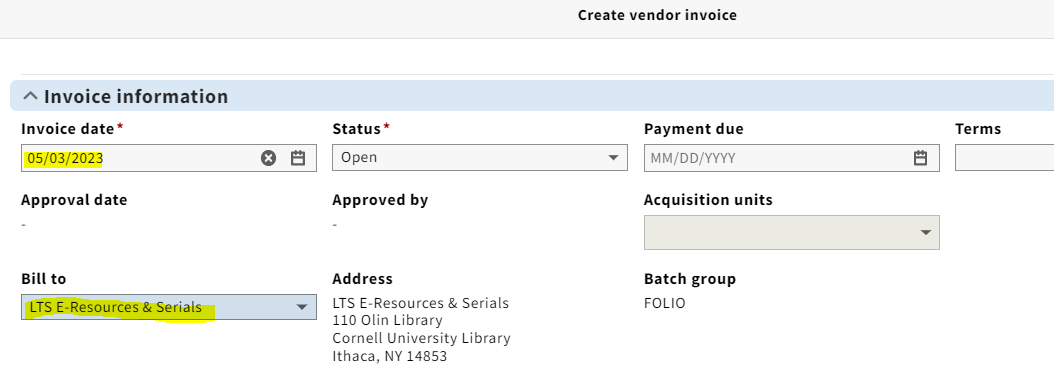
NOTE: The Lock total box on your header is a feature that is used when loading EDI invoices; however, when paying a deposit account invoice, make sure to uncheck the Lock total box.
The Note field should only be used for notes that are pertinent to the Accounting department, such as which internal account should be charged when using 9 billings fund.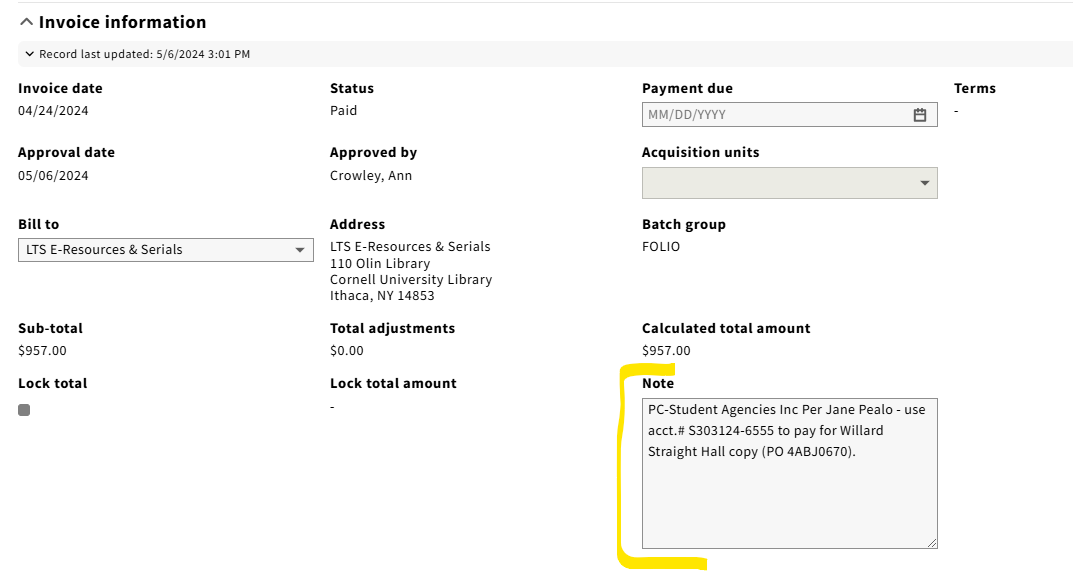
5. Enter any shipping and/or service charge information you might have under Adjustments. You will be entering these adjustments at the invoice level, rather than the invoice line level. You will be using the same funds for shipping (999) and service charge (515) as we did in Voyager. Under the Pro rate drop-down menu, always select Not prorated. Under the relation to total field, you almost always want to select In addition to. Make sure the Export to accounting box is checked.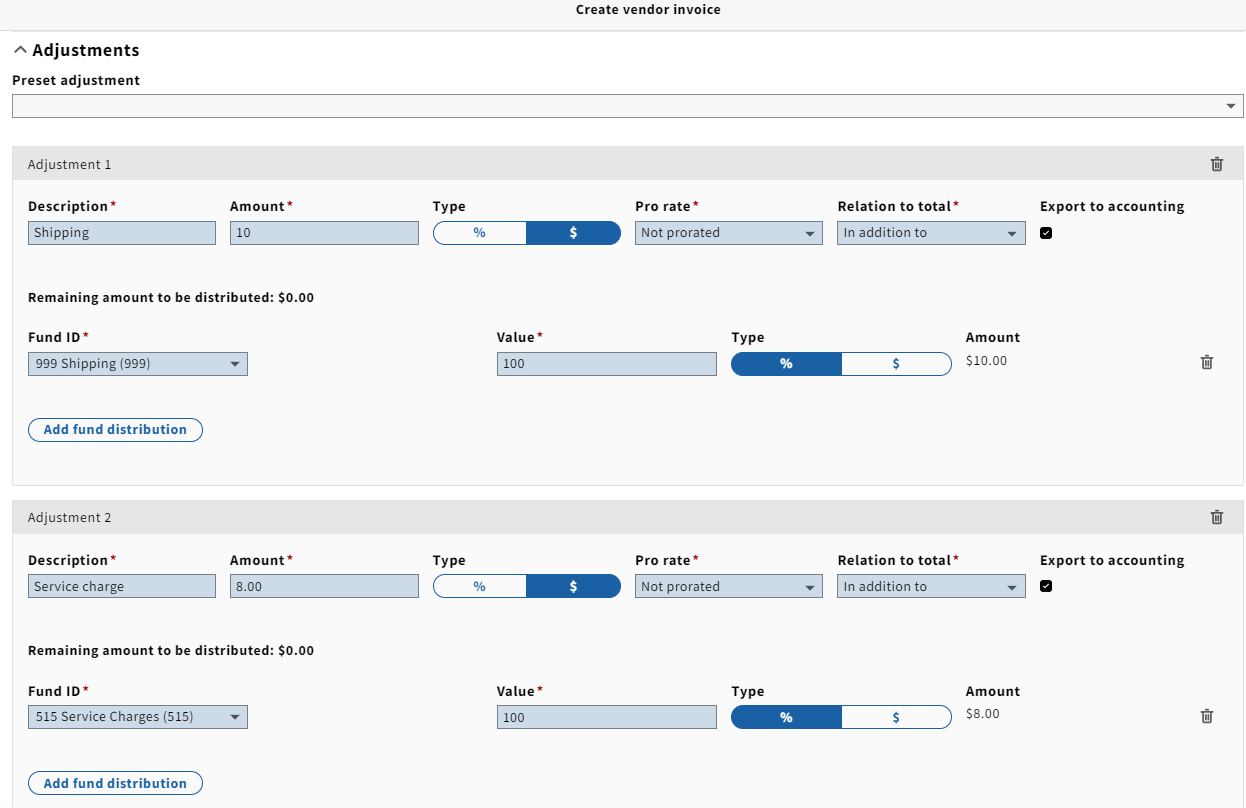
NOTE: We will be using the same practice of not adding shipping costs or service charges to one-line invoices as we did in Voyager.
6. Under Vendor information, fill in the invoice number, and click Organization look-up to select the appropriate vendor.
NOTE: An Accounting code must be selected from the drop-down menu if the payment method is anything else besides credit card. No accounting code needs to be selected for credit card payments.
...
