*** This version of Confluence is for testing only and contains a copy of content from June 29th 2026. No changes will be preserved. ***

...
A set point is a value that the computer utilizes to control unit operations of your experiment. A set point is generally a value that is sent to a stamp box that controls the pumps and valves. However, a set point can also be used to change states (discussed in the next tutorial) or other set points can be used in calculating set point values whose signals are sent to pumps and valves.
The first step that you need to do is to add a new set point by clicking "Add Set Point" button. ON and OFF set points are added and set for 1 and 0, respectively. ON (or a value of 1) for a valve means that the valve is completely open, while OFF (or a value of zero) for a valve means that a valve is completely closed. Process control software utilizes fractions between 0 and 1 for processes where you do not want valves to be completely open or closed during a full cycle.
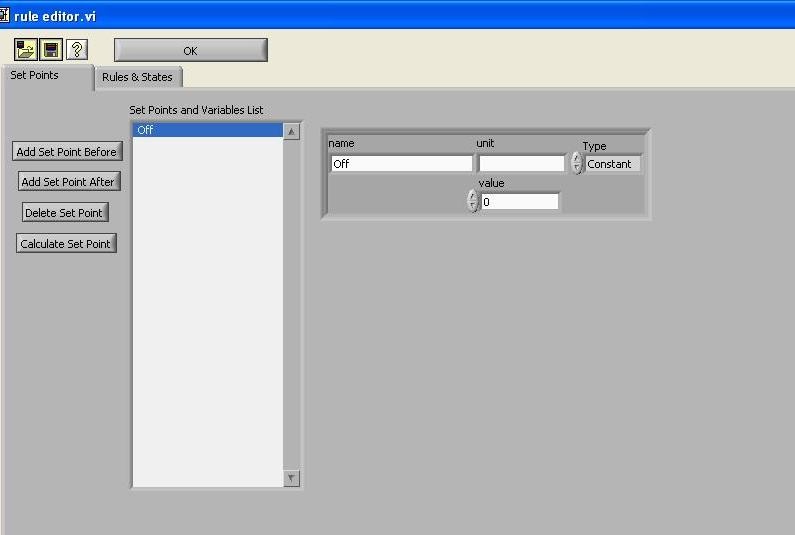
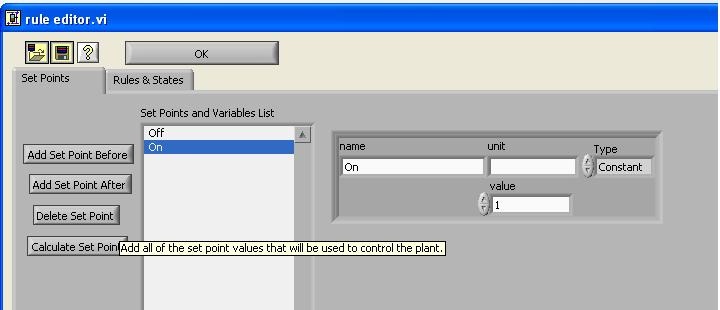
As you can see in the column, other important set points are added, depending on the experiments that are going to be conducted.
...
After you have made the pump connection, you want to program into the computer the flow rate speed of the pump into the computer. We can do this through what is known as VI code. Create a new setpoint set point and name the setpoint set point "Mixing Pump Flow Rate." Click on the setpoint set point and reset the type of setpoint set point from constant to variable.
...
The purpose of this VI is to calculate the rpm speed of the pump. The rpm will set the flow rate supplied to the system based upon the tubing size. The computer will calculate the speed of the pump, but requires that you make two additional set points.
Create two new set points:
Note: Put your set points in order of how they are calculated
Create two new set points:
Figure 4 Clay Flow Rate Setup
Some examples set for Rules & States that will be exposed in details in next tutorial
. If you for example put the value for tubing size before the flow rate value, the computer would calculate the pump speed putting in the tubing size value in its flow rate calculation, and the flow rate in its tubing size calculation.
Enter in a value of 40 for the Flow Rate Mixing Pump. You can add units of mL/min in the "Units" section if you wish, but these do not affect calculations.
Enter in a value of 18 for Tubing Size Mixing Pump. For more information about tubing sizes for peristaltic pumps or setting up persistaltic pumps, click here.
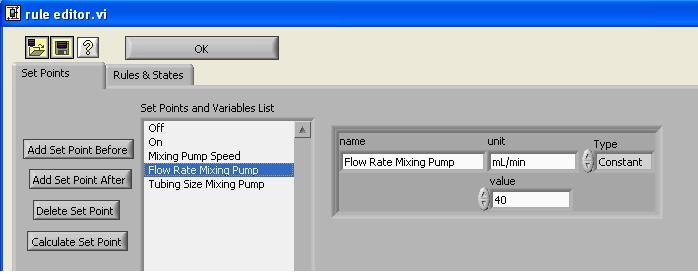
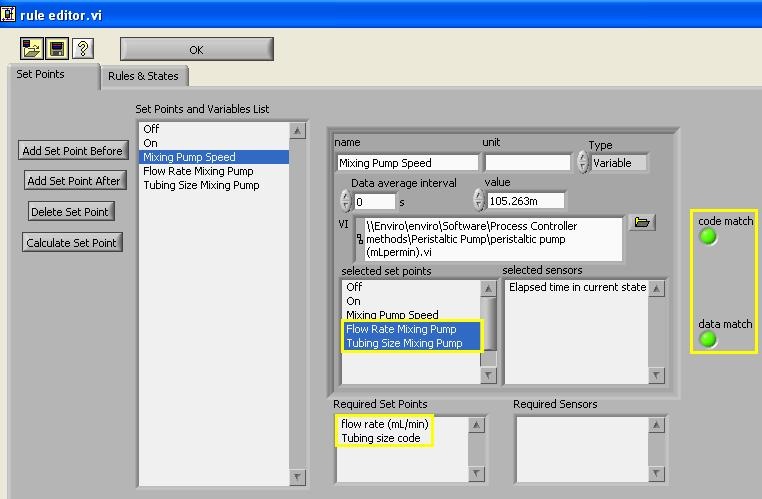
Now click back on you "Mixing Pump Speed" set point. For this set point, there are two required set points that you just created to make this calculation. Under the "selected set points" tab highlight "Flow Rate Mixing Pump" and "Tubing Size Mixing Pump."
Ensure that "code match" and "data match" are both green and that the calculated value agrees with the one shown in the figure below.
Your next task is to add the following set points to process controller with the values after the comma respectively. Proceed to the next tutorial when you are finished.
...