*** This version of Confluence is for testing only and contains a copy of content from June 29th 2026. No changes will be preserved. ***

...
...
By default, your new Cornell Stack and instance(s) will come with a permit of the form cit.lamp.<*instance name>.* or an new CUWA permit or Active Directory "permit" group in the form on cit-lamp*-<instance name>*, unless you provide one. The initial membership of this permit will be the primary contact, the secondary contact, and all additional authorized users listed on the signup form. Additionally, the primary and secondary contacts for the instance will also have the update privilege to update membership to the permit via the ActiveRoles Server interface at https://admgmt.activedirectory.cornell.edu/permits/default.aspx (Internet Explorer required). Instructions for using the interface can be found at http://www.cit.cornell.edu/services/active_directory/howto/videos/manage_legacy_permits/index.cfm
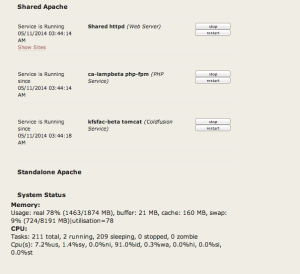
Once your Hosting Virtual Machine (VM) has been created and instance(s) set up, you can access information and the VM from the Hosting Dashboard via https://dashboard.hosting.cornell.edu. This is a one stop shop to controlling services on your VM (yes you can stop and start your instances), as well as finding specific information about your instance(s). The Hosting Dashboard should list all VM's you have access to based on the AD Group or Permit that's been assigned to them.

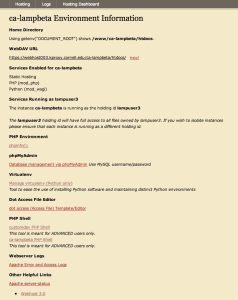
The Cornell Stack continues to support Webdav access to upload/modify/delete the files for your website/application. The access URL previously used for Hosting services in Coldfusion 9 and LAMP2 are no longer used herenot valid for Cornell Stack access. The webdav url is specific to the VM your instance(s) lives on.
...
and so forth allows to have multiple sites "living" in the same instance with virtualhosts configured to use slightly different document_roots (http://yoursite1.cit.cornell.edu points to htdocs/yoursite1/; http://yoursite2.cit.cornell.edu points to htdocs/yoursite2/; and so on).
However, you are of course free to organize your site in the best way possible for you. The new Cornell Stack also allows for multiple LAMP like instances in a Shared-Apache configuration. Please see {Small sites or apps|https://confluence.cornell.edu/x/kgz_DQ] as an example. To find out more on the Shared Apache, please see Introduction to CIT Hosting Services Cornell Stack#shared
If you requested to have git or mercurial installed and setup on your VM and instance, you will see additional subdirectories like "repos", "git", or "hg". For more information on version control options and setup, please see GIT Info or Mercurial Info.
...
