*** This version of Confluence is for testing only and contains a copy of content from June 29th 2026. No changes will be preserved. ***

see related
Manually create invoice line
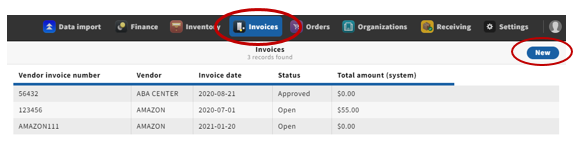
1. Open the invoices app from the menu bar
2. Click "new"
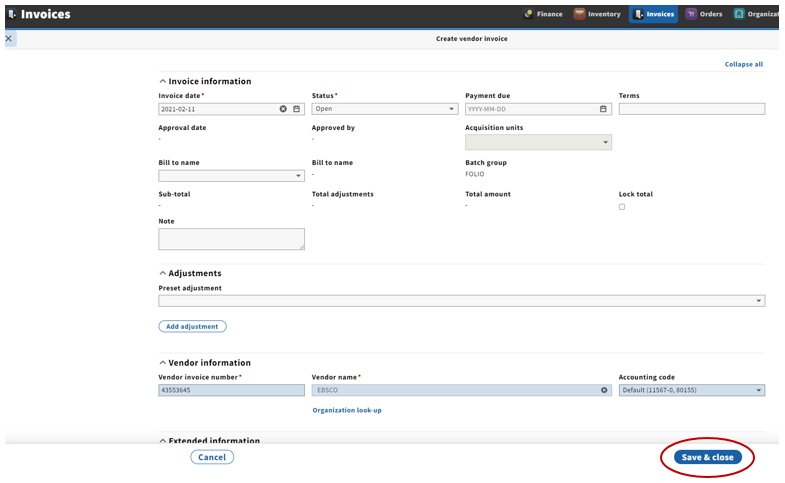
Expected result: User will be brought to "Create vendor invoice" screen
3.
Preconditions:
User has permission to create invoices
Steps:
...
Fill out all required fields and any other desired information
...
4. Click "Save & close"
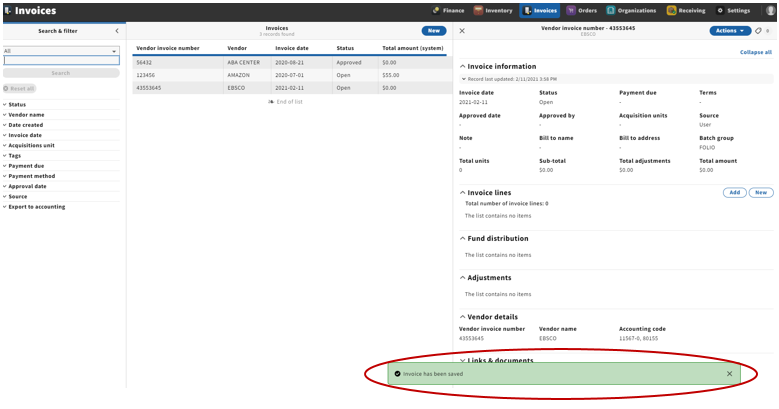
Invoice is created successfully
Create invoice form dismissed
User is shown view of new invoice in three pane layout
...
Pop-up message indicating that the invoice has successfully been saved appears