 Sign-up for free online course on ANSYS simulations!
| Include Page | ||||
|---|---|---|---|---|
|
| Include Page | (Tutorial Name) - Panel | (Tutorial Name) - Panel |
|---|
...
|
Startup
A few words on the formatting on the following instructions:
...
Now that we have the pre-calculations, we are ready begin simulating in ANSYS AIM. Open ANSYS AIM by going to Start > All Apps > ANSYS 18.1 > ANSYS AIM 18.1. Once you are at the starting page of AIM select the Fluid Flow template as shown below. 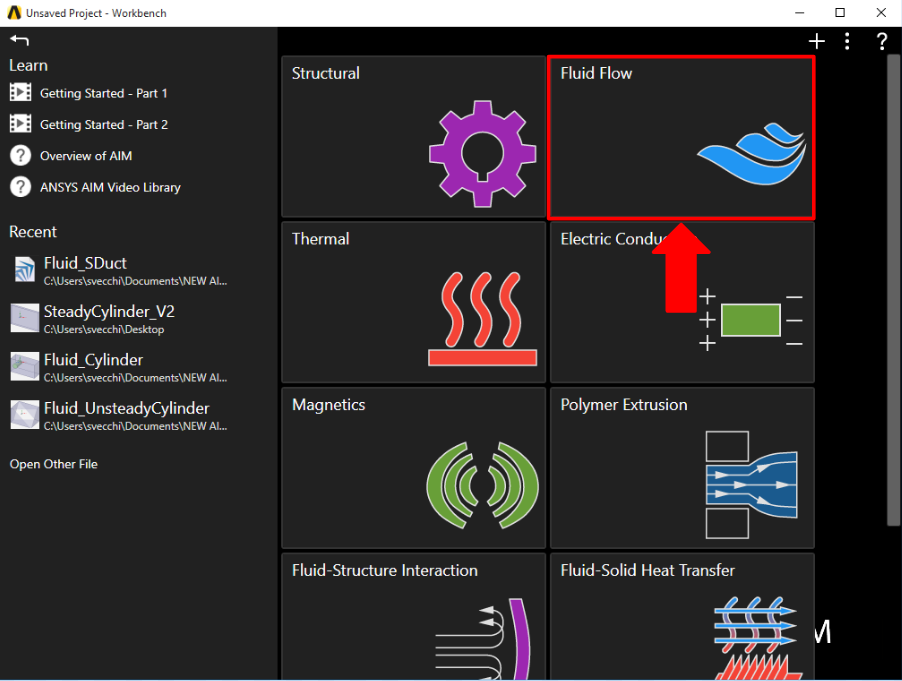
Units
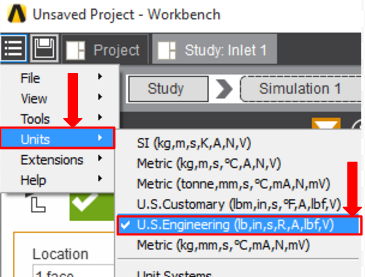
In the upper left corner, select Home > Units > U.S. Engineering. The units will now match the ones given in the problem specification.
Go to all ( ANSYS or FLUENT) AIM Learning Modules