*** This version of Confluence is for testing only and contains a copy of content from June 29th 2026. No changes will be preserved. ***

...
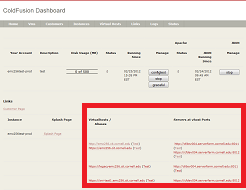
The quickest test is to use the "Test" links that appear on the Dashboard Status page that is linked from your CF9 Splashpage (utilities).
...

The Test link on the left will follow the current DNS record. The Test link on the left right will connect directly to the backend server. In a case where you are creating a new record or migrating from another host the right-hand link will be the one to test!
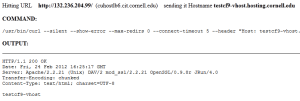
Testing DNS:
Testing backend:
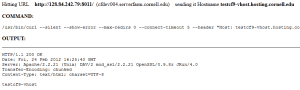
For the truly techy savvy the "curl" command is a hint how you can test without using the Test links
The other option is to use a web proxy hack to make your web browser point directly to the backend webserver. THIS WILL CAUSE ALL YOUR WEB BROWSER TRAFFIC TO GO TO THE BACKEND SERVER. Be sure to close any open windows to Facebook, Google, etc... prior to doing this test!!! This will also only work for non-SSL sites with no CU WebAuth.
From Firefox:
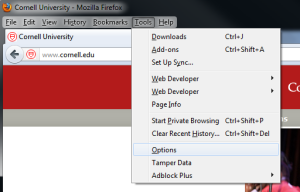
Select network, "Configure how Firefox connects to the Internet"
...
