*** This version of Confluence is for testing only and contains a copy of content from June 29th 2026. No changes will be preserved. ***

...
When a VirtualHost is configured to allow a custom VirtualHost include (not on by default) you will see a new directory under your "instance" directory at the same level as your "htdocs" folder.
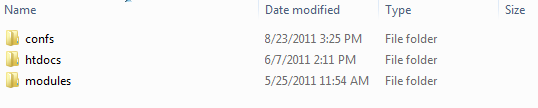
Within the folder you should see files that are tied to your VirtualHost name. File names that begin with "https." will only apply to the HTTPS portion of the site, while files without "https" will only apply to the HTTP portion.

You can modify this file to add directives that are only available within a VirtualHost config, i.e. Alias
...
The first time the configtest returns "OK", the second time is a bad configuration that would cause the instance to fail if restarted.
Once you're happy with the config you can do a "graceful" to make the change take effect. If you're using phpShell make sure you're using a different instance than the one that you're updating!!!

