 Sign-up for free online course on ANSYS simulations!
| Panel |
|---|
Problem Specification |
Step 5: Solve!
Solve > Control > Solution
We'll use a second-order discretization scheme. Under Discretization, set Flow to Second Order Upwind. Under Solver Parameters, set the Courant Number to 0.1.
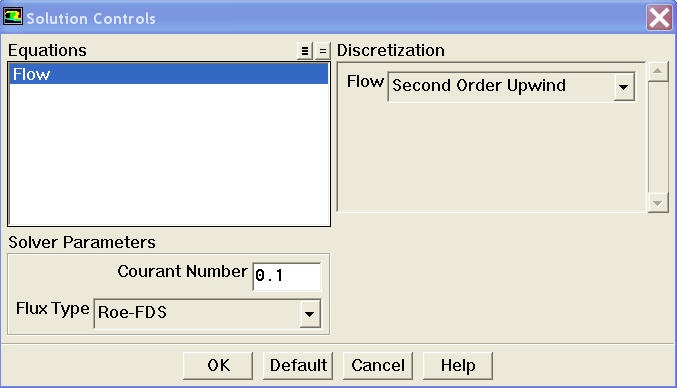
Click OK .
Solve > Initialize > Initialize...
This is where we set the initial guess values for the iterative solution. We'll use the farfield values (M=3, p=1 atm, T=300 K) as the initial guess for the entire flowfield. Select farfield under Compute From .This fills in values from the farfield boundary in the corresponding boxes. (Alternately, I could have typed in these values but I like to palm off as much grunt work as possible to the computer.)
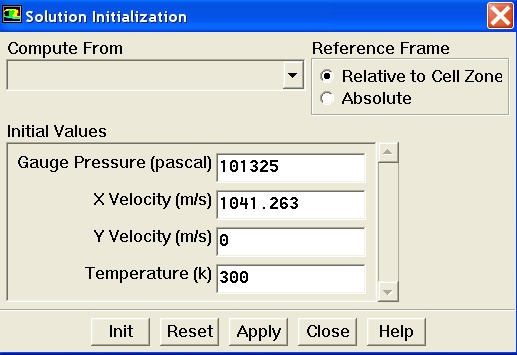
Click Init . Now, for each cell in the mesh, M=3, p=1 atm, T=300 K. These values will of course get updated as we iterate the solution below.
...
Go to Step 6: Analyze Results