*** This version of Confluence is for testing only and contains a copy of content from June 29th 2026. No changes will be preserved. ***

gritorigin -
gritdim
walkwaywidth
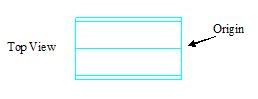
NOTE All dimensions, axis and angles are defined from a top view
...
Rotate1 - the rotate3d function is used to rotate the pipe about the y axis, with the origin as the pivot, -90 degrees. Information about the rotate3d function can be found in the basics help page
Pipe2
pipe2 origin =
...
Notes: ElbowRadius is the radius of curvature of an elbow. In the script it is given as a function of the inner pipe radius. This function is defined in the Pipe Database program
SocketDepth is the connection depth for pieces such as elbows and tees which connect with pipes. In the script it is given as a function of the inner pipe radius. This function is defined in the Pipe Database program
AutoCAD Grit Chamber Program 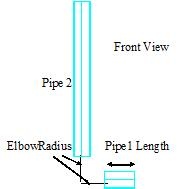
Pipe3
pipe3 origin =
...
Note: ShortTeeLength is the length of the shorter piece of a tee; it is the distance from the center of the longer piece of the tee to just before the connection piece. To clarify this see the tee help page.In the script it is given as a function of the inner pipe radius. This function is defined in the Pipe Database program
AutoCAD Grit Chamber Program 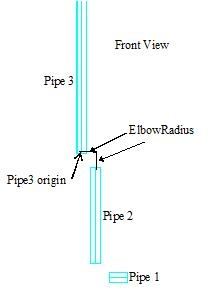
Rotate2 - the rotate3d function is used to rotate pipe3 about the y axis, with its own origin as the pivot point, -90 degrees.
AutoCAD Grit Chamber Program 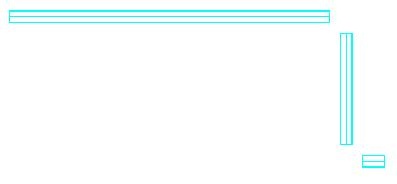
layer2 creates a new layer "grit-elbow" for all the elbows in the program
layer3 freezes the "grit-pipe" layer. When a layer is frozen, you can neither see nor alter the objects set under that layer. You only want to work with one layer at a time to avoid interference with other objects. Some elbows and pipes for example over overlap at times and this sidesteps that problem.
...
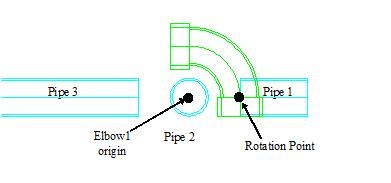
...
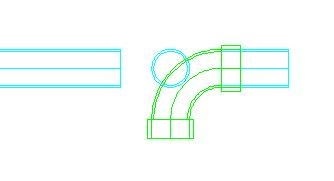
Rotate4 the rotate3d function is used to rotate elbow1 -90 degrees about the x axis. The rotation point is the same as the one used in Rotate3
AutoCAD Grit Chamber Program AutoCAD Grit Chamber Program 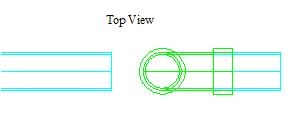
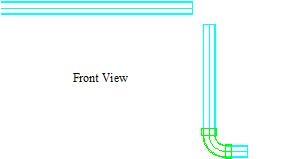
elbow2
elbow2 origin =
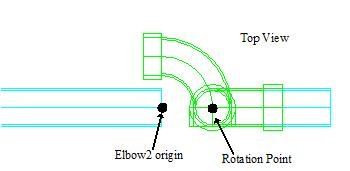
Rotate5 the rotate3d function is used to rotate elbow1 90 degrees about the x axis, with the above labeled rotation point as the pivot point.
...
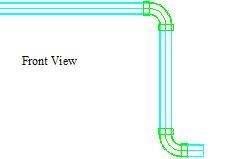
layer4 thaws the "grit-pipe" layer
...
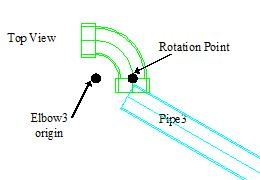
Rotate7 the rotate3d function is used to rotate elbow1 \90 degrees about the z axis, with the above labeled rotation point as the pivot point. The resulting image is seen below on the left.
AutoCAD Grit Chamber Program AutoCAD Grit Chamber Program 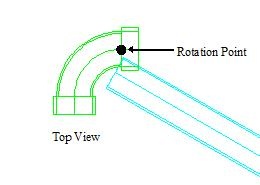
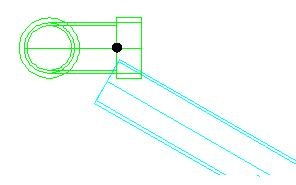
Rotate8 the rotate3d function is used to rotate elbow1 -90 degrees about the x axis. The rotation point is the same as the one used in Rotate7. The resulting image is seen above on the right.
...