...
File Management with Eclipse
Adding Files
...
- Add new files and folders to the project location in your workspace on your computer. i.e. Make changes to the files directly on your computer.
...
- Right click on the folder within your Workbench in Eclipse that holds the changes you have made. Go to Team > Update. The new files you wish to add should appear within Eclipse with question marks.
...
- Click on the folder containing the new files and select Team > Commit. You should be brought to a screen listing the files to be added.
...
- Select the files you wish to add to the repository and then click ok to add the new files. See the
...
- screen shots below for visuals.
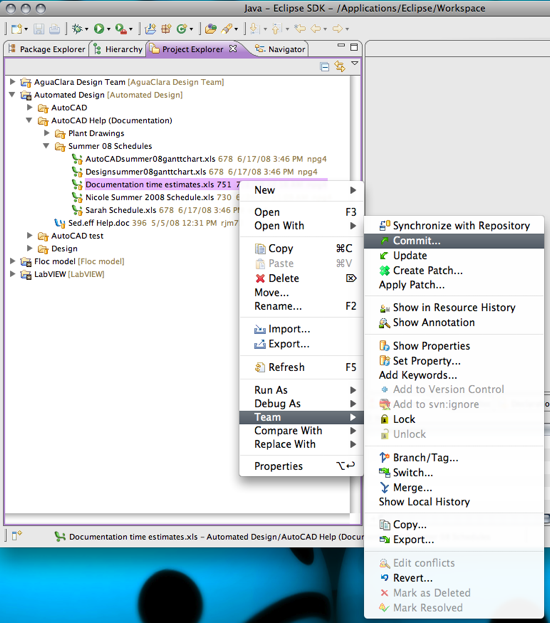 Image Added
 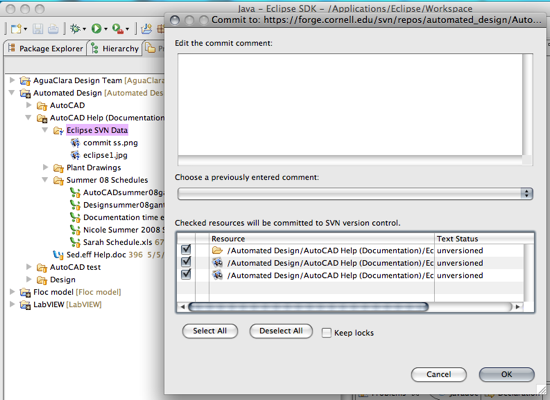 Image Added
{"serverDuration": 111, "requestCorrelationId": "542514cfa59d085a"}
