 Sign-up for free online course on ANSYS simulations!
...
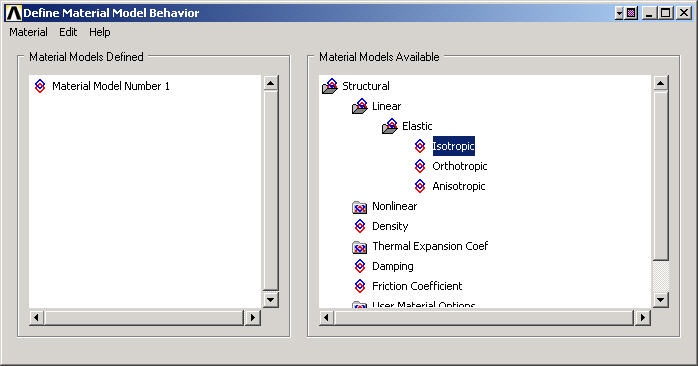
In the Define Material Model Behavior menu, double-click on Structural, Linear, Elastic, and Isotropic.
We'll use the previously defined parameter names while specifying the material properties. Enter 2.8E7 for Young's modulus EX, 0.3 for Poisson's Ratio PRXY. Click OK.
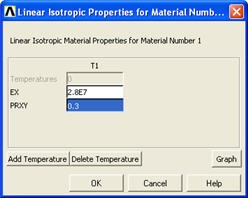
To double-check the material property values, double-click on Linear Isotropic under Material Model Number 1 in the Define Material Model Behavior menu. This will show you the current values for EX and PRXY. Cancel the Linear Isotropic Properties window.
...