*** This version of Confluence is for testing only and contains a copy of content from June 29th 2026. No changes will be preserved. ***

...
win2 =
Pipeoutr = outerradius(2*Pipeinr)
- the outer radius of the pipe, found from the pipe database using the outerradius (2*Pipeinr) functionfunction
Note: zc corresponds to the zoom constant used within AutoCAD and created in the basics file that is referenced by the pipe program.
Note: All coordinates are referenced in top view in the program unless otherwise specified
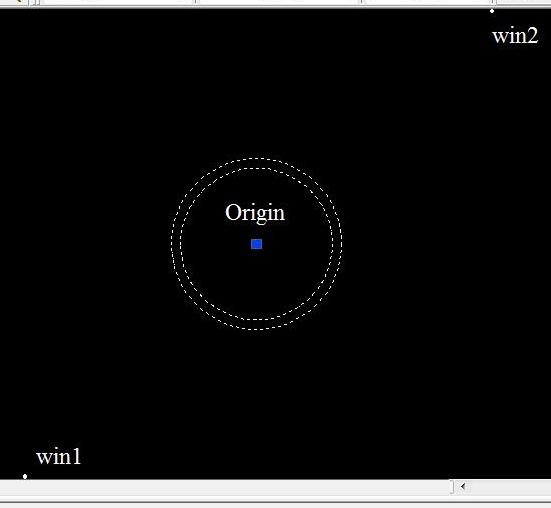
zoomwin- zooms on a window space directly around where the pipe is to be draw (as shown above - actual window size relative to pipe that is to be drawn). The points win1 and win2 are used to select this window size, based on including the space of the pipe (the outer radius) and a zoom constant (zc) to ensure the entire drawing will be within the frame.
zoomwin <-- zoomwin(win1,win2)
...
pipeoutr : = outerradius(2*pipeinr)
pipelength : = pipelength
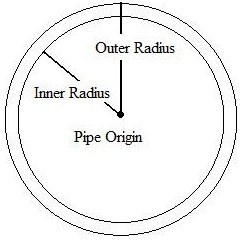
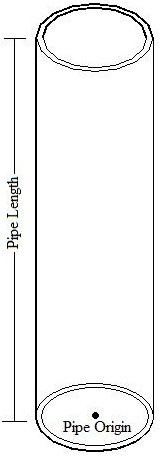
cylinder2 - Draws the smaller of the two cylinders needed to create the pipe. The cylinder has pipeinr as the radius. From topview, the cylinder draws up towards the viewer with the pipe origin at the bottom base. This inner cylinder will then be subtracted to create the hollow pipe, with the inner radius as specified.
cylinder2 <-- cylinder(origin,pipeinr,pipelength)
...
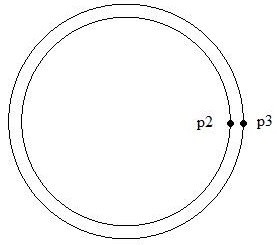
subtract1 - In order to create the hollow pipe, the inner cylinder must be subtracted from the outer cylinder. The subtract function selects p2, on the edge of the inner cylinder, to select the inner cylinder as the piece to be subtracted. The subtract function then selects p3, on the edge of the outer cylinder, to select the outer cylinder to subtract from.
...