*** This version of Confluence is for testing only and contains a copy of content from June 29th 2026. No changes will be preserved. ***

...
Overview
Material Eligible for Rare Annex
Processing Locations
Procedure
Physical Examination of the Book
Editing the FOLIO Records
Special Cases
Multivolumes
Charged Checked-out or Missing Volumes
Bound With
Sending A Book To Conservation
Book Returned from Conservation
Slavery or Nathan Location
Provenances (Former Owners) Provenances from Cornell's founding collections
...
| Anchor | ||||
|---|---|---|---|---|
|
Research universities carry significant responsibilities for preserving the printed heritage under their care. Cornell University Library takes this responsibility seriously, and is committed to providing adequate protection and security for all its historic materials. As appropriate, library units should inventory their general collections to identify materials appropriate for transfer to a special collections facility. Cornell Library's Annex facility also provides units with a secure housing option for low-use items of long-term historical value, or for items that are at risk of theft or damage on the open shelves. Such items may be assigned to the Rare Annex location (rmc,anx), from which they will circulate only to a secure, observed reading room on the central Cornell campus.
| Anchor | ||||
|---|---|---|---|---|
|
At Cornell, all items printed before 1876 must be provided with secure, climate-controlled storage and monitored reading room access. In addition, materials printed through 1930 should be evaluated for significant artifactual, historical, or market characteristics and assigned to a location best suited to ensure long term preservation and use. All items 1875 and earlier are re-processed automatically for Rare Annex (with needed record updates as described below). Items from 1876-1930 are reviewed by RMC staff for Rare Annex; any items not NOT selected for Rare Annex will be processed for the Circulating Annex location corresponding to its original location, unless the selector for that collection feels it's necessary to keep it in a central campus location.
| Anchor | ||||
|---|---|---|---|---|
|
Currently, transfer of material identified as rare from central campus to the Library Annex has been approved for the following libraries:
...
Requests from other unit libraries to send rare material to the Library Annex should be submitted to the appropriate contact in Library Technical Services. DBQ staff will, in turn, contact representatives from RMC, the Library Annex, the LTS Automation Team, Digitization and Conservation Services, and, if necessary, the FOLIO Upgrade Team to set up circulation, programmatic and workflow aspects of executing the transfers.
...
| Anchor | ||||
|---|---|---|---|---|
|
| Anchor | ||||
|---|---|---|---|---|
|
| Anchor | ||||
|---|---|---|---|---|
|
1. Display the Instance record by scanning or entering the barcode of the book from the Item search (this ensures matching item records in the case of multiple copies).
...
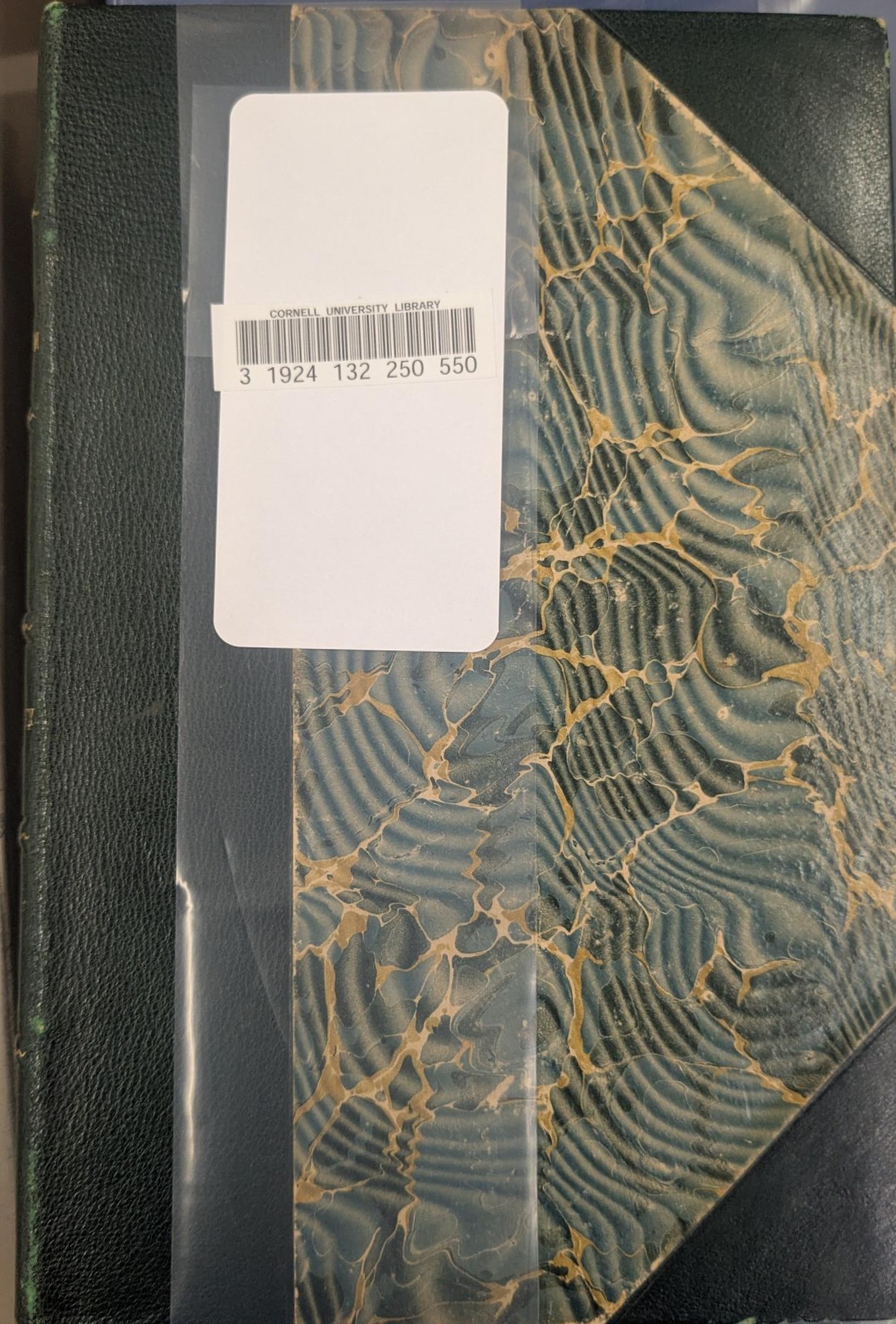
6. Adding a Barcode to a transfer book: if a book that is being transferred to a Rare Annex collection lacks a barcode, wrap a mylar strip vertically around the cover with the spine on the LEFT (usually the front cover). Let the ends of the mylar overlap slightly, without any tension on the cover, but flush enough so that it will stay in place, without sliding off easily. Attach the 2 ends of the strip with an AVERY 5963 label, which is 2"x 4", and will cover a generous area over the plastic strip. Attach the barcode to the label.
Example:
...
| Anchor | ||||
|---|---|---|---|---|
|
A. Mulitivolumes Anchor C1 C1
...
2. In the Holdings record, check the Holdings Statement to make sure you have all available volumes of the work:
...
Examples: 

...
E. Book Returned from Conservation Anchor C5 C5
...
